Modern Video Reel
Javascript
Thank you for purchase. If you have any questions that are beyond the scope of this help file, please feel free to email via my user page contact form on the link above.
Registration
Register the plugin at the following link
Instructions how to register (ONLY steps 1-3 are required)
Registration made to make sure customers use the license on a single project (as per Envato rules) and to help customers owning many licenses easily track on which server licenses are being used.
intro
How to create the best looking reel?
The best reel will consist of mp4 videos and image poster for each video.
Although this plugin does supports Youtube and Vimeo videos, these videos are slower to start playing (because of needed communication with Youtube / Vimeo servers).
So you will get the best performance using mp4 videos. Also, image poster is recommended for each video and it should be the same size as the video itself. The best is the take screenshot from first frame of the video itself. This ensures image poster is the same size as the video and provides the best viewing experience (poster is shown on start until video starts playing, then video is faded in)
Installation
How to install?
Include scripts and styles in HEAD section of the page:
CSS:
<link rel="stylesheet" type="text/css" href="css/mvp_reel.css" />Javascript:
<script src="js/mvp_reel.js"></script>
Initialize the player with settings:
<script>

    document.addEventListener("DOMContentLoaded", function(event) {

        var settings = {
            ....
        };

        new mvp_reel(document.getElementById('wrapper'), settings);

    });
</script>
View all player settings
Include reel div in BODY section of the page:
<div id="wrapper"></div>
Reel settings
All reel options that can be set when initalizing plugin:
General
| Parameter | Value | description |
|---|---|---|
| activePlaylist | #id | Active playlist on player start. Leave empty for none. Check working with playlist section for more info. |
| instanceName | Name of the player instance (String), can be used for api (no spacing or special chars) | |
| reelSkin | default, insta | default has vertical buttons on right side of the reel. insta has buttons below the reel. |
Youtube player
| Parameter | Value | description |
|---|---|---|
| youtubeAppId | Youtube API key. Go here for the API key: https://console.developers.google.com and create new project, enable YouTube Data API, go to Credentials, create API key. You can enter multiple keys separated by comma for backup. | |
| youtubeUsePortaitPoster | true / false | Experimental feature. Useful if you use only Youtube Shorts. This will get youtube thumbnail in the size of shorts (9/16). Quality is not always the best. |
| hideShortsFromShowing | true / false | Hide shorts from showing in Youtube Playlist or Channel. |
| showOnlyShorts | true / false | Show only shorts in Youtube Playlist or Channel. |
| forceYtChromeless | true / false | Hide youtube elements above player (title, share, related videos etc..) |
| useBlocker | true / false | Place transparent div over video to prevent clicking on Youtube or Vimeo video. (only with custom controls) |
| iframeAllow | accelerometer; autoplay; clipboard-write; encrypted-media; gyroscope; picture-in-picture | Iframe Allow attribute: https://developer.mozilla.org/en-US/docs/Web/HTML/Element/iframe |
| convertUrlToLinksInDesc | true / false | Youtube / Vimeo video description does not provide clickable url links. This will convert http urls in description (if exist) into href clickable links. Use with care because it may return unexpected results since it has to scan all description text and try to convert to href tags. |
Vimeo player
| Parameter | Value | description |
|---|---|---|
| vimeoThumbSize | 400x711 | Vimeo Thumb Size. Choose your desired thumbnail size. Enter in format like 700x400 |
Load more
| Parameter | Value | description |
|---|---|---|
| useLoadMore | true / false | Use Load More. If you have lots of reel items in page, its recommended to use load more feature!
For example show 4 items on start, then when user scrolls to the bottom, load another 4 and so on. Load more should also be used especially with Youtube or Vimeo Playlist, channel etc. |
| loadMoreCount | 4 | How many items to show on start if load more is used. Recommended 4 |
| useLoadMoreBtn | true / false | Use Load More button. Load more on button click. Load more button will be placed below the reel. |
| loadMoreText | Load More | Load More Button text |
| loadMoreOnScroll | true / false | Load more as user scrolls down the page. |
| loadMoreUseObserver | true / false | Load More with Observer tracks load more on reel element, regardless of its positon in the page. If this is set to no, then load more works by detecting scrolling to page bottom.
If your Reel is located in the center of the page (and there are still other items below the reel itself), its better to use Observer method, because scroll to page bottom will not be detected until you actually scroll past the reel itself. |
Controls
| Parameter | Value | description |
|---|---|---|
| mediaControlsType | custom, default, none | Video controls type. Default are standard browser video / audio controls, or standard Youtube or Vimeo. Custom are custom player buttons and seekbar. Applies for all video types. |
| mediaControlsSkin | basic / sky | Custom Skin controls. Choose controls skin style. Only if mediaControlsType is custom. |
| controlsList | nofullscreen nodownload noremoteplayback | Video Controls List attribute. You can use this to control some buttons appearances in the HTML video player (like download or fullscreen). Valid for Video default controls.
https://developer.mozilla.org/en-US/docs/Web/API/HTMLMediaElement/controlsList |
| useMobileNativePlayer | true / false | Use IOS native video player. https://developer.apple.com/documentation/webkitjs/htmlvideoelement/2528111-playsinline |
| disablePictureInPicture | true / false | Disable Picture In Picture https://developer.mozilla.org/en-US/docs/Web/API/HTMLVideoElement/disablePictureInPicture |
| crossorigin | Crossorigin attribute https://developer.mozilla.org/en-US/docs/Web/HTML/Attributes/crossorigin |
|
| preload | media preload attribute https://developer.mozilla.org/en-US/docs/Web/API/HTMLMediaElement/preload |
|
| autoHideControlsOnActiveVideo | true / false | Auto hide controls on active video. Only if mediaControlsType is custom. |
| autoHideControlsTimeout | 4000 | Auto hide controls time in miliseconds. |
| usePlayBtn | true / false | use Play Btn to pause / play video |
| useVolumeBtn | true / false | Use Volume Button. Enables to toggle mute |
| useTime | true / false | Shows video current / total time |
| useSeekbar | true / false | Use progress Seekbar. Shows video visual progress |
| canSeek | true / false | User can seek. Prevent seekbar use so user cannot skip video |
| seekTime | seconds | Default video skip time in seconds. |
| useFullscreenBtn | true / false | Use Fullscreen button. Fullscreen button will show active video in fullscreen. In fullscreen its not possible to advance to next video. |
| fullscreenEnterText | Enter fullscreen | Fullscreen button Enter Text. |
| fullscreenExitText | Exit fullscreen | Fullscreen button Exit Text. |
| useRewindBtn | true / false | Rewind button will skip back by default skip time. |
Auto Scroll
| Parameter | Value | description |
|---|---|---|
| useAutoScrollBtn | true / false | Use Auto Scroll button. Enables to auto advance on next item once current video has finished playing. Applies ONLY for main item, not horizontal items. |
| autoScrollOn | true / false | Auto Scroll on start. Is Auto Scroll on start active. Note that autoscroll state is saved in browser so once set it will reflect last saved state in browser and changing this will not have effect. |
| autoScrollText | Auto Scroll | Auto Scroll button title text |
| autoScrollOnText | Auto scroll is on | Auto Scroll on button text |
| autoScrollOffText | Auto scroll is off | Auto Scroll off button text |
| imageDuration | 5000 | Auto Scroll Image duration in miliseconds. How long to show media type images for autoscroll. |
Snap layout on scroll
| Parameter | Value | description |
|---|---|---|
| snapLayout | true / false | Use CSS Snap layout. If this is yes, Use wheel scroll option will be no. May require some additional CSS changes in page.
https://developer.mozilla.org/en-US/docs/Web/CSS/scroll-snap-type |
| wheelScrollSnap | true / false | Use wheel scroll. Use wheel scroll to scroll to next item. Scroll will snap to next item automatically. Will be false if snapLayout is true. |
| wheelScrollAllowMultiple | true / false | Wheel Scroll Allow Multiple at once.Allow Multiple items to scroll at once. Affects performance if set to yes. Recommended is no. Valid only on desktop. |
Advance Buttons
| Parameter | Value | description |
|---|---|---|
| useAdvanceButtons | true / false | Use Advance Buttons. Advanced buttons are placed on page level. They allow scrolling up or down the reel. They are hidden on narrow screens by CSS. Only one set of Advance Buttons can be used per page! |
| advanceBtnPreviousText | Previous | Advance Button Previous Text |
| advanceBtnNextText | Next | Advance Button Next Text |
| advanceBtnPreviousIcon | SVG | Advance Button Previous Icon |
| advanceBtnNextIcon | SVG | Advance Button Next Icon |
Playback
| Parameter | Value | description |
|---|---|---|
| loopVideo | true / false | Loop Video. Whether to loop video. If auto Scroll is turned On, loop video will become false, so on video end, it will continue to next video. |
| rewindOnStart | true / false | Rewind On start. By default each video reel starts from beginning. If rewind On Start is false, then each video will remember position and continue from last played time. Only valid for current active page, meaning it will reset next time page is reloaded. |
| shuffleHorizontalItems | true / false | Randomize order of horizontal items in Reel. |
| loopHorizontalMedia | true / false | After last horizontal item finishes playing, it will automativally scroll to main item. Note: only works when autoscroll if turned on! |
| goToNextItemAfterLastHorizontalItem | true / false | This will advance to next reel item after last horizontal item finishes playing in current reel item. Note: only works when autoscroll if turned on! |
Video Click Action
| Parameter | Value | description |
|---|---|---|
| videoClickAction | none, playback, link | Video Click Action. Action to perform if video is clicked. Only if mediaControlsType is custom. Playback is valid for all including horizontal scroll videos. Link only works on main video. |
Miscelanueus
| Parameter | Value | description |
|---|---|---|
| descriptionMenuText | Description | Description Menu Text (open description) |
| downloadMenuText | Download | Download Menu Text (Download video) |
| unMuteText | unMute | UnMute button Text |
| muteText | Mute | Mute button Text |
| noSoundText | This video has no sound | Volume button no Sound Text |
| showReelOrientationNote | true / false | Reel is best viewed in vertical format (like Instagram). Display message (only once) if user uses his phone in landscape. |
| reelOrientationMsg | Gallery is best viewed in portrait orientation. Rotate your device to portrait. | Message shown mobile when user rorates its phone to landscape first time. |
| reelOrientationPreffered | v / h | Choose preffered orientation. Default is v (vertical). This means if the user has device in horizontal orientation, above message will be displayed. |
| disableRightClickOverReel | true / false | Disable Right Click Over Reel |
Image poster / thumbnail
| Parameter | Value | description |
|---|---|---|
| usePoster | true / false | Use Poster in reel items. Add poster for each reel item. This is not required and technially it should function without poster but using poster is advised!
Also try to make image poster the same size as your videos, to ensure smooth transition between poster and video. |
| placeholderImg | Transparent image placeholder which is shown until poster loads. Needs to be the same aspect ratio as your videos! (16/9, 3/4 etc..). More examples: 9/16 => data:image/png;base64,iVBORw0KGgoAAAANSUhEUgAAAAkAAAAQCAQAAABuQZ3IAAAAEElEQVR42mNkwACMo0K4hQALSAARu3DAkAAAAABJRU5ErkJggg== 16/9 => data:image/png;base64,iVBORw0KGgoAAAANSUhEUgAAABAAAAAJCAYAAAA7KqwyAAAAF0lEQVR42mP8z/C/noECwDhqwKgBQAAAR9sWb2h9VXcAAAAASUVORK5CYII= 1/1 => data:image/png;base64,iVBORw0KGgoAAAANSUhEUgAAAAEAAAABCAQAAAC1HAwCAAAAC0lEQVR42mNkYAAAAAYAAjCB0C8AAAAASUVORK5CYII= 3/4 => data:image/png;base64,iVBORw0KGgoAAAANSUhEUgAAAAMAAAAECAYAAABLLYUHAAAAEklEQVR42mP8z8DAxAAFjMRxAH8cBAmJEggkAAAAAElFTkSuQmCC You can generate image here Needs to have the following infront image url: data:image/png;base64, |
|
| imageObserverThreshold | 0.3 | Image Observer Threshold. Observer Threshold for loading image posters in reel. How much of reel item to be visible in page for poster to load (0-1). Recommended is 0.3
https://developer.mozilla.org/en-US/docs/Web/API/Intersection_Observer_API |
| videoPlayThreshold | 0.3 | Video Play Threshold. Observer Threshold for when to trigger video play on reel item. How much of reel item to be visible in page for video to load and start playing (0-1). Recommended is 0.3
https://developer.mozilla.org/en-US/docs/Web/API/Intersection_Observer_API |
Preloaders
| Parameter | Value | description |
|---|---|---|
| useReelLoader | true / false | Use Reel Loader. Preloader for whole reel, shown on start and each load more. |
| reelLoader | <span class="mvp-reel-loader"></span> | Reel Loader HTML. If you add another loader, you need to provide loader CSS manually.
https://cssloaders.github.io/ |
| useVideoLoader | true / false | Use video Loader. Youtube and Vimeo require little bit longer to start playing than HTML video so its recommended to have loader visible, at least for Youtube and Vimeo. |
| videoLoader | <span class="mvp-reel-video-loader"></span> | Iframe Loader HTML. If you add another loader, you need to provide loader CSS manually.
https://cssloaders.github.io/ |
Keyboard
| Parameter | Value | description |
|---|---|---|
| useKeyboardNavigation | true / false | Use Keyboard Navigation. Keyboard is only acitve when mouse is over the reel and has focus. |
| keyboardControls |
keyboardControls: [
    {keycode:32, action: 'togglePlayback'},
    {keycode:77, action: 'toggleMute'},
    {keycode:33, action: 'previousMedia'},
    {keycode:34, action: 'nextMedia'},
    {keycode:75, action: 'previousHorizMedia'},//k
    {keycode:76, action: 'nextHorizMedia'},//l
    {keycode:36, action: 'firstMedia'},
    {keycode:35, action: 'lastMedia'},
    {keycode:37, action: 'seekBackward'},
    {keycode:39, action: 'seekForward'},
    {keycode:70, action: 'toggleFullscreen'},//f
    {keycode:68, action: 'toggleDescription'},//d
],
|
Keyboard Controls. action comes from api methods |
Icons
| Parameter | Value | description |
|---|---|---|
| shareIcon | SVG | Share Icon |
| playIcon | SVG | Play Icon |
| pauseIcon | SVG | Pause Icon |
| muteIcon | SVG | Mute Icon |
| volumeIcon | SVG | Volume Icon |
| noSoundIcon | SVG | No Sound Icon |
| shareTumblrIcon | SVG | Share Tumblr Icon |
| shareTwitterIcon | SVG | Share Twitter Icon |
| shareFacebookIcon | SVG | Share Facebook Icon |
| shareWhatsAppIcon | SVG | Share WhatsApp Icon |
| shareLinkedInIcon | SVG | Share Linked Icon |
| shareRedditIcon | SVG | Share Reddit Icon |
| shareDiggIcon | SVG | Share Digg Icon |
| sharePinterestIcon | SVG | Share Pinterest Icon |
| shareEmailIcon | SVG | Share Email Icon |
| shareSmsIcon | SVG | Share SMS Icon |
| autoScrollIcon | SVG | Auto Scroll On Icon |
| autoScrollOffIcon | SVG | Auto Scroll Off Icon |
| verticalDotsIcon | SVG | vertical Dots Icon (more menu) |
| closeIcon | SVG | Close icon (close share, description..) |
| descriptionIcon | SVG | Description icon |
| downloadIcon | SVG | Download icon |
| fullscreenEnterIcon | SVG | Fullscreen Enter Icon |
| fullscreenExitIcon | SVG | Fullscreen Exit Icon |
| rewindIcon | SVG | Rewind Icon |
| viewLeftIcon | SVG | View Left Icon (for horizontal scrolling) |
| viewRightIcon | SVG | View Right Icon (for horizontal scrolling) |
Using SVG for icons
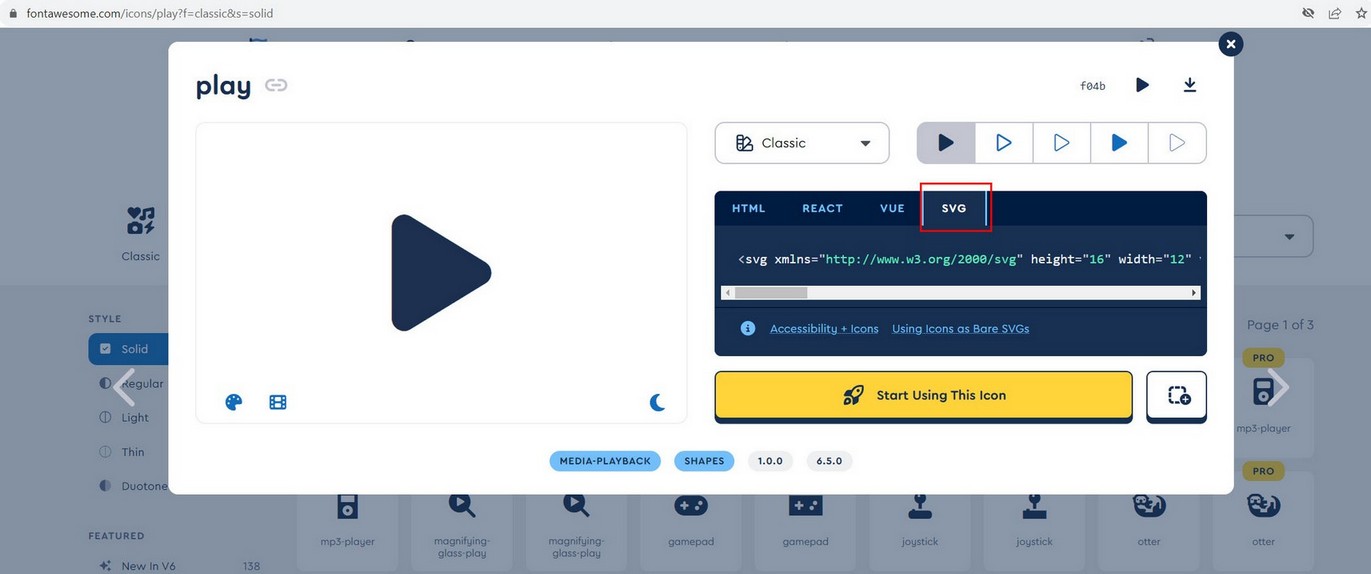
To get SVG code, for example, go to Font Awesome page, choose icon and copy SVG code. Of course you can get SVG code from different websites.
Working with playlist
This section explains how to load a playlist on start. Videos can be added to player using HTML markup or Object notation.
Adding videos using HTML markup
HTML5 video example, you need to have this in page BODY:
<div id="mvp-playlist-list">
     <div class="playlist-video">
         <div class="mvp-playlist-item" data-type="video" data-path="VIDEO_URL" data-poster="POSTER_URL" data-title="This is first video"></div>
         <div class="mvp-playlist-item" data-type="video" data-path="VIDEO_URL" data-poster="POSTER_URL"  data-title="This is second video"></div>
     </div>
 </div>
To load this playlist on start use following settings:
playlistList: "#mvp-playlist-list",
activePlaylist:".playlist-video",
Youtube playlist example, you need to have this in page BODY:
<div id="mvp-playlist-list">
     <div class="playlist-youtube">
         <div class="mvp-playlist-item" data-type="youtube_playlist" data-path="PLFgquLnL59alCl_2TQvOiD5Vgm1hCaGSI"></div>
     </div>
 </div>
To load this playlist on start use following settings:
playlistList: "#mvp-playlist-list",
activePlaylist:".playlist-youtube",
Adding videos using object notation
HTML5 video example, use following in settings in media array:
media:[
    {
        type:'video',
        path:'VIDEO_URL1',
        title:'This is first video',
        poster:'poster-url'
    },
    {
        type:'video',
        path:'VIDEO_URL2',
        title:'This is second video',
        poster:'poster-url'
    },
]
Youtube playlist example, use following settings:
media:[
    {
        type:'youtube_playlist',
        path:'PLFgquLnL59alCl_2TQvOiD5Vgm1hCaGSI',
    },
]
HTML video
Displaying video in Reel (mp4)
Using mp4 videos in preferred in Reel because they will load the fastest (unlike Youtube and Vimeo which require communication with Youtube and Vimeo server before playing therefore taking longer to start).
Example video playlist:
HTML markup
<div class="playlist-video">

    <div class="mvp-playlist-item" data-type="video" data-path="media/vertical/02.mp4" data-poster="media/vertical/poster/02.jpg" data-title="Crazy sunset" data-description="Nunc Venenatis Sapien Ultrices Dui. Vivamus dolor. Integer vel ante." data-download="media/vertical/02.mp4"></div>

    <div class="mvp-playlist-item" data-type="video" data-path="media/vertical/03.mp4" data-poster="media/vertical/poster/03.jpg" data-title="A red sunrise" data-description="A morning sky that is a deep, fiery red can indicate that there is high water content in the atmosphere."></div>

</div>
Object notation
media:[
    {
        type: 'video',
        path: 'media/vertical/01.mp4',
        poster: 'media/vertical/poster/01.jpg',
        title: 'Video title goes here',
        description: 'Create video reels consisting of HTML video, Youtube and Vimeo. Display videos in portrait or landscape format. Load folder of videos directly into the Reel.',
        link: 'https://google.com',
        target: '_blank',
        download: 'media/vertical/01.mp4',
    },
    {
        type: 'video',
        path: 'media/vertical/02.mp4',
        poster: 'media/vertical/poster/02.jpg',
        title: 'Crazy sunset',
        description: 'Nunc Venenatis Sapien Ultrices Dui. Vivamus dolor. Integer vel ante.',
        download: 'media/vertical/02.mp4',
    }
],
Parameters:
| Parameter | Required | Value |
|---|---|---|
| data-type | yes | video |
| data-path | yes | path to video |
| data-path-mobile | Optional url which will be displayed on mobile (use this if you want to provide smaller resolution on mobile for faster load) | |
| data-poster | recommended | video poster. Poster should be the same size as the video (for video items). Adding image poster is recommended when using videos in Reel items. Poster serves multiple purpose, keeping aspect ratio until video loads, and faster loading since only image is loaded on start instead of video. |
| data-alt | poster alt text. | |
| data-title | custom title | |
| data-description | custom description | |
| data-caption | Caption is shown above image | |
| data-download | download path | |
| data-slug | recommended for sharing | share url used for social sharing. (use only a-z, 0-9, and no spacing) |
| data-start | media start time in seconds | |
| data-playback-rate | media playback speed: http://www.w3schools.com/tags/av_prop_playbackrate.asp | |
| data-link | Url link to open when you click on video area. Works only if VideoClickAction is set to "link" in settings. (Not valid for 360 videos and images) | |
| data-target | Url link target (_blank, _parent..) | |
| data-no-sound | Indicates that Video has no sound. This will show no sound volume icon. |
Trouble playing videos?
If your videos have trouble playing on some browsers or devices, it is most likely a video encryption problem.
We suggest using following video encoder for encodiong your videos:
https://handbrake.fr/How to load single video from Google Drive?
If you want to use single video (or audio) files from Google Drive, use the following method:
Go to Disc – My drive:

https://drive.google.com/drive/my-drive
right click on audio, Get shareable link and you get something like this:

https://drive.google.com/open?id=0ByzcNpNrQNpWZUlJVjZQVHoxWnM

use that audio ID to create google drive video URL:

https://www.googleapis.com/drive/v3/files/VIDEO_ID?alt=media

This is final URL how google drive audio URL should look:

https://www.googleapis.com/drive/v3/files/0ByzcNpNrQNpWZUlJVjZQVHoxWnM?alt=media – use this link in player as type video and data-path url:

 <div class="mvp-playlist-item" data-type="audio" data-path="https://www.googleapis.com/drive/v3/files/0ByzcNpNrQNpWZUlJVjZQVHoxWnM?alt=media"></div>

You can append you Google Drive api key as well if you are trying to play large files:

https://www.googleapis.com/drive/v3/files/0ByzcNpNrQNpWZUlJVjZQVHoxWnM?alt=media&key=YOUR_API_KEY

Use this url in Reel as type video.
How to load single video from One Drive?
If you want to use single files from One Drive, use the following method:
Right click on the file - Embed and copy link, you will get something like this:

<iframe src="https://onedrive.live.com/embed?cid=A237237B1FB33CFF&resid=A237237B1FB33CFF%21108&authkey=AB0A6YtJz9Bn7BA" width="320" height="133" frameborder="0" scrolling="no" allowfullscreen></iframe>

Use just the src part:

https://onedrive.live.com/embed?cid=A237237B1FB33CFF&resid=A237237B1FB33CFF%21108&authkey=AB0A6YtJz9Bn7BA

and replace 'embed' with 'download'

so you end up with:

https://onedrive.live.com/download?cid=A237237B1FB33CFF&resid=A237237B1FB33CFF%21108&authkey=AB0A6YtJz9Bn7BA

Use this url in Reel as type video.
HTML audio
Displaying audio in Reel (mp3, wav...)
Example audio playlist:
HTML markup
<div class="playlist-audio">

    <div class="mvp-playlist-item" data-type="audio" data-path="media/audio/01.mp3" data-poster="media/audio/poster/01.jpg" data-title="Audio title goes here" data-description="This is a song. Ut laoreet hendrerit mi. Nam vestibulum viverra diam."></div>

    <div class="mvp-playlist-item" data-type="audio" data-path="media/audio/02.mp3" data-poster="media/audio/poster/02.jpg" data-title="Audio title goes here" data-description="This is a song. Ut laoreet hendrerit mi. Nam vestibulum viverra diam."></div>

</div>
Object notation
media:[
    {
        type: 'audio',
        path: 'media/audio/01.mp3',
        poster: 'media/audio/poster/01.jpg',
        title: 'Audio title goes here',
        description: 'This is a song. Ut laoreet hendrerit mi. Nam vestibulum viverra diam.',
    },
    {
        type: 'audio',
        path: 'media/audio/02.mp3',
        poster: 'media/audio/poster/02.jpg',
        title: 'Another song title',
        description: 'Vestibulum in ipsum. Praesent ac nunc.',
    }
],
Parameters:
| Parameter | Required | Value |
|---|---|---|
| data-type | yes | audio |
| data-path | yes | path to audio |
| data-path-mobile | Optional url which will be displayed on mobile (use this if you want to provide smaller resolution on mobile for faster load) | |
| data-poster | yes | poster is shown while audio plays. |
| data-alt | poster alt text. | |
| data-title | custom title | |
| data-description | custom description | |
| data-caption | Caption is shown above image | |
| data-download | download path | |
| data-slug | recommended for sharing | share url used for social sharing. (use only a-z, 0-9, and no spacing) |
| data-start | media start time in seconds | |
| data-playback-rate | media playback speed: http://www.w3schools.com/tags/av_prop_playbackrate.asp | |
| data-link | Url link to open when you click on video area. Works only if VideoClickAction is set to "link" in settings. (Not valid for 360 videos and images) | |
| data-target | Url link target (_blank, _parent..) |
Image
Displaying images in Reel
Example image playlist:
HTML markup
<div class="playlist-image">

   <div class="mvp-playlist-item" data-type="image" data-path="media/image/02.jpg" data-title="Classic car" data-description="Class aptent taciti sociosqu ad litora torquent per conubia nostra, per inceptos himenaeos."></div>

   <div class="mvp-playlist-item" data-type="image" data-path="media/image/03.jpg"  data-title="Flowers blooming in spring" data-description="Quisque odio. Cras eget enim. Suspendisse potenti."></div>

</div>
Object notation
media:[
    {
        type: 'image',
        path: 'media/image/01.jpg',
        title: 'Classic car',
        description: 'Class aptent taciti sociosqu ad litora torquent per conubia nostra, per inceptos himenaeos.',
    },
    {
        type: 'video',
        path: 'media/image/03.jpg',
        title: 'Flowers blooming in spring',
        description: 'Quisque odio. Cras eget enim. Suspendisse potenti.',
    }
],
Parameters:
| Parameter | Required | Value |
|---|---|---|
| data-type | yes | image |
| data-path | yes | path to image |
| data-path-mobile | Optional url which will be displayed on mobile (use this if you want to provide smaller resolution on mobile for faster load) | |
| data-alt | poster alt text. | |
| data-title | custom title | |
| data-description | custom description | |
| data-caption | Caption is shown above image | |
| data-download | download path | |
| data-slug | recommended for sharing | share url used for social sharing. (use only a-z, 0-9, and no spacing) |
| data-duration | How long to show image when auto scroll is turned on (miliseconds). This can also be a global option in settings imageDuration | |
| data-link | Url link to open when you click on video area. Works only if VideoClickAction is set to "link" in settings. (Not valid for 360 videos and images) | |
| data-target | Url link target (_blank, _parent..) |
Youtube
Youtube supports single videos, playlist, channel.
Youtube requires API key which needs to be entered in Settings .
Go here for the API key: https://console.developers.google.com and create new project, enable YouTube Data API, go to Credentials, create API key.
Tutorial on how to create Youtube API key: Get youtube api key
Using Vimeo without API keys
API key is not needed if you are going to use only Youtube single videos which you can load without the need for API.
Example Youtube single videos:
HTML markup
<div class="playlist-youtube">

    <div class="mvp-playlist-item" data-type="youtube_single" data-path="Nb35Cna6J5I"></div>
    <div class="mvp-playlist-item" data-type="youtube_single" data-path="FgwsCOIaduE"></div>

</div>
Object notation
media:[
    {
        type: 'youtube_single',
        path: 'Nb35Cna6J5I',
    },
    {
        type: 'youtube_single',
        path: 'FgwsCOIaduE',
    }
],
Example Youtube single videos without API:
HTML markup
<div class="playlist-youtube">

    <div class="mvp-playlist-item" data-type="youtube_single" data-path="Nb35Cna6J5I" data-poster="media/yt/Nb35Cna6J5I.jpg" data-title="Youtube single video" data-description="This is a Youtube video example that does not require api usage" data-noapi></div>

    <div class="mvp-playlist-item" data-type="youtube_single" data-path="FgwsCOIaduE" data-poster="media/yt/FgwsCOIaduE.jpg" data-title="Mister S 8a+ at 55°" data-description="This is another Youtube video example" data-noapi></div>

</div>
Object notation
media:[
    {
        type: 'youtube_single',
        path: 'Nb35Cna6J5I',
        poster: 'media/yt/Nb35Cna6J5I.jpg',
        title: 'Youtube single video',
        description: 'This is a Youtube video example that does not require api usage',
        noApi: true
    },
    {
        type: 'youtube_single',
        path: 'FgwsCOIaduE',
        poster: 'media/yt/FgwsCOIaduE.jpg',
        title: 'Mister S 8a+ at 55°',
        description: 'This is another Youtube video example',
        noApi: true
    }
],
Example multiple Youtube single videos:
HTML markup
<div class="playlist-youtube">

    <div class="mvp-playlist-item" data-type="youtube_single_list" data-path="Nb35Cna6J5I,FgwsCOIaduE,IewIVZgJQm4,-PoDV_f7oT8"></div>

</div>
Object notation
media:[
    {
        type: 'youtube_single_list',
        path: 'Nb35Cna6J5I,FgwsCOIaduE,IewIVZgJQm4,-PoDV_f7oT8'
    }
],
Example Youtube playlist:
HTML markup
<div class="playlist-youtube">

    <div class="mvp-playlist-item" data-type="youtube_playlist" data-path="PLbWPytS1GWJLZKRp1dOHTnNmUzi3o8yxs"></div>

</div>
Object notation
media:[
    {
        type: 'youtube_playlist',
        path: 'PLH-do-y953IiystRnbK49ot5y0lfBYxSd',
    },
],
Example Youtube channel:
HTML markup
<div class="playlist-youtube">

    <div class="mvp-playlist-item" data-type="youtube_channel" data-path="UCqhnX4jA0A5paNd1v-zEysw"></div>

</div>
Object notation
media:[
    {
        type: 'youtube_channel',
        path: 'UCqhnX4jA0A5paNd1v-zEysw',
    },
],
Parameters:
| Parameter | Required | Value |
|---|---|---|
| data-type | yes | youtube_single / youtube_single_list / youtube_playlist / youtube_channel |
| data-path | yes | single video id / playlist id / channel id |
| data-poster | recommended | video poster |
| data-alt | poster alt text. | |
| data-title | custom title | |
| data-description | custom description | |
| data-caption | Caption is shown above image | |
| data-download | download path | |
| data-slug | recommended for sharing | share url used for social sharing. (use only a-z, 0-9, and no spacing) |
| data-start | media start time in seconds | |
| data-playback-rate | media playback speed: http://www.w3schools.com/tags/av_prop_playbackrate.asp | |
| data-link | Url link to open when you click on video area. Works only if VideoClickAction is set to "link" in settings. (Not valid for 360 videos and images) | |
| data-target | Url link target (_blank, _parent..) | |
| data-is360 | is video 360. Choose this if content is 360 virtual reality video | |
| data-noapi | Dont use Youtube api to retrieve video title, description and thumbnail (only for youtube single videos). | |
| data-exclude | exclude certain videos from showing in the feed (valid for channel, playlist.. not single video ids). Enter one or more video ids separated by comma, example: data-exclude="Bu0UhBrzd8k,LyXsRz2SeCI" | |
| data-hl | Language code. Use Localized title and description in your own language | |
| data-cc-lang-pref | Subtitle language. If your videos have multiple subtitles languages, you can force to show chosen language this attribute. Only for default video player controls. | |
| data-no-sound | Indicates that Video has no sound. This will show no sound volume icon. |
Hide Youtube shorts
To hide Youtube shorts videos from showing in Youtube Playlist or Channel, add following in settings:
hideShortsFromShowing:true
Localized title and description
If your videos have localized title and description, you can show them in your chosen language using data-hl:
<div class="mvp-playlist-item" data-type="youtube_playlist" data-path="PLijk13kqreIe83BAajgYNGpsx57keRRNz" data-hl="de"></div>
Use language code (BCP-47) for data-hl value:
https://en.wikipedia.org/wiki/IETF_language_tag#:~:text=An%20IETF%20BCP%2047%20language,the%20IANA%20Language%20Subtag%20Registry.How to translate title and description for your Youtube videos:
https://support.google.com/youtube/answer/6289575Show default subtitle language on start
If your videos have multiple subtitles languages, you can force to show chosen language using cc_lang_pref parameter.
Example, use French subtitles:
Youtube playlist:
<div class="mvp-playlist-item" data-type="youtube_playlist" data-path="PLpjK416fmKwQocODJPc1D7PQSoy25VluA" data-cc-lang-pref="fr" ></div>
Use language code for cc_lang_pref value:
https://www.loc.gov/standards/iso639-2/php/code_list.phpNote that the list above is not correct in all cases, for example using Chinese requires following codes:
zh-Hans (Chinese Simplified)
zh-Hant (Chinese Traditional)
Vimeo
Vimeo supports single videos, group, channel, album (showcase), ondemand (collection), folder videos.
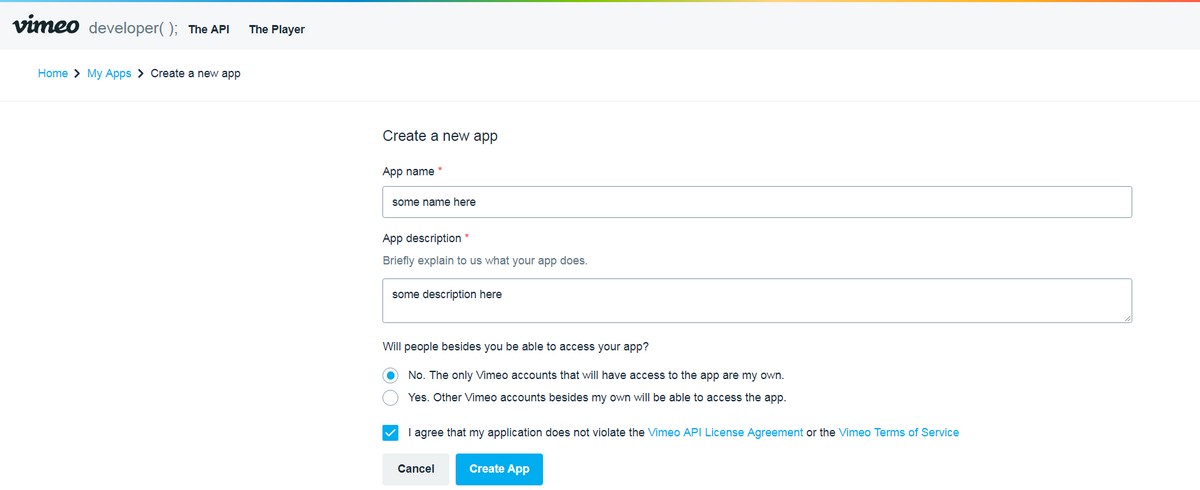
1. Vimeo requires API key, register new application: https://developer.vimeo.com/apps/new
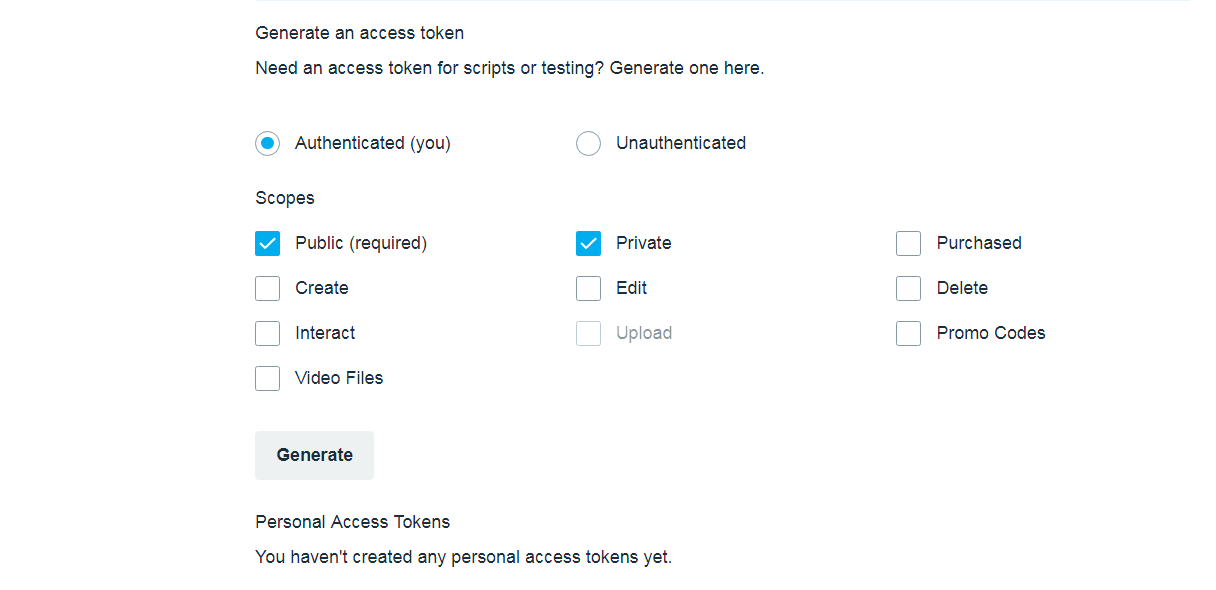
3. Generate Access Token with Public and Private scope. To get video download links you also need Video Files scope as well.
4. Get Token (as vimeo_token) (copy token immediately while its still visible)
Using Vimeo without API keys
API key is not needed if you are going to use only Vimeo single videos which you can load without the need for API.
Examples:
Vimeo single video:
HTML markup
<div class="playlist-vimeo">
	<div class="mvp-playlist-item" data-type="vimeo_single" data-path="137812610"></div>
</div>
Object notation
media:[
    {
        type: 'vimeo_single',
        path: '884406336',
    },
    {
        type: 'vimeo_single',
        path: '265111898',
    }
],
Example Vimeo single videos without API:
HTML markup
<div class="playlist-vimeo">
	<div class="mvp-playlist-item" data-type="vimeo_single" data-path="884406336" data-poster="media/vim/884406336.avif" data-title="L’Oréal Garnier Fructis Hair Filler" data-description="Duis sagittis erat eget est." data-noapi></div>
</div>
Object notation
media:[
    {
        type: 'vimeo_single',
        path: '884406336',
        poster: 'media/vim/884406336.avif',
        title: 'L’Oréal Garnier Fructis Hair Filler',
        description: 'Duis sagittis erat eget est.',
        noApi: true
    },
    {
       type: 'vimeo_single',
        path: '265111898',
        poster: 'media/vim/265111898.avif',
        title: 'Vimeo single video',
        description: 'Someone who is 5'5 can't dunk.',
        noApi: true
    }
],
Example multiple Vimeo singles videos:
HTML markup
<div class="playlist-vimeo">
	<div class="mvp-playlist-item" data-type="vimeo_single_list" data-path="884406336,265111898,129920646"></div>
</div>
Object notation
media:[
    {
        type: 'vimeo_single_list',
        path: '884406336,265111898,129920646'
    }
],
Vimeo single unlisted video:
HTML markup
<div class="playlist-vimeo">
	<div class="mvp-playlist-item" data-type="vimeo_single" data-path="367337290/f83707b367"></div>
</div>
Object notation
media:[
    {
        type: 'vimeo_single',
        path: '367337290/f83707b367'
    }
],
Vimeo channel:
HTML markup
<div class="playlist-vimeo">
	<div class="mvp-playlist-item" data-type="vimeo_channel" data-path="top" data-sort="added" data-sort-direction="desc"></div>
</div>
Object notation
media:[
    {
        type: 'vimeo_channel',
        path: 'top',
        sort: 'added',
        sortDirection: 'desc'
    },
],
data-sort = added, alphabetical, comments, date, default, duration, likes, manual, modified_time, playsdata-sort-direction = desc, asc
Vimeo album / showcase:
HTML markup
<div class="playlist-vimeo">
	<div class="mvp-playlist-item" data-type="vimeo_album" data-path="3498469" data-sort="date" data-sort-direction="asc"></div>
</div>
Object notation
media:[
    {
        type: 'vimeo_album',
        path: '3498469',
        sort: 'added',
        sortDirection: 'desc'
    },
],
data-sort = alphabetical, comments, date, default, duration, likes, manual, modified_time, playsdata-sort-direction = desc, asc
Vimeo ondemand:
HTML markup
<div class="playlist-vimeo">
	<div class="mvp-playlist-item" data-type="vimeo_ondemand" data-path="loyisogola" data-sort="date" data-sort-direction="asc"></div>
</div>
Object notation
media:[
    {
        type: 'vimeo_ondemand',
        path: 'loyisogola',
        sort: 'added',
        sortDirection: 'desc'
    },
],
data-sort = date, default, episode, manual, name, purchase_time, release_datedata-sort-direction = desc, asc
Vimeo folder (requires vimeo username and folder ID):
HTML markup
<div class="playlist-vimeo">
	<div class="mvp-playlist-item" data-type="vimeo_folder" data-user-id="user5482434" data-path="1444068" data-sort="date" data-sort-direction="asc"></div>
</div>
Object notation
media:[
    {
        type: 'vimeo_ondemand',
        path: '1444068',
        user_id: 'user5482434',
        sort: 'added',
        sortDirection: 'desc'
    },
],
data-sort = alphabetical, date, default, duration, last_user_action_event_datedata-sort-direction = desc, asc
Parameters:
| Parameter | Required | Value |
|---|---|---|
| data-type | yes | vimeo_single / vimeo_channel / vimeo_user_album / vimeo_user_videos / vimeo_ondemand / vimeo_folder |
| data-path | yes | |
| data-user-id | user id | |
| data-start | media start time in seconds | |
| data-playback-rate | media playback speed: http://www.w3schools.com/tags/av_prop_playbackrate.asp | |
| data-poster | video poster | |
| data-alt | poster alt text | |
| data-title | custom title | |
| data-description | custom description | |
| data-caption | Caption is shown above image | |
| data-download | download path | |
| data-slug | recommended for sharing | share url used for social sharing. (use only a-z, 0-9, and no spacing) |
| data-is360 | Choose this if content is 360 virtual reality video or image panorama. | |
| data-noapi | Dont use Vimeo api to retrieve video title, description and thumbnail (only for Vimeo single videos). | |
| data-sort | Vimeo sort methods. https://developer.vimeo.com/api/reference | |
| data-sort-direction | sort direction: desc / asc (descending / ascending) | |
| data-exclude | exclude certain videos from showing in the feed (valid for channel, playlist.. not single video ids). Enter one or more video ids separated by comma, example: data-exclude="225974870,230396573" | |
| data-no-sound | Indicates that Video has no sound. This will show no sound volume icon. |
Reading files from directories
Reading video files from folders
HTML markup
Example:
<div class="playlist-folder">
	<div class="mvp-playlist-item" data-type="folder_video" data-path="../media/video/" data-sort="date-asc"></div>
</div>
Object notation
media:[
    {
        type: 'folder_video',
        path: '../media/video/',
        sort: 'date-asc',
    }
],
Parameters:
| Parameter | Required | Value |
|---|---|---|
| data-type | yes | folder_video |
| data-path | yes | relative folder path to the plugin "includes" directory (where folder_parser.php file is located) |
| data-is360 | Choose this if you want to load whole folder of 360 videos, which means all videos in a folder are 360! | |
| data-download | custom download url | |
| data-slug | recommended for sharing | share url used for social sharing. (use only a-z, 0-9, and no spacing) |
| data-start | media start time in seconds | |
| data-playback-rate | media playback speed: http://www.w3schools.com/tags/av_prop_playbackrate.asp | |
| data-link | Url link to open when you click on video area. Works only if VideoClickAction is set to "link" in settings. (Not valid for 360 videos and images) | |
| data-target | Url link target (_blank, _parent..) | |
| data-no-sound | Indicates that Video has no sound. This will show no sound volume icon. | |
| data-sort | sort method: filename-asc - file name ascending filename-desc - file name descending date-asc - last modification date ascending date-desc - last modification date descending random - random sort |
Required folder organization needs to look like this:
video folder
    -- video1.mp4
    -- video2.mp4
    -- video3.mp4

    poster folder (optional)
        -- video1.jpg
        -- video2.jpg
        -- video3.jpg
We have main folder (called "video" in our example, this can be named anyhow). Inside "video" folder are videos, poster directory (optional). Inside "poster" directory poster files are located.
Note: Equivalent video and poster file names need to be the same!
If you want to use any of these aditional features (poster), use following settings in player. This way player will assume you have set your directory configuration as described above.
requirePosterFromFolder:true,
Rules:
Supported extension for video files is mp4.
Supported extension for poster images is jpg.
Reading audio files from folders
Required folder organization needs to look like this:
audio folder
    -- audio1.mp4
    -- audio2.mp4
    -- audio3.mp4

    poster folder (optional)
        -- audio1.jpg
        -- audio2.jpg
        -- audio3.jpg
We have main folder (called "audio" in our example, this can be called anyhow). Inside "audio" folder are audio files, poster directory. Inside "poster" directory poster files are located.
Note: Equivalent audio and poster file names need to be the same!
Rules:
Supported extension for audio files is mp3, wav, aac, flac.
Supported extension for poster images is jpg.
Reading image files from folders
Required folder organization needs to look like this:
image folder
    -- image1.jpg
    -- image2.jpg
    -- image3.jpg
We have main folder (called "image" in our example, this can be called anyhow). Inside "image" folder are images.
Rules:
Supported extension for image files is jpg, jpeg, png, gif, webp, avif.
HTML content
Displaying custom HTML content in Reel
HMTL content is placed inside mvp-html-section div
Example HTML content:
HTML markup
<div class="mvp-playlist-item" data-type="html" data-title="My scrolling div content" data-duration="5000" data-slug="my-scrollbar">

    <div class="mvp-html-section">

        <div class="my-scrollbar-holder">

            <h2>Custom Scrollbar Example</h2>

            <p>Lorem ipsum lorem ipsum lorem ipsum lorem ipsum lorem ipsum lorem ipsum lorem ipsum lorem ipsum lorem ipsum lorem ipsum lorem ipsum lorem ipsum lorem ipsum lorem ipsum lorem ipsum lorem ipsum lorem ipsum </p>
            <p>Lorem ipsum lorem ipsum lorem ipsum lorem ipsum lorem ipsum lorem ipsum lorem ipsum lorem ipsum lorem ipsum lorem ipsum lorem ipsum lorem ipsum lorem ipsum lorem ipsum lorem ipsum lorem ipsum lorem ipsum </p>
            <p>Lorem ipsum lorem ipsum lorem ipsum lorem ipsum lorem ipsum lorem ipsum lorem ipsum lorem ipsum lorem ipsum lorem ipsum lorem ipsum lorem ipsum lorem ipsum lorem ipsum lorem ipsum lorem ipsum lorem ipsum </p>
            <p>Lorem ipsum lorem ipsum lorem ipsum lorem ipsum lorem ipsum lorem ipsum lorem ipsum lorem ipsum lorem ipsum lorem ipsum lorem ipsum lorem ipsum lorem ipsum lorem ipsum lorem ipsum lorem ipsum lorem ipsum </p>
            <p>Lorem ipsum lorem ipsum lorem ipsum lorem ipsum lorem ipsum lorem ipsum lorem ipsum lorem ipsum lorem ipsum lorem ipsum lorem ipsum lorem ipsum lorem ipsum lorem ipsum lorem ipsum lorem ipsum lorem ipsum </p>
            <p>Lorem ipsum lorem ipsum lorem ipsum lorem ipsum lorem ipsum lorem ipsum lorem ipsum lorem ipsum lorem ipsum lorem ipsum lorem ipsum lorem ipsum lorem ipsum lorem ipsum lorem ipsum lorem ipsum lorem ipsum </p>
            <p>Lorem ipsum lorem ipsum lorem ipsum lorem ipsum lorem ipsum lorem ipsum lorem ipsum lorem ipsum lorem ipsum lorem ipsum lorem ipsum lorem ipsum lorem ipsum lorem ipsum lorem ipsum lorem ipsum lorem ipsum </p>
            <p>Lorem ipsum lorem ipsum lorem ipsum lorem ipsum lorem ipsum lorem ipsum lorem ipsum lorem ipsum lorem ipsum lorem ipsum lorem ipsum lorem ipsum lorem ipsum lorem ipsum lorem ipsum lorem ipsum lorem ipsum </p>
            <p>Lorem ipsum lorem ipsum lorem ipsum lorem ipsum lorem ipsum lorem ipsum lorem ipsum lorem ipsum lorem ipsum lorem ipsum lorem ipsum lorem ipsum lorem ipsum lorem ipsum lorem ipsum lorem ipsum lorem ipsum </p>
            <p>Lorem ipsum lorem ipsum lorem ipsum lorem ipsum lorem ipsum lorem ipsum lorem ipsum lorem ipsum lorem ipsum lorem ipsum lorem ipsum lorem ipsum lorem ipsum lorem ipsum lorem ipsum lorem ipsum lorem ipsum </p>
            <p>Lorem ipsum lorem ipsum lorem ipsum lorem ipsum lorem ipsum lorem ipsum lorem ipsum lorem ipsum lorem ipsum lorem ipsum lorem ipsum lorem ipsum lorem ipsum lorem ipsum lorem ipsum lorem ipsum lorem ipsum </p>
            <p>Lorem ipsum lorem ipsum lorem ipsum lorem ipsum lorem ipsum lorem ipsum lorem ipsum lorem ipsum lorem ipsum lorem ipsum lorem ipsum lorem ipsum lorem ipsum lorem ipsum lorem ipsum lorem ipsum lorem ipsum </p>
            <p>Lorem ipsum lorem ipsum lorem ipsum lorem ipsum lorem ipsum lorem ipsum lorem ipsum lorem ipsum lorem ipsum lorem ipsum lorem ipsum lorem ipsum lorem ipsum lorem ipsum lorem ipsum lorem ipsum lorem ipsum </p>
            <p>Lorem ipsum lorem ipsum lorem ipsum lorem ipsum lorem ipsum lorem ipsum lorem ipsum lorem ipsum lorem ipsum lorem ipsum lorem ipsum lorem ipsum lorem ipsum lorem ipsum lorem ipsum lorem ipsum lorem ipsum </p>
            <p>Lorem ipsum lorem ipsum lorem ipsum lorem ipsum lorem ipsum lorem ipsum lorem ipsum lorem ipsum lorem ipsum lorem ipsum lorem ipsum lorem ipsum lorem ipsum lorem ipsum lorem ipsum lorem ipsum lorem ipsum </p>
            <p>Lorem ipsum lorem ipsum lorem ipsum lorem ipsum lorem ipsum lorem ipsum lorem ipsum lorem ipsum lorem ipsum lorem ipsum lorem ipsum lorem ipsum lorem ipsum lorem ipsum lorem ipsum lorem ipsum lorem ipsum </p>
            <p>Lorem ipsum lorem ipsum lorem ipsum lorem ipsum lorem ipsum lorem ipsum lorem ipsum lorem ipsum lorem ipsum lorem ipsum lorem ipsum lorem ipsum lorem ipsum lorem ipsum lorem ipsum lorem ipsum lorem ipsum </p>
            <p>Lorem ipsum lorem ipsum lorem ipsum lorem ipsum lorem ipsum lorem ipsum lorem ipsum lorem ipsum lorem ipsum lorem ipsum lorem ipsum lorem ipsum lorem ipsum lorem ipsum lorem ipsum lorem ipsum lorem ipsum </p>
            <p>Lorem ipsum lorem ipsum lorem ipsum lorem ipsum lorem ipsum lorem ipsum lorem ipsum lorem ipsum lorem ipsum lorem ipsum lorem ipsum lorem ipsum lorem ipsum lorem ipsum lorem ipsum lorem ipsum lorem ipsum </p>
            <p>Lorem ipsum lorem ipsum lorem ipsum lorem ipsum lorem ipsum lorem ipsum lorem ipsum lorem ipsum lorem ipsum lorem ipsum lorem ipsum lorem ipsum lorem ipsum lorem ipsum lorem ipsum lorem ipsum lorem ipsum </p>
            <p>Lorem ipsum lorem ipsum lorem ipsum lorem ipsum lorem ipsum lorem ipsum lorem ipsum lorem ipsum lorem ipsum lorem ipsum lorem ipsum lorem ipsum lorem ipsum lorem ipsum lorem ipsum lorem ipsum lorem ipsum </p>
            <p>Lorem ipsum lorem ipsum lorem ipsum lorem ipsum lorem ipsum lorem ipsum lorem ipsum lorem ipsum lorem ipsum lorem ipsum lorem ipsum lorem ipsum lorem ipsum lorem ipsum lorem ipsum lorem ipsum lorem ipsum </p>


        </div>

    </div>

</div>
Object notation
media:[
    {
        type: 'html',
        selector: '.my-scrollbar-holder',//used to point to element
        title: 'My scrolling div content',
        duration: 5000,
        slug: 'my-scrollbar'
    }
],
// place this element somewhere in page body

<div class="mvp-html-section">

    <div class="my-scrollbar-holder">

        <h2>Custom Scrollbar Example</h2>

        <p>Lorem ipsum lorem ipsum lorem ipsum lorem ipsum lorem ipsum lorem ipsum lorem ipsum lorem ipsum lorem ipsum lorem ipsum lorem ipsum lorem ipsum lorem ipsum lorem ipsum lorem ipsum lorem ipsum lorem ipsum </p>
        <p>Lorem ipsum lorem ipsum lorem ipsum lorem ipsum lorem ipsum lorem ipsum lorem ipsum lorem ipsum lorem ipsum lorem ipsum lorem ipsum lorem ipsum lorem ipsum lorem ipsum lorem ipsum lorem ipsum lorem ipsum </p>
        <p>Lorem ipsum lorem ipsum lorem ipsum lorem ipsum lorem ipsum lorem ipsum lorem ipsum lorem ipsum lorem ipsum lorem ipsum lorem ipsum lorem ipsum lorem ipsum lorem ipsum lorem ipsum lorem ipsum lorem ipsum </p>
        <p>Lorem ipsum lorem ipsum lorem ipsum lorem ipsum lorem ipsum lorem ipsum lorem ipsum lorem ipsum lorem ipsum lorem ipsum lorem ipsum lorem ipsum lorem ipsum lorem ipsum lorem ipsum lorem ipsum lorem ipsum </p>
        <p>Lorem ipsum lorem ipsum lorem ipsum lorem ipsum lorem ipsum lorem ipsum lorem ipsum lorem ipsum lorem ipsum lorem ipsum lorem ipsum lorem ipsum lorem ipsum lorem ipsum lorem ipsum lorem ipsum lorem ipsum </p>
        <p>Lorem ipsum lorem ipsum lorem ipsum lorem ipsum lorem ipsum lorem ipsum lorem ipsum lorem ipsum lorem ipsum lorem ipsum lorem ipsum lorem ipsum lorem ipsum lorem ipsum lorem ipsum lorem ipsum lorem ipsum </p>
        <p>Lorem ipsum lorem ipsum lorem ipsum lorem ipsum lorem ipsum lorem ipsum lorem ipsum lorem ipsum lorem ipsum lorem ipsum lorem ipsum lorem ipsum lorem ipsum lorem ipsum lorem ipsum lorem ipsum lorem ipsum </p>
        <p>Lorem ipsum lorem ipsum lorem ipsum lorem ipsum lorem ipsum lorem ipsum lorem ipsum lorem ipsum lorem ipsum lorem ipsum lorem ipsum lorem ipsum lorem ipsum lorem ipsum lorem ipsum lorem ipsum lorem ipsum </p>
        <p>Lorem ipsum lorem ipsum lorem ipsum lorem ipsum lorem ipsum lorem ipsum lorem ipsum lorem ipsum lorem ipsum lorem ipsum lorem ipsum lorem ipsum lorem ipsum lorem ipsum lorem ipsum lorem ipsum lorem ipsum </p>
        <p>Lorem ipsum lorem ipsum lorem ipsum lorem ipsum lorem ipsum lorem ipsum lorem ipsum lorem ipsum lorem ipsum lorem ipsum lorem ipsum lorem ipsum lorem ipsum lorem ipsum lorem ipsum lorem ipsum lorem ipsum </p>
        <p>Lorem ipsum lorem ipsum lorem ipsum lorem ipsum lorem ipsum lorem ipsum lorem ipsum lorem ipsum lorem ipsum lorem ipsum lorem ipsum lorem ipsum lorem ipsum lorem ipsum lorem ipsum lorem ipsum lorem ipsum </p>
        <p>Lorem ipsum lorem ipsum lorem ipsum lorem ipsum lorem ipsum lorem ipsum lorem ipsum lorem ipsum lorem ipsum lorem ipsum lorem ipsum lorem ipsum lorem ipsum lorem ipsum lorem ipsum lorem ipsum lorem ipsum </p>
        <p>Lorem ipsum lorem ipsum lorem ipsum lorem ipsum lorem ipsum lorem ipsum lorem ipsum lorem ipsum lorem ipsum lorem ipsum lorem ipsum lorem ipsum lorem ipsum lorem ipsum lorem ipsum lorem ipsum lorem ipsum </p>
        <p>Lorem ipsum lorem ipsum lorem ipsum lorem ipsum lorem ipsum lorem ipsum lorem ipsum lorem ipsum lorem ipsum lorem ipsum lorem ipsum lorem ipsum lorem ipsum lorem ipsum lorem ipsum lorem ipsum lorem ipsum </p>
        <p>Lorem ipsum lorem ipsum lorem ipsum lorem ipsum lorem ipsum lorem ipsum lorem ipsum lorem ipsum lorem ipsum lorem ipsum lorem ipsum lorem ipsum lorem ipsum lorem ipsum lorem ipsum lorem ipsum lorem ipsum </p>
        <p>Lorem ipsum lorem ipsum lorem ipsum lorem ipsum lorem ipsum lorem ipsum lorem ipsum lorem ipsum lorem ipsum lorem ipsum lorem ipsum lorem ipsum lorem ipsum lorem ipsum lorem ipsum lorem ipsum lorem ipsum </p>
        <p>Lorem ipsum lorem ipsum lorem ipsum lorem ipsum lorem ipsum lorem ipsum lorem ipsum lorem ipsum lorem ipsum lorem ipsum lorem ipsum lorem ipsum lorem ipsum lorem ipsum lorem ipsum lorem ipsum lorem ipsum </p>
        <p>Lorem ipsum lorem ipsum lorem ipsum lorem ipsum lorem ipsum lorem ipsum lorem ipsum lorem ipsum lorem ipsum lorem ipsum lorem ipsum lorem ipsum lorem ipsum lorem ipsum lorem ipsum lorem ipsum lorem ipsum </p>
        <p>Lorem ipsum lorem ipsum lorem ipsum lorem ipsum lorem ipsum lorem ipsum lorem ipsum lorem ipsum lorem ipsum lorem ipsum lorem ipsum lorem ipsum lorem ipsum lorem ipsum lorem ipsum lorem ipsum lorem ipsum </p>
        <p>Lorem ipsum lorem ipsum lorem ipsum lorem ipsum lorem ipsum lorem ipsum lorem ipsum lorem ipsum lorem ipsum lorem ipsum lorem ipsum lorem ipsum lorem ipsum lorem ipsum lorem ipsum lorem ipsum lorem ipsum </p>
        <p>Lorem ipsum lorem ipsum lorem ipsum lorem ipsum lorem ipsum lorem ipsum lorem ipsum lorem ipsum lorem ipsum lorem ipsum lorem ipsum lorem ipsum lorem ipsum lorem ipsum lorem ipsum lorem ipsum lorem ipsum </p>
        <p>Lorem ipsum lorem ipsum lorem ipsum lorem ipsum lorem ipsum lorem ipsum lorem ipsum lorem ipsum lorem ipsum lorem ipsum lorem ipsum lorem ipsum lorem ipsum lorem ipsum lorem ipsum lorem ipsum lorem ipsum </p>


    </div>

</div>
Example HTML form:
HTML markup
<div class="mvp-playlist-item" data-type="html" data-title="Form demo" data-slug="login-form">

    <div class="mvp-html-section">

        <div class="my-form-holder">

            <div class="bg-img">
              <form action="#" class="container" onsubmit="customCallback();return false;">
                <h1>Login</h1>

                <label for="email"><b>Email</b></label>
                <input type="text" placeholder="Enter Email" name="email" required>

                <label for="psw"><b>Password</b></label>
                <input type="password" placeholder="Enter Password" name="psw" required>

                <button type="submit" class="btn">Login</button>
              </form>
            </div>

        </div>

    </div>

</div>
Object notation
media:[
    {
        type: 'html',
        selector: '.my-form-holder',//used to point to element
        title: 'Form demo',
        slug: 'login-form'
    }
],
// place this element somewhere in page body

<div class="mvp-html-section">

    <div class="my-form-holder">

        <div class="bg-img">
          <form action="#" class="container" onsubmit="customCallback();return false;">
            <h1>Login</h1>

            <label for="email"><b>Email</b></label>
            <input type="text" placeholder="Enter Email" name="email" required>

            <label for="psw"><b>Password</b></label>
            <input type="password" placeholder="Enter Password" name="psw" required>

            <button type="submit" class="btn">Login</button>
          </form>
        </div>

    </div>

</div>
You can also combine data-selector and place html elsewhere:
HTML markup
<div class="mvp-playlist-item" data-type="html" data-title="Form demo" data-selector=".my-form-holder" data-slug="login-form"></div>
// place this element somewhere in page body

<div class="mvp-html-section">

    <div class="my-form-holder">

        <div class="bg-img">
          <form action="#" class="container" onsubmit="customCallback();return false;">
            <h1>Login</h1>

            <label for="email"><b>Email</b></label>
            <input type="text" placeholder="Enter Email" name="email" required>

            <label for="psw"><b>Password</b></label>
            <input type="password" placeholder="Enter Password" name="psw" required>

            <button type="submit" class="btn">Login</button>
          </form>
        </div>

    </div>

</div>
Parameters:
| Parameter | Required | Value |
|---|---|---|
| data-type | yes | html |
| data-title | custom title | |
| data-description | custom description | |
| data-duration | How long to show this content in miliseconds | |
| data-download | download path | |
| data-slug | yes for sharing | share url used for social sharing. (use only a-z, 0-9, and no spacing) |
Horizontal media with object notation
Using Horizontal reel items with object notation
Example (innerMedia):
media:[
    {
        type: 'video',
        path: 'media/vertical/02.mp4',
        poster: 'media/vertical/poster/02.jpg',
        title: 'Crazy sunset',
        description: 'Nunc Venenatis Sapien Ultrices Dui. Vivamus dolor. Integer vel ante.',
        download: 'media/vertical/02.mp4',
        innerMedia:[
            {
                type: 'html',
                selector: '.my-scrollbar-holder',//used to point to element
                slug: "my-scrollbar"
            }
        ]
    },
    {
        type: 'video',
        path: 'media/vertical/03.mp4',
        poster: 'media/vertical/poster/03.jpg',
        title: 'A red sunrise',
        description: 'A morning sky that is a deep, fiery red can indicate that there is high water content in the atmosphere.',
        innerMedia:[
            {
                type: 'html',
                selector: '.my-form-holder',//used to point to element
                slug: "my-super-login-form"
            }
        ]
    }
],
// place this element somewhere in page body

<div class="mvp-html-section">

    <div class="my-scrollbar-holder">

        <h2>Custom Scrollbar Example</h2>

        <p>Lorem ipsum lorem ipsum lorem ipsum lorem ipsum lorem ipsum lorem ipsum lorem ipsum lorem ipsum lorem ipsum lorem ipsum lorem ipsum lorem ipsum lorem ipsum lorem ipsum lorem ipsum lorem ipsum lorem ipsum </p>
        <p>Lorem ipsum lorem ipsum lorem ipsum lorem ipsum lorem ipsum lorem ipsum lorem ipsum lorem ipsum lorem ipsum lorem ipsum lorem ipsum lorem ipsum lorem ipsum lorem ipsum lorem ipsum lorem ipsum lorem ipsum </p>
        <p>Lorem ipsum lorem ipsum lorem ipsum lorem ipsum lorem ipsum lorem ipsum lorem ipsum lorem ipsum lorem ipsum lorem ipsum lorem ipsum lorem ipsum lorem ipsum lorem ipsum lorem ipsum lorem ipsum lorem ipsum </p>
        <p>Lorem ipsum lorem ipsum lorem ipsum lorem ipsum lorem ipsum lorem ipsum lorem ipsum lorem ipsum lorem ipsum lorem ipsum lorem ipsum lorem ipsum lorem ipsum lorem ipsum lorem ipsum lorem ipsum lorem ipsum </p>
        <p>Lorem ipsum lorem ipsum lorem ipsum lorem ipsum lorem ipsum lorem ipsum lorem ipsum lorem ipsum lorem ipsum lorem ipsum lorem ipsum lorem ipsum lorem ipsum lorem ipsum lorem ipsum lorem ipsum lorem ipsum </p>
        <p>Lorem ipsum lorem ipsum lorem ipsum lorem ipsum lorem ipsum lorem ipsum lorem ipsum lorem ipsum lorem ipsum lorem ipsum lorem ipsum lorem ipsum lorem ipsum lorem ipsum lorem ipsum lorem ipsum lorem ipsum </p>
        <p>Lorem ipsum lorem ipsum lorem ipsum lorem ipsum lorem ipsum lorem ipsum lorem ipsum lorem ipsum lorem ipsum lorem ipsum lorem ipsum lorem ipsum lorem ipsum lorem ipsum lorem ipsum lorem ipsum lorem ipsum </p>
        <p>Lorem ipsum lorem ipsum lorem ipsum lorem ipsum lorem ipsum lorem ipsum lorem ipsum lorem ipsum lorem ipsum lorem ipsum lorem ipsum lorem ipsum lorem ipsum lorem ipsum lorem ipsum lorem ipsum lorem ipsum </p>
        <p>Lorem ipsum lorem ipsum lorem ipsum lorem ipsum lorem ipsum lorem ipsum lorem ipsum lorem ipsum lorem ipsum lorem ipsum lorem ipsum lorem ipsum lorem ipsum lorem ipsum lorem ipsum lorem ipsum lorem ipsum </p>
        <p>Lorem ipsum lorem ipsum lorem ipsum lorem ipsum lorem ipsum lorem ipsum lorem ipsum lorem ipsum lorem ipsum lorem ipsum lorem ipsum lorem ipsum lorem ipsum lorem ipsum lorem ipsum lorem ipsum lorem ipsum </p>
        <p>Lorem ipsum lorem ipsum lorem ipsum lorem ipsum lorem ipsum lorem ipsum lorem ipsum lorem ipsum lorem ipsum lorem ipsum lorem ipsum lorem ipsum lorem ipsum lorem ipsum lorem ipsum lorem ipsum lorem ipsum </p>
        <p>Lorem ipsum lorem ipsum lorem ipsum lorem ipsum lorem ipsum lorem ipsum lorem ipsum lorem ipsum lorem ipsum lorem ipsum lorem ipsum lorem ipsum lorem ipsum lorem ipsum lorem ipsum lorem ipsum lorem ipsum </p>
        <p>Lorem ipsum lorem ipsum lorem ipsum lorem ipsum lorem ipsum lorem ipsum lorem ipsum lorem ipsum lorem ipsum lorem ipsum lorem ipsum lorem ipsum lorem ipsum lorem ipsum lorem ipsum lorem ipsum lorem ipsum </p>
        <p>Lorem ipsum lorem ipsum lorem ipsum lorem ipsum lorem ipsum lorem ipsum lorem ipsum lorem ipsum lorem ipsum lorem ipsum lorem ipsum lorem ipsum lorem ipsum lorem ipsum lorem ipsum lorem ipsum lorem ipsum </p>
        <p>Lorem ipsum lorem ipsum lorem ipsum lorem ipsum lorem ipsum lorem ipsum lorem ipsum lorem ipsum lorem ipsum lorem ipsum lorem ipsum lorem ipsum lorem ipsum lorem ipsum lorem ipsum lorem ipsum lorem ipsum </p>
        <p>Lorem ipsum lorem ipsum lorem ipsum lorem ipsum lorem ipsum lorem ipsum lorem ipsum lorem ipsum lorem ipsum lorem ipsum lorem ipsum lorem ipsum lorem ipsum lorem ipsum lorem ipsum lorem ipsum lorem ipsum </p>
        <p>Lorem ipsum lorem ipsum lorem ipsum lorem ipsum lorem ipsum lorem ipsum lorem ipsum lorem ipsum lorem ipsum lorem ipsum lorem ipsum lorem ipsum lorem ipsum lorem ipsum lorem ipsum lorem ipsum lorem ipsum </p>
        <p>Lorem ipsum lorem ipsum lorem ipsum lorem ipsum lorem ipsum lorem ipsum lorem ipsum lorem ipsum lorem ipsum lorem ipsum lorem ipsum lorem ipsum lorem ipsum lorem ipsum lorem ipsum lorem ipsum lorem ipsum </p>
        <p>Lorem ipsum lorem ipsum lorem ipsum lorem ipsum lorem ipsum lorem ipsum lorem ipsum lorem ipsum lorem ipsum lorem ipsum lorem ipsum lorem ipsum lorem ipsum lorem ipsum lorem ipsum lorem ipsum lorem ipsum </p>
        <p>Lorem ipsum lorem ipsum lorem ipsum lorem ipsum lorem ipsum lorem ipsum lorem ipsum lorem ipsum lorem ipsum lorem ipsum lorem ipsum lorem ipsum lorem ipsum lorem ipsum lorem ipsum lorem ipsum lorem ipsum </p>
        <p>Lorem ipsum lorem ipsum lorem ipsum lorem ipsum lorem ipsum lorem ipsum lorem ipsum lorem ipsum lorem ipsum lorem ipsum lorem ipsum lorem ipsum lorem ipsum lorem ipsum lorem ipsum lorem ipsum lorem ipsum </p>
        <p>Lorem ipsum lorem ipsum lorem ipsum lorem ipsum lorem ipsum lorem ipsum lorem ipsum lorem ipsum lorem ipsum lorem ipsum lorem ipsum lorem ipsum lorem ipsum lorem ipsum lorem ipsum lorem ipsum lorem ipsum </p>


    </div>

    <div class="my-form-holder">

        <div class="bg-img">
          <form action="#" class="container" onsubmit="customCallback();return false;">
            <h1>Login</h1>

            <label for="email"><b>Email</b></label>
            <input type="text" placeholder="Enter Email" name="email" required>

            <label for="psw"><b>Password</b></label>
            <input type="password" placeholder="Enter Password" name="psw" required>

            <button type="submit" class="btn">Login</button>
          </form>
        </div>

    </div>

</div>
Check also HTML content in horizontal items example.
Mixed media
Displaying mixed media in Reel
Playlist can contain different media types
Example mixed playlist:
HTML markup
<div class="playlist-mixed">

    <div class="mvp-playlist-item" data-type="video" data-path="media/vertical/02.mp4" data-poster="media/vertical/poster/02.jpg" data-title="Crazy sunset" data-description="Nunc Venenatis Sapien Ultrices Dui. Vivamus dolor. Integer vel ante." data-like-count="43534544" data-favorite-count="2435" data-media-id="1" data-download="media/vertical/02.mp4"></div>

    <div class="mvp-playlist-item" data-type="youtube_single" data-path="FgwsCOIaduE" data-poster="media/yt/FgwsCOIaduE.jpg" data-title="Mister S 8a+ at 55°" data-description="This is another Youtube video example" data-noapi></div>

    <div class="mvp-playlist-item" data-type="vimeo_single" data-path="265111898" data-poster="media/vim/265111898.avif" data-title="Vimeo single video" data-description="Someone who is 5'5 can't dunk." data-noapi></div>

    <div class="mvp-playlist-item" data-type="audio" data-path="media/audio/01.mp3" data-poster="media/audio/poster/01.jpg" data-title="Audio title goes here" data-description="This is a song. Ut laoreet hendrerit mi. Nam vestibulum viverra diam."></div>

    <div class="mvp-playlist-item" data-type="image" data-path="media/image/01.jpg" data-title="Wild nature" data-description="Pellentesque habitant morbi tristique senectus et netus et malesuada fames ac turpis egestas. Integer tempor diam eu leo. Praesent leo. Morbi blandit, nulla non rhoncus dapibus, metus tellus posuere justo, et condimentum leo ante cursus libero. Vestibulum eu magna a metus pellentesque molestie. Nulla elementum iaculis velit. Nullam sit amet velit et sapien interdum accumsan."></div>

</div>
Object notation
media:[
    {
        type: 'video',
        path: 'media/vertical/01.mp4',
        poster: 'media/vertical/poster/01.jpg',
        title: 'Video title goes here',
        description: 'Create video reels consisting of HTML video, Youtube and Vimeo. Display videos in portrait or landscape format. Load folder of videos directly into the Reel.',
    },
    {
        type: 'youtube_single',
        path: 'Nb35Cna6J5I',
        poster: 'media/yt/Nb35Cna6J5I.jpg',
        title: 'Youtube single video',
        description: 'This is a Youtube video example that does not require api usage',
        noApi: true
    },
    {
        type: 'vimeo_single',
        path: '884406336',
        poster: 'media/vim/884406336.avif',
        title: 'L’Oréal Garnier Fructis Hair Filler',
        description: 'Duis sagittis erat eget est.',
        noApi: true
    },
    {
        type: 'audio',
        path: 'media/audio/01.mp3',
        poster: 'media/audio/poster/01.jpg',
        title: 'Audio title goes here',
        description: 'This is a song. Ut laoreet hendrerit mi. Nam vestibulum viverra diam.',
    },
    {
        type: 'image',
        path: 'media/image/01.jpg',
        title: 'Classic car',
        description: 'Class aptent taciti sociosqu ad litora torquent per conubia nostra, per inceptos himenaeos.',
    },
],
Horizontal reel items
Showing horizontal items in Reel (inner media)
Default vertical items in reel can also have horizontal items inside (which are accessed by scrolling horizontally). To create such structure use the following format.
Following example has 2 horizontal items (video and image) nested inside main Reel item inside mvp-reel-inner-media-wrap div:
<div class="mvp-playlist-item" data-type="video" data-path="media/vertical/01.mp4" data-poster="media/vertical/poster/01.jpg" data-title="Paradise beach">

    <div class="mvp-reel-inner-media-wrap">

        <div class="mvp-reel-inner-media" data-type="video" data-poster="media/vertical/poster/03.jpg" data-path="media/vertical/03.mp4" data-caption="What a sunset!"></div>

        <div class="mvp-reel-inner-media" data-type="image" data-path="media/vertical/inner/beach1.jpg" data-caption="Look at this beach!!"></div>

    </div>

</div>
Following example has 3 horizontal items (audio, Youtube single, Vimeo single video) nested inside main Reel item inside mvp-reel-inner-media-wrap div:
<div class="mvp-playlist-item" data-type="video" data-path="media/vertical/01.mp4" data-poster="media/vertical/poster/01.jpg" data-title="Paradise beach">

    <div class="mvp-reel-inner-media-wrap">

        <div class="mvp-reel-inner-media" data-type="audio" data-path="media/audio/ad/human5.mp3" data-poster="media/audio/poster/music.jpg"></div>

        <div class="mvp-reel-inner-media" data-type="youtube_single" data-poster="media/yt/Nb35Cna6J5I.jpg" data-path="Nb35Cna6J5I" data-caption="Whatever"></div>

        <div class="mvp-reel-inner-media" data-type="vimeo_single" data-path="884406336" data-poster="media/vim/884406336.avif"></div>

    </div>

</div>
HTML content in horizontal items
HTML content does work in horizontal items however it may cause unexpected sizing issues (because each horizontal item ideally should be the same size) so use with care.
Following example has video item with horizontal HTML content:
Note that horizontal item uses mvp-html-section-inner class for HTML content!
<div class="mvp-playlist-item" data-type="video" data-path="media/vertical/01.mp4" data-poster="media/vertical/poster/01.jpg" data-title="Paradise beach">

    <div class="mvp-reel-inner-media-wrap">

        <div class="mvp-reel-inner-media" data-type="html">

            <div class="mvp-html-section-inner">

                <div class="my-scrollbar-holder">

                    <h2>Custom Scrollbar Example</h2>

                    <p>Lorem ipsum lorem ipsum lorem ipsum lorem ipsum lorem ipsum lorem ipsum lorem ipsum lorem ipsum lorem ipsum lorem ipsum lorem ipsum lorem ipsum lorem ipsum lorem ipsum lorem ipsum lorem ipsum lorem ipsum </p>
                    <p>Lorem ipsum lorem ipsum lorem ipsum lorem ipsum lorem ipsum lorem ipsum lorem ipsum lorem ipsum lorem ipsum lorem ipsum lorem ipsum lorem ipsum lorem ipsum lorem ipsum lorem ipsum lorem ipsum lorem ipsum </p>
                    <p>Lorem ipsum lorem ipsum lorem ipsum lorem ipsum lorem ipsum lorem ipsum lorem ipsum lorem ipsum lorem ipsum lorem ipsum lorem ipsum lorem ipsum lorem ipsum lorem ipsum lorem ipsum lorem ipsum lorem ipsum </p>
                    <p>Lorem ipsum lorem ipsum lorem ipsum lorem ipsum lorem ipsum lorem ipsum lorem ipsum lorem ipsum lorem ipsum lorem ipsum lorem ipsum lorem ipsum lorem ipsum lorem ipsum lorem ipsum lorem ipsum lorem ipsum </p>
                    <p>Lorem ipsum lorem ipsum lorem ipsum lorem ipsum lorem ipsum lorem ipsum lorem ipsum lorem ipsum lorem ipsum lorem ipsum lorem ipsum lorem ipsum lorem ipsum lorem ipsum lorem ipsum lorem ipsum lorem ipsum </p>
                    <p>Lorem ipsum lorem ipsum lorem ipsum lorem ipsum lorem ipsum lorem ipsum lorem ipsum lorem ipsum lorem ipsum lorem ipsum lorem ipsum lorem ipsum lorem ipsum lorem ipsum lorem ipsum lorem ipsum lorem ipsum </p>
                    <p>Lorem ipsum lorem ipsum lorem ipsum lorem ipsum lorem ipsum lorem ipsum lorem ipsum lorem ipsum lorem ipsum lorem ipsum lorem ipsum lorem ipsum lorem ipsum lorem ipsum lorem ipsum lorem ipsum lorem ipsum </p>
                    <p>Lorem ipsum lorem ipsum lorem ipsum lorem ipsum lorem ipsum lorem ipsum lorem ipsum lorem ipsum lorem ipsum lorem ipsum lorem ipsum lorem ipsum lorem ipsum lorem ipsum lorem ipsum lorem ipsum lorem ipsum </p>
                    <p>Lorem ipsum lorem ipsum lorem ipsum lorem ipsum lorem ipsum lorem ipsum lorem ipsum lorem ipsum lorem ipsum lorem ipsum lorem ipsum lorem ipsum lorem ipsum lorem ipsum lorem ipsum lorem ipsum lorem ipsum </p>
                    <p>Lorem ipsum lorem ipsum lorem ipsum lorem ipsum lorem ipsum lorem ipsum lorem ipsum lorem ipsum lorem ipsum lorem ipsum lorem ipsum lorem ipsum lorem ipsum lorem ipsum lorem ipsum lorem ipsum lorem ipsum </p>
                    <p>Lorem ipsum lorem ipsum lorem ipsum lorem ipsum lorem ipsum lorem ipsum lorem ipsum lorem ipsum lorem ipsum lorem ipsum lorem ipsum lorem ipsum lorem ipsum lorem ipsum lorem ipsum lorem ipsum lorem ipsum </p>
                    <p>Lorem ipsum lorem ipsum lorem ipsum lorem ipsum lorem ipsum lorem ipsum lorem ipsum lorem ipsum lorem ipsum lorem ipsum lorem ipsum lorem ipsum lorem ipsum lorem ipsum lorem ipsum lorem ipsum lorem ipsum </p>
                    <p>Lorem ipsum lorem ipsum lorem ipsum lorem ipsum lorem ipsum lorem ipsum lorem ipsum lorem ipsum lorem ipsum lorem ipsum lorem ipsum lorem ipsum lorem ipsum lorem ipsum lorem ipsum lorem ipsum lorem ipsum </p>
                    <p>Lorem ipsum lorem ipsum lorem ipsum lorem ipsum lorem ipsum lorem ipsum lorem ipsum lorem ipsum lorem ipsum lorem ipsum lorem ipsum lorem ipsum lorem ipsum lorem ipsum lorem ipsum lorem ipsum lorem ipsum </p>
                    <p>Lorem ipsum lorem ipsum lorem ipsum lorem ipsum lorem ipsum lorem ipsum lorem ipsum lorem ipsum lorem ipsum lorem ipsum lorem ipsum lorem ipsum lorem ipsum lorem ipsum lorem ipsum lorem ipsum lorem ipsum </p>
                    <p>Lorem ipsum lorem ipsum lorem ipsum lorem ipsum lorem ipsum lorem ipsum lorem ipsum lorem ipsum lorem ipsum lorem ipsum lorem ipsum lorem ipsum lorem ipsum lorem ipsum lorem ipsum lorem ipsum lorem ipsum </p>
                    <p>Lorem ipsum lorem ipsum lorem ipsum lorem ipsum lorem ipsum lorem ipsum lorem ipsum lorem ipsum lorem ipsum lorem ipsum lorem ipsum lorem ipsum lorem ipsum lorem ipsum lorem ipsum lorem ipsum lorem ipsum </p>
                    <p>Lorem ipsum lorem ipsum lorem ipsum lorem ipsum lorem ipsum lorem ipsum lorem ipsum lorem ipsum lorem ipsum lorem ipsum lorem ipsum lorem ipsum lorem ipsum lorem ipsum lorem ipsum lorem ipsum lorem ipsum </p>
                    <p>Lorem ipsum lorem ipsum lorem ipsum lorem ipsum lorem ipsum lorem ipsum lorem ipsum lorem ipsum lorem ipsum lorem ipsum lorem ipsum lorem ipsum lorem ipsum lorem ipsum lorem ipsum lorem ipsum lorem ipsum </p>
                    <p>Lorem ipsum lorem ipsum lorem ipsum lorem ipsum lorem ipsum lorem ipsum lorem ipsum lorem ipsum lorem ipsum lorem ipsum lorem ipsum lorem ipsum lorem ipsum lorem ipsum lorem ipsum lorem ipsum lorem ipsum </p>
                    <p>Lorem ipsum lorem ipsum lorem ipsum lorem ipsum lorem ipsum lorem ipsum lorem ipsum lorem ipsum lorem ipsum lorem ipsum lorem ipsum lorem ipsum lorem ipsum lorem ipsum lorem ipsum lorem ipsum lorem ipsum </p>
                    <p>Lorem ipsum lorem ipsum lorem ipsum lorem ipsum lorem ipsum lorem ipsum lorem ipsum lorem ipsum lorem ipsum lorem ipsum lorem ipsum lorem ipsum lorem ipsum lorem ipsum lorem ipsum lorem ipsum lorem ipsum </p>


                </div>

            </div>

        </div>

    </div>

</div>
Following example has HTML item with horizontal HTML content:
<div class="mvp-playlist-item" data-type="html" data-slug="my-login-form">

    <div class="mvp-html-section">

        <div class="my-form-holder">

            <div class="bg-img">
              <form action="#" class="container" onsubmit="customCallback();return false;">
                <h1>Login</h1>

                <label for="email"><b>Email</b></label>
                <input type="text" placeholder="Enter Email" name="email" required>

                <label for="psw"><b>Password</b></label>
                <input type="password" placeholder="Enter Password" name="psw" required>

                <button type="submit" class="btn">Login</button>
              </form>
            </div>

        </div>

    </div>

    <div class="mvp-reel-inner-media-wrap">

        <div class="mvp-reel-inner-media" data-type="html">

            <div class="mvp-html-section-inner">

                <div class="my-scrollbar-holder">

                    <h2>Custom Scrollbar Example</h2>

                    <p>Lorem ipsum lorem ipsum lorem ipsum lorem ipsum lorem ipsum lorem ipsum lorem ipsum lorem ipsum lorem ipsum lorem ipsum lorem ipsum lorem ipsum lorem ipsum lorem ipsum lorem ipsum lorem ipsum lorem ipsum </p>
                    <p>Lorem ipsum lorem ipsum lorem ipsum lorem ipsum lorem ipsum lorem ipsum lorem ipsum lorem ipsum lorem ipsum lorem ipsum lorem ipsum lorem ipsum lorem ipsum lorem ipsum lorem ipsum lorem ipsum lorem ipsum </p>
                    <p>Lorem ipsum lorem ipsum lorem ipsum lorem ipsum lorem ipsum lorem ipsum lorem ipsum lorem ipsum lorem ipsum lorem ipsum lorem ipsum lorem ipsum lorem ipsum lorem ipsum lorem ipsum lorem ipsum lorem ipsum </p>
                    <p>Lorem ipsum lorem ipsum lorem ipsum lorem ipsum lorem ipsum lorem ipsum lorem ipsum lorem ipsum lorem ipsum lorem ipsum lorem ipsum lorem ipsum lorem ipsum lorem ipsum lorem ipsum lorem ipsum lorem ipsum </p>
                    <p>Lorem ipsum lorem ipsum lorem ipsum lorem ipsum lorem ipsum lorem ipsum lorem ipsum lorem ipsum lorem ipsum lorem ipsum lorem ipsum lorem ipsum lorem ipsum lorem ipsum lorem ipsum lorem ipsum lorem ipsum </p>
                    <p>Lorem ipsum lorem ipsum lorem ipsum lorem ipsum lorem ipsum lorem ipsum lorem ipsum lorem ipsum lorem ipsum lorem ipsum lorem ipsum lorem ipsum lorem ipsum lorem ipsum lorem ipsum lorem ipsum lorem ipsum </p>
                    <p>Lorem ipsum lorem ipsum lorem ipsum lorem ipsum lorem ipsum lorem ipsum lorem ipsum lorem ipsum lorem ipsum lorem ipsum lorem ipsum lorem ipsum lorem ipsum lorem ipsum lorem ipsum lorem ipsum lorem ipsum </p>
                    <p>Lorem ipsum lorem ipsum lorem ipsum lorem ipsum lorem ipsum lorem ipsum lorem ipsum lorem ipsum lorem ipsum lorem ipsum lorem ipsum lorem ipsum lorem ipsum lorem ipsum lorem ipsum lorem ipsum lorem ipsum </p>
                    <p>Lorem ipsum lorem ipsum lorem ipsum lorem ipsum lorem ipsum lorem ipsum lorem ipsum lorem ipsum lorem ipsum lorem ipsum lorem ipsum lorem ipsum lorem ipsum lorem ipsum lorem ipsum lorem ipsum lorem ipsum </p>
                    <p>Lorem ipsum lorem ipsum lorem ipsum lorem ipsum lorem ipsum lorem ipsum lorem ipsum lorem ipsum lorem ipsum lorem ipsum lorem ipsum lorem ipsum lorem ipsum lorem ipsum lorem ipsum lorem ipsum lorem ipsum </p>
                    <p>Lorem ipsum lorem ipsum lorem ipsum lorem ipsum lorem ipsum lorem ipsum lorem ipsum lorem ipsum lorem ipsum lorem ipsum lorem ipsum lorem ipsum lorem ipsum lorem ipsum lorem ipsum lorem ipsum lorem ipsum </p>
                    <p>Lorem ipsum lorem ipsum lorem ipsum lorem ipsum lorem ipsum lorem ipsum lorem ipsum lorem ipsum lorem ipsum lorem ipsum lorem ipsum lorem ipsum lorem ipsum lorem ipsum lorem ipsum lorem ipsum lorem ipsum </p>
                    <p>Lorem ipsum lorem ipsum lorem ipsum lorem ipsum lorem ipsum lorem ipsum lorem ipsum lorem ipsum lorem ipsum lorem ipsum lorem ipsum lorem ipsum lorem ipsum lorem ipsum lorem ipsum lorem ipsum lorem ipsum </p>
                    <p>Lorem ipsum lorem ipsum lorem ipsum lorem ipsum lorem ipsum lorem ipsum lorem ipsum lorem ipsum lorem ipsum lorem ipsum lorem ipsum lorem ipsum lorem ipsum lorem ipsum lorem ipsum lorem ipsum lorem ipsum </p>
                    <p>Lorem ipsum lorem ipsum lorem ipsum lorem ipsum lorem ipsum lorem ipsum lorem ipsum lorem ipsum lorem ipsum lorem ipsum lorem ipsum lorem ipsum lorem ipsum lorem ipsum lorem ipsum lorem ipsum lorem ipsum </p>
                    <p>Lorem ipsum lorem ipsum lorem ipsum lorem ipsum lorem ipsum lorem ipsum lorem ipsum lorem ipsum lorem ipsum lorem ipsum lorem ipsum lorem ipsum lorem ipsum lorem ipsum lorem ipsum lorem ipsum lorem ipsum </p>
                    <p>Lorem ipsum lorem ipsum lorem ipsum lorem ipsum lorem ipsum lorem ipsum lorem ipsum lorem ipsum lorem ipsum lorem ipsum lorem ipsum lorem ipsum lorem ipsum lorem ipsum lorem ipsum lorem ipsum lorem ipsum </p>
                    <p>Lorem ipsum lorem ipsum lorem ipsum lorem ipsum lorem ipsum lorem ipsum lorem ipsum lorem ipsum lorem ipsum lorem ipsum lorem ipsum lorem ipsum lorem ipsum lorem ipsum lorem ipsum lorem ipsum lorem ipsum </p>
                    <p>Lorem ipsum lorem ipsum lorem ipsum lorem ipsum lorem ipsum lorem ipsum lorem ipsum lorem ipsum lorem ipsum lorem ipsum lorem ipsum lorem ipsum lorem ipsum lorem ipsum lorem ipsum lorem ipsum lorem ipsum </p>
                    <p>Lorem ipsum lorem ipsum lorem ipsum lorem ipsum lorem ipsum lorem ipsum lorem ipsum lorem ipsum lorem ipsum lorem ipsum lorem ipsum lorem ipsum lorem ipsum lorem ipsum lorem ipsum lorem ipsum lorem ipsum </p>
                    <p>Lorem ipsum lorem ipsum lorem ipsum lorem ipsum lorem ipsum lorem ipsum lorem ipsum lorem ipsum lorem ipsum lorem ipsum lorem ipsum lorem ipsum lorem ipsum lorem ipsum lorem ipsum lorem ipsum lorem ipsum </p>
                    <p>Lorem ipsum lorem ipsum lorem ipsum lorem ipsum lorem ipsum lorem ipsum lorem ipsum lorem ipsum lorem ipsum lorem ipsum lorem ipsum lorem ipsum lorem ipsum lorem ipsum lorem ipsum lorem ipsum lorem ipsum </p>


                </div>

            </div>

        </div>

    </div>

</div>
Settings available for Horizontal inner scroll
| Parameter | Value | description |
|---|---|---|
| useHorizontalSnapLayout | true / false | Use Horizontal Snap Layout. Use CSS Snap scroll for horizontal scrolling. If set to no, swipe will be used. Swipe is more bulletproof and recommended. |
| useHorizontalNumbering | true / false | Use Horizontal Numbering. Create numbers for horizontal scroll, showing progress (picture 2/5). |
| useHorizontalBullets | true / false | Use Horizontal Bullets. Create bullets for horizontal scroll, showing progress (bullet 2/5). |
Notes
When Youtube and Vimeo single videos are used as horizontal media, no api key is required.
Horizontal items can also have caption defined with data-caption
Playlist autoload
Use the following settings to achieve this:
playlistAutoLoad: true / false - activate playlist autoload

playlistAutoLoadShuffle: true / false - optional, will shuffle these playlists in which order they appear (including the first one)
Playlist structure
Note: this can be applied to any media type (single videos and grouped media like Youtube playlist or folder of videos for example).
Example of Playlist structure with single media in playlist
Note how each playlist has mvp-reel-playlist class. This is required for playlistAutoLoad to work.
<div id="mvp-playlist-list">

    <div class="playlist-youtube-single-noapi mvp-reel-playlist">

        <div class="mvp-playlist-item" data-type="youtube_single" data-path="Nb35Cna6J5I" data-poster="media/yt/Nb35Cna6J5I.jpg" data-title="Youtube single video" data-description="This is a Youtube video example that does not require api usage" data-noapi></div>

        <div class="mvp-playlist-item" data-type="youtube_single" data-path="FgwsCOIaduE" data-poster="media/yt/FgwsCOIaduE.jpg" data-title="Mister S 8a+ at 55°" data-description="This is another Youtube video example" data-noapi></div>

        <div class="mvp-playlist-item" data-type="youtube_single" data-path="IewIVZgJQm4" data-poster="media/yt/Nb35Cna6J5I.jpg" data-title="FREEZING DEEP WATER CLIMB!" data-description="FREEZING DEEP WATER CLIMB! #climbing #bouldering" data-noapi></div>

    </div>

    <div class="playlist-video mvp-reel-playlist">

        <div class="mvp-playlist-item" data-type="video" data-path="media/vertical/06.mp4" data-posster="media/vertical/poster/06.jpg" data-title="Mountains are calling" data-description="Pellentesque habitant morbi tristique senectus et netus et malesuada fames ac turpis egestas." data-no-sound></div>

        <div class="mvp-playlist-item" data-type="video" data-path="media/vertical/07.mp4" data-posster="media/vertical/poster/07.jpg" data-title="Road trip" data-description="Vestibulum dapibus lectus quis orci." data-no-sound></div>

        <div class="mvp-playlist-item" data-type="video" data-path="media/vertical/08.mp4" data-posster="media/vertical/poster/08.jpg" data-title="Rainy forest" data-description="Mauris facilisis est ac velit."  data-no-sound></div>

    </div>

 </div>
If you use grouped source in playlist (Youtube playlist for example), then make sure you only have one grouped source per playlist!
Example of Playlist structure with grouped media in playlist
<div id="mvp-playlist-list">

    <div class="playlist-youtube mvp-reel-playlist">
        <div class="mvp-playlist-item" data-type="youtube_playlist" data-path="PLbWPytS1GWJLZKRp1dOHTnNmUzi3o8yxs"  ></div>
    </div>

    <div class="playlist-youtube-channel mvp-reel-playlist">
        <div class="mvp-playlist-item" data-type="youtube_channel" data-path="UCqhnX4jA0A5paNd1v-zEysw"></div>
    </div>

 </div>
As you can see, Only single mvp-playlist-item in inside every playlist!
Check out demo playlist_autoload.html
Video poster
Although it is possible to have videos in Reel without image poster, its recommended to use image poster for each video. What is important that image poster and video have the same size (for example both are 400x711px or 6/19). Otherwise it can casue unexpected results in the Reel.
This can be controlled in settings with usePoster
Poster with HTML video
For normal video (mp4) you can provide image poster yourself. To make sure it is the same size its best to take a screen capture from the video itself.
Poster with Youtube and Vimeo videos
For Youtube and Vimeo single videos you can provide image poster yourself, but it can also be retrieved using API. There are some limitations. Youtube for example does not have vertical (portrait) poster images, only landscape.
There is an option to create portrait poster image for Youtube with youtubeUsePortaitPoster, however this is experimental feature.
For Vimeo, you can specify some general poster dimensions suitable for your needs with vimeoThumbSize
Auto scroll reel
Option to auto advance to next reel item automatically. Once the main video finished playing in the reel, it will continue to next reel item, if the autoscroll is turned on. For image type Reel items, you can set timer duration for how long you want item to be shown.
Adjust Autoscroll settings
Notes:
This feature only applies to main video, not horizontal items in the reel. If the reel has horizontal items and we are scrolled in horizontal section, auto advance will not happen.
Autoscroll state is saved in browser so once set it will reflect last saved state in browser and changing this in settings will not have effect.
Keyboard navigation
Using keyboard navigation in reel
Adjust keyboard settings
Note that reel has to have focus for keyboard controls to work and keyboard only works when mouse is above the reel area.
Using fullscreen
When fullscreen button is used, setting fullscreen will make curent active Reel item to go fullscreen.
When Reel item is in fullscreen, the following is true
All advance controls are disabled (its not possible to advance to another Reel item in fullscreen)
Video size in fullscreen
When HTML video is in fullscreen, full video will be visible. You can alternate this feature with the following CSS. Does not apply to Youtube or Vimeo.
.mvp-reel-fs .mvp-video{
    object-fit: contain;
}
.mvp-reel-fs .mvp-video{
    object-fit: cover;
}
Search field
Adding search field to Reel
Search field can be used to seaerch for Reel items
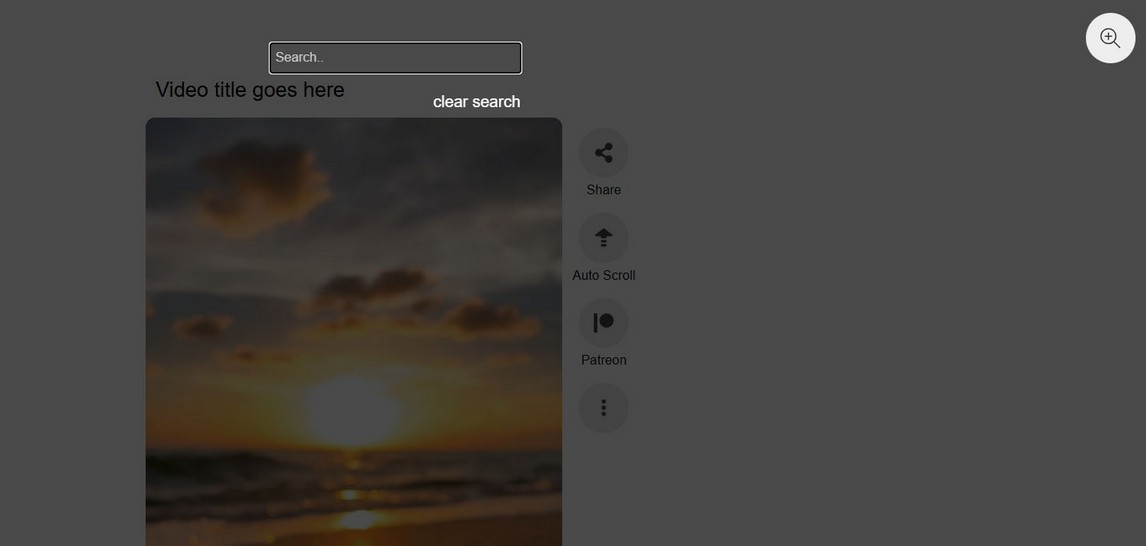
How to add search field to Reel
Add folowing settings:
searchNothingFoundMsg: 'Nothing found!',
searchText: "Search..",
micIcon : "<svg aria-hidden='true' focusable='false' role='img' viewBox='0 0 384 512'><path d='M192 0C139 0 96 43 96 96V256c0 53 43 96 96 96s96-43 96-96V96c0-53-43-96-96-96zM64 216c0-13.3-10.7-24-24-24s-24 10.7-24 24v40c0 89.1 66.2 162.7 152 174.4V464H120c-13.3 0-24 10.7-24 24s10.7 24 24 24h72 72c13.3 0 24-10.7 24-24s-10.7-24-24-24H216V430.4c85.8-11.7 152-85.3 152-174.4V216c0-13.3-10.7-24-24-24s-24 10.7-24 24v40c0 70.7-57.3 128-128 128s-128-57.3-128-128V216z'/></svg>",
zoomIcon : "<svg role='img' viewBox='0 0 512 512'><path d='M288 192H224V128c0-8.844-7.156-16-16-16S192 119.2 192 128v64H128C119.2 192 112 199.2 112 208S119.2 224 128 224h64v64c0 8.844 7.156 16 16 16S224 296.8 224 288V224h64c8.844 0 16-7.156 16-16S296.8 192 288 192zM507.3 484.7l-141.5-141.5C397 306.8 416 259.7 416 208C416 93.13 322.9 0 208 0S0 93.13 0 208S93.13 416 208 416c51.68 0 98.85-18.96 135.2-50.15l141.5 141.5C487.8 510.4 491.9 512 496 512s8.188-1.562 11.31-4.688C513.6 501.1 513.6 490.9 507.3 484.7zM208 384C110.1 384 32 305 32 208S110.1 32 208 32S384 110.1 384 208S305 384 208 384z'/></svg>",

searchVoiceText : 'Search with your voice',
waitingPermissionText: 'Waiting for permission',
listeningText : 'Listening...',
notRecognizeText: 'Didnt recognize that. Tap microphone to try again.',
clearSearchText:"clear search",

showSearchField:true,
useVoiceSearch:false,
searchReturnOnlyFound:false,
Demo implementing this in search.html
Advance buttons
Advance buttons enable navigating Reel using buttons up and down. Advance buttons are global and they are placed on the document level. This means only one set of buttons can exist in the page.
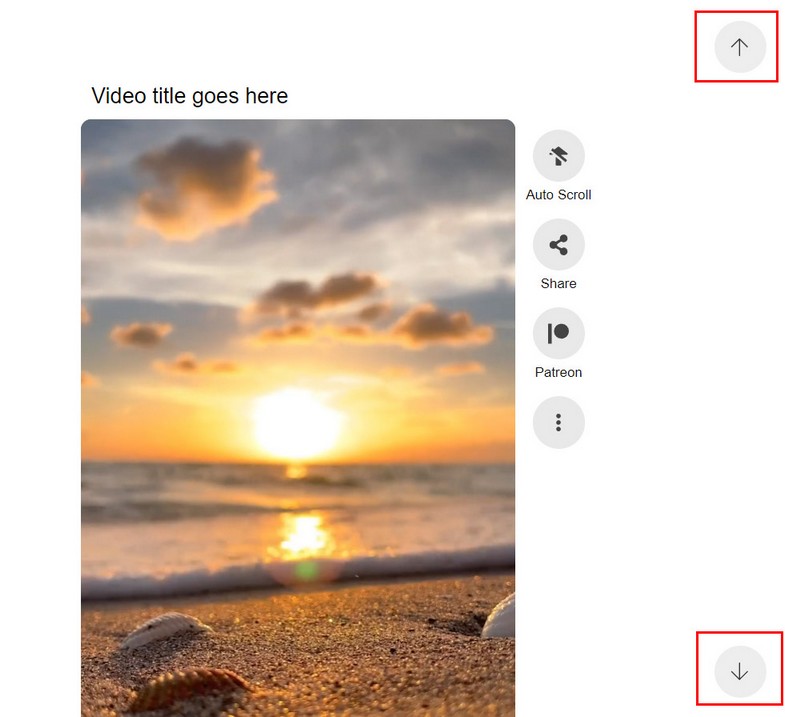
Adjust advance buttons settings
Preview seek
Show video preview when hovering progress seekbar
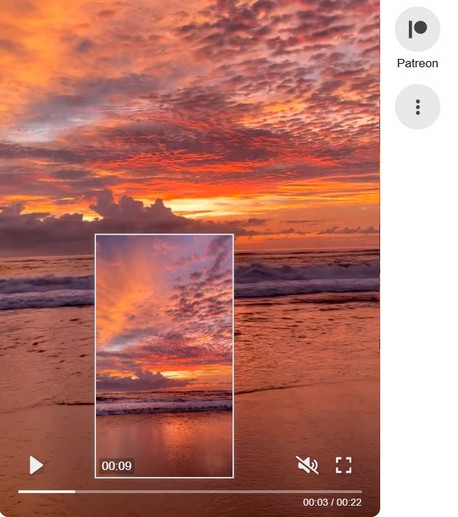
Rules
1. Preview seek only works with custom video controls (in settings)
mediaControlsType: 'custom',//custom, default, none
2. Preview seek can be type "auto" (only for media type video, including hls and dash streaming) or "url to vtt file" (for any media with duration).
How to use
1. Add link to javascript file preview_seek.js (include before link to main reel mvp_reel.js file!)
<script type="text/javascript" src="js/preview_seek.js"></script>
<script type="text/javascript" src="js/mvp_reel.js"></script>
2. Activate preview seek in settings:
usePreviewSeek:true
3. Add preview seek to video in Reel with data-preview-seek attribute (type auto)
<div class="mvp-playlist-item" data-type="video" data-path="media/vertical/01.mp4" data-poster="media/vertical/poster/01.jpg" data-title="Video title goes here" data-description="Create video reels consisting of HTML video, Youtube and Vimeo." data-preview-seek="auto"></div>
Add preview seek to video in Reel (type vtt file)
<div class="mvp-playlist-item" data-type="video" data-path="media/vertical/01.mp4" data-poster="media/vertical/poster/01.jpg" data-title="Video title goes here" data-description="Create video reels consisting of HTML video, Youtube and Vimeo." data-preview-seek="data/seek/02.vtt"></div>
data-preview-seek = url to vtt file containing necessary data for preview seek.
preview seek examples (created with ffmpeg and ImageMagick)

Player supports Thumbnail Sprites; multiple thumbnails stitched together into a single image.

In the VTT file, the individual thumbnails can be identified by appending their coordinates to the thumbnail URL using a spatial Media Fragment, for example:

Player only supports pixel-based fragments, not percentage-based ones.

WEBVTT

00:00:00.000 --> 00:00:05.000
data/seek/01_seek.png#xywh=0,0,200,112

00:00:05.000 --> 00:00:10.000
data/seek/01_seek.png#xywh=0,112,200,112

00:00:10.000 --> 00:00:15.000
data/seek/01_seek.png#xywh=0,224,200,112


VTT files are subject to cross-domain security restrictions and therefore won't automatically load from another domain than the player.
Demo using preview seek is reel_preview_seek.html
Preview seek auto can also be added to all videos in playlist using globalPlaylistData
Song audio
Adding audio to Reel
Audio can be attached to each Reel item or globally to whole Reel playlist. Note: this is a song that just plays audio and is no related to any media type in Reel!
Enable song button in Reel and optionally show song title in settings:
useAudioControl: true / false,
showAudioSongName: true / false,
Global Reel audio
To set audio for all items in Reel Playlist edit Global playlist data and set data-audio, data-audio-title
<div id="mvp-playlist-list">

    <div class="playlist-video">

        <div class="mvp-global-playlist-data" data-audio="SONG_URL" data-audio-title="SONG_TITLE"></div>

        <div class="mvp-playlist-item" data-type="video" data-path="VIDEO_URL" data-poster="POSTER_URL" data-title="This is first video"></div>

        <div class="mvp-playlist-item" data-type="video" data-path="VIDEO_URL" data-poster="POSTER_URL"  data-title="This is second video"></div>

    </div>

</div>
Individual Reel audio
To set audio for single Reel item edit mvp-playlist-item and set data-audio, data-audio-title
<div id="mvp-playlist-list">

    <div class="playlist-video">

        <div class="mvp-playlist-item" data-type="video" data-path="VIDEO_URL" data-poster="POSTER_URL" data-title="This is first video" data-audio="SONG_URL" data-audio-title="SONG_TITLE"></div>

        <div class="mvp-playlist-item" data-type="video" data-path="VIDEO_URL" data-poster="POSTER_URL"  data-title="This is second video" data-audio="SONG_URL2" data-audio-title="SONG_TITLE2"></div>

    </div>

</div>
Note that if global audio is set per Playlist, this will overwrite individual, so you need to remove global song audio for individual to work.
Reel item download
Reel offers option to download an item (download url for each reel item can be set to anything).
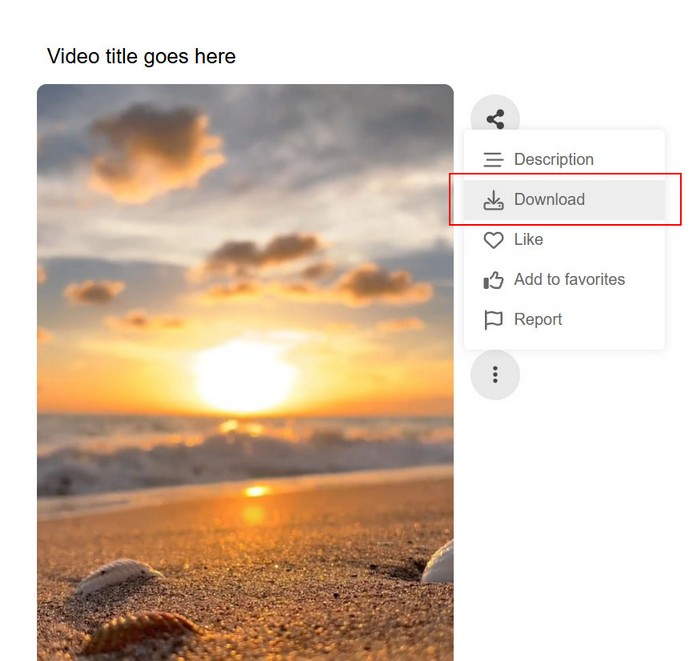
There are 2 methods of using download.
Download using HTML download attribute
This is the default method and relies on HTML download attribute https://caniuse.com/download
Download using PHP curl
If your server supports curl function, you can activate download with PHP adding following settings:
useServerDownload:true,
curl_version:"exist",//any value, just needs to be present in settings
Global playlist data
Options defined in mvp-global-playlist-data will be applied to every media in playlist.
<div id="mvp-playlist-list">

    <div class="playlist-video">

        <div class="mvp-global-playlist-data" data-start="5" data-playback-rate="2"></div>

        <div class="mvp-playlist-item" data-type="video" data-path="VIDEO_URL" data-poster="POSTER_URL" data-title="This is first video"></div>

        <div class="mvp-playlist-item" data-type="video" data-path="VIDEO_URL" data-poster="POSTER_URL"  data-title="This is second video"></div>

    </div>

</div>
Parameters:
| Parameter | Required | Value |
|---|---|---|
| data-start | media start time in seconds | |
| data-playback-rate | media playback speed: http://www.w3schools.com/tags/av_prop_playbackrate.asp | |
| data-preview-seek | auto / vtt url | Add preview seek option to all videos. |
Reel Custom Icons
You can add new icons in Reel items and attach url to each icon. Icons can be SVG format.
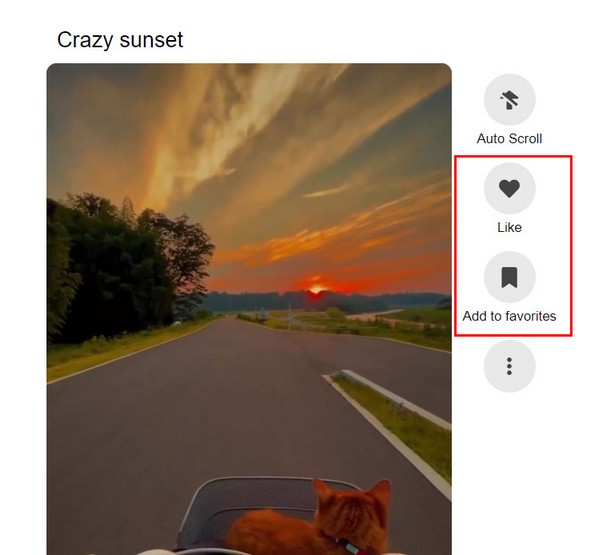
Icons can be located in icon list (like in above image) or in more menu (like below image):
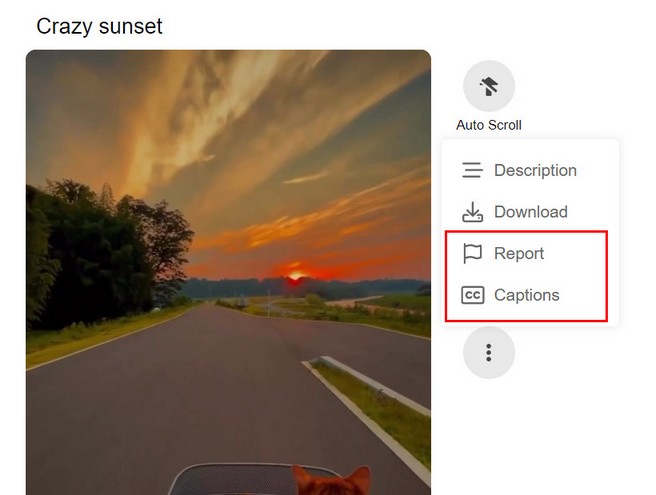
Icons in playlist items
You can add icons to Reel items using data-playlist-icons attribute. Icons added in such way will be present only in that Reel item.
<div id="mvp-playlist-list">

    <div class="playlist-video">

        <div class="mvp-playlist-item" data-type="video" data-path="VIDEO_URL" data-poster="POSTER_URL" data-title="This is first video" data-playlist-icons='[{"position": "icon_list", "title": "Patreon", "url": "https://patreon.com", "target":"_blank", "icon": "<svg viewBox='0 0 512 512'><path d='M512 194.8c0 101.3-82.4 183.8-183.8 183.8-101.7 0-184.4-82.4-184.4-183.8 0-101.6 82.7-184.3 184.4-184.3C429.6 10.5 512 93.2 512 194.8zM0 501.5h90v-491H0v491z'/></svg>", "class":"my-icon-patreon"}, {"position": "icon_list", "title": "Youtube", "url": "https://youtube.com", "target":"_blank", "icon": "<svg viewBox='0 0 576 512'><path d='M549.7 124.1c-6.3-23.7-24.8-42.3-48.3-48.6C458.8 64 288 64 288 64S117.2 64 74.6 75.5c-23.5 6.3-42 24.9-48.3 48.6-11.4 42.9-11.4 132.3-11.4 132.3s0 89.4 11.4 132.3c6.3 23.7 24.8 41.5 48.3 47.8C117.2 448 288 448 288 448s170.8 0 213.4-11.5c23.5-6.3 42-24.2 48.3-47.8 11.4-42.9 11.4-132.3 11.4-132.3s0-89.4-11.4-132.3zm-317.5 213.5V175.2l142.7 81.2-142.7 81.2z'/></svg>", "rel": "nofollow", "class":"custom-icon-class-here"}]'></div>

    </div>

</div>
Note the format of attribute, outside quote is single, while all inner quotes are double!
Icon properties:
position - icon_list / more_menu
icon - SVG
class - icon custom class (optional)
title - shows on hover (optional)
url - icon url on click (optional)
target - url target  (optional)
rel - rel attributte (optional)
Icons in settings
You can add icons to Reel items in configuration. Icons added in such way will be present all Reel items.
customButtonsIconList: [

    {"title": "Patreon", "url": "https://patreon.com", "target":"_blank", "icon": "<svg viewBox='0 0 512 512'><path d='M512 194.8c0 101.3-82.4 183.8-183.8 183.8-101.7 0-184.4-82.4-184.4-183.8 0-101.6 82.7-184.3 184.4-184.3C429.6 10.5 512 93.2 512 194.8zM0 501.5h90v-491H0v491z'/></svg>", "class":"my-icon-patreon"}
],

customButtonsMoreMenu: [

    {"title": "Report", "icon": "<svg viewBox='0 0 448 512'><path d='M48 24C48 10.7 37.3 0 24 0S0 10.7 0 24V64 350.5 400v88c0 13.3 10.7 24 24 24s24-10.7 24-24V388l80.3-20.1c41.1-10.3 84.6-5.5 122.5 13.4c44.2 22.1 95.5 24.8 141.7 7.4l34.7-13c12.5-4.7 20.8-16.6 20.8-30V66.1c0-23-24.2-38-44.8-27.7l-9.6 4.8c-46.3 23.2-100.8 23.2-147.1 0c-35.1-17.6-75.4-22-113.5-12.5L48 52V24zm0 77.5l96.6-24.2c27-6.7 55.5-3.6 80.4 8.8c54.9 27.4 118.7 29.7 175 6.8V334.7l-24.4 9.1c-33.7 12.6-71.2 10.7-103.4-5.4c-48.2-24.1-103.3-30.1-155.6-17.1L48 338.5v-237z'/></svg>", "class":"my-icon-report"},

    {"title": "Custom button", "url": "https://developer.mozilla.org/en-US/docs/Web/Media/Audio_and_video_delivery/Adding_captions_and_subtitles_to_HTML5_video", "target":"_blank", "icon": "<svg viewBox='0 0 576 512'><path d='M512 80c8.8 0 16 7.2 16 16V416c0 8.8-7.2 16-16 16H64c-8.8 0-16-7.2-16-16V96c0-8.8 7.2-16 16-16H512zM64 32C28.7 32 0 60.7 0 96V416c0 35.3 28.7 64 64 64H512c35.3 0 64-28.7 64-64V96c0-35.3-28.7-64-64-64H64zM200 208c14.2 0 27 6.1 35.8 16c8.8 9.9 24 10.7 33.9 1.9s10.7-24 1.9-33.9c-17.5-19.6-43.1-32-71.5-32c-53 0-96 43-96 96s43 96 96 96c28.4 0 54-12.4 71.5-32c8.8-9.9 8-25-1.9-33.9s-25-8-33.9 1.9c-8.8 9.9-21.6 16-35.8 16c-26.5 0-48-21.5-48-48s21.5-48 48-48zm144 48c0-26.5 21.5-48 48-48c14.2 0 27 6.1 35.8 16c8.8 9.9 24 10.7 33.9 1.9s10.7-24 1.9-33.9c-17.5-19.6-43.1-32-71.5-32c-53 0-96 43-96 96s43 96 96 96c28.4 0 54-12.4 71.5-32c8.8-9.9 8-25-1.9-33.9s-25-8-33.9 1.9c-8.8 9.9-21.6 16-35.8 16c-26.5 0-48-21.5-48-48z'/></svg>", "rel": "no-follow", "class":"my-icon-captions"},

],
customButtonsIconList - icons will be added to icon list
customButtonsMoreMenu - icons will be added to more menu
Using SVG for icons
To get SVG code, for example, go to Font Awesome page, choose icon and copy SVG code. Of course you can get SVG code from different websites.
Function call on icon click
If you want to call a function when some icon is clicked do the following.
Add icon in with chosen class attribute (my-custom-class)
{"title": "Patreon", "url": "https://patreon.com", "target":"_blank", "icon": "<svg viewBox='0 0 512 512'><path d='M512 194.8c0 101.3-82.4 183.8-183.8 183.8-101.7 0-184.4-82.4-184.4-183.8 0-101.6 82.7-184.3 184.4-184.3C429.6 10.5 512 93.2 512 194.8zM0 501.5h90v-491H0v491z'/></svg>", "class":"my-custom-class"}
Add javascript code to listen for icon click:
 <script>
document.addEventListener('click', e => {
   if (e.target.closest('.my-custom-class')) {
   		var item = e.target.closest('.mvp-reel-item')
        console.log(item )
        alert('function is called')
   }
})
 </script>
Icon color
If you want to change icon colors you can target them with following css:
.my-custom-class{
	color:#aaaaaa;
}
Custom icons in player controls
You can add Custom icons in player controls and attach url to each icon. Icons can be SVG format.
You can add icons to Reel items in configuration. Icons added in such way will be present all Reel items.
customButtonsPlayerControlsLeft: [

    {"title": "I am a custom button", "url": "https://google.com", "target":"_blank", "rel": "no-follow", "icon": "<svg viewBox='0 0 448 512'><path d='M224 0c-17.7 0-32 14.3-32 32V51.2C119 66 64 130.6 64 208v18.8c0 47-17.3 92.4-48.5 127.6l-7.4 8.3c-8.4 9.4-10.4 22.9-5.3 34.4S19.4 416 32 416H416c12.6 0 24-7.4 29.2-18.9s3.1-25-5.3-34.4l-7.4-8.3C401.3 319.2 384 273.9 384 226.8V208c0-77.4-55-142-128-156.8V32c0-17.7-14.3-32-32-32zm45.3 493.3c12-12 18.7-28.3 18.7-45.3H224 160c0 17 6.7 33.3 18.7 45.3s28.3 18.7 45.3 18.7s33.3-6.7 45.3-18.7z'/></svg>", "class":"my-custom-button"}
],

customButtonsPlayerControlsRight: [

	{"title": "Report", "icon": "<svg viewBox='0 0 448 512'><path d='M48 24C48 10.7 37.3 0 24 0S0 10.7 0 24V64 350.5 400v88c0 13.3 10.7 24 24 24s24-10.7 24-24V388l80.3-20.1c41.1-10.3 84.6-5.5 122.5 13.4c44.2 22.1 95.5 24.8 141.7 7.4l34.7-13c12.5-4.7 20.8-16.6 20.8-30V66.1c0-23-24.2-38-44.8-27.7l-9.6 4.8c-46.3 23.2-100.8 23.2-147.1 0c-35.1-17.6-75.4-22-113.5-12.5L48 52V24zm0 77.5l96.6-24.2c27-6.7 55.5-3.6 80.4 8.8c54.9 27.4 118.7 29.7 175 6.8V334.7l-24.4 9.1c-33.7 12.6-71.2 10.7-103.4-5.4c-48.2-24.1-103.3-30.1-155.6-17.1L48 338.5v-237z'/></svg>", "class":"my-icon-report"},

],
customButtonsPlayerControlsLeft - icons will be added to left part of player controls
customButtonsPlayerControlsRight - icons will be added to right part of player controls
Icon properties:
icon - SVG
class - icon custom class (optional)
title - shows on hover (optional)
url - icon url on click (optional)
target - url target  (optional)
rel - rel attributte (optional)
Using SVG for icons
To get SVG code, for example, go to Font Awesome page, choose icon and copy SVG code. Of course you can get SVG code from different websites.
Function call on icon click
If you want to call a function when some icon is clicked do the following.
Add icon in with chosen class attribute (my-custom-class)
{"title": "Patreon", "url": "https://patreon.com", "target":"_blank", "icon": "<svg viewBox='0 0 512 512'><path d='M512 194.8c0 101.3-82.4 183.8-183.8 183.8-101.7 0-184.4-82.4-184.4-183.8 0-101.6 82.7-184.3 184.4-184.3C429.6 10.5 512 93.2 512 194.8zM0 501.5h90v-491H0v491z'/></svg>", "class":"my-custom-class"}
Add javascript code to listen for icon click:
 <script>
document.addEventListener('click', e => {
   if (e.target.closest('.my-custom-class')) {
        alert('function is called')
   }
})
 </script>
Icon color
If you want to change icon colors you can target them with following css:
.my-custom-class{
	color:#aaaaaa;
}
Load more
Reel has the option to use load more feature. This is advised if you have more than 5 - 10 videos in the reel. Using load more will enable reel to load faster on start and add new videos into the reel as user scrolls down the page.
Load more should be used with any media type (HTML videos, Youtube, Vimeo). This especially applies for Youtube and Vimeo which return lots of videos from playlist or channel.
Adjust load more in settings
We advice keeping load more count low like 4 for example. This is enough for reel to display while keeping number of videos to minimum.
Load more using API
You can also call load more manually using api methods.
Colors
Changing colors in Reel
All the colors are applied with CSS in mvp_reel.css file
Multiple reels in page
If you use multiple Reels in same page there are couple of rules to follow.
Using Advance buttons can only work for 1 reel in the page
If you use load more on scroll in Reel, select use Observer method in Load more settings
Callbacks / Events
Following callbacks are supported:
    player.addEventListener("setupDone", function(data){

        //called when plugin has been instantiated and is ready to use api, returns (instance, instanceName)

    })
    player.addEventListener("reelItemView", function(data){

        //called when new reel item has started, returns (instance, instanceName, item)

        //console.log(data.instance, data.instanceName, data.item);

    })
    player.addEventListener("reelSubItemView", function(data){

        //called when new reel horizontal item has started, returns (instance, instanceName, item)

        //console.log(data.instance, data.instanceName, data.item);

    })
    player.addEventListener("mediaEnd", function(data){

        //called on media end, returns (instance, instanceName, item)

    })
    player.addEventListener("playlistStartLoad", function(data){

        //called on playlist start load, returns (instance, instanceName)

    })
    player.addEventListener("playlistEndLoad", function(data){

        //called on playlist end load, returns (instance, instanceName)

    })
    player.addEventListener("fullscreenEnter", function(data){

        //called on fullscreen enter, returns (instance, instanceName, item)

    })
    player.addEventListener("fullscreenExit", function(data){

        //called on fullscreen exit, returns (instance, instanceName, item)

    })
variable player comes from reel initialization:
<script>
	var player
    document.addEventListener("DOMContentLoaded", function(event) {

        var settings = {
            ....
        };

        player = new mvp_reel(document.getElementById('wrapper'), settings);

    });
</script>
API methods
Following api methods are included:
player.showMedia(type, value); //Scroll to and Play reel item. Works only if them is already loaded (does not load more if not exist)
example:
player.showMedia('media-id', 5);//provide media-id from Wordpress or from data-media-id attribute set on '.mvp-reel-item'

player.showMedia('slug', 5);//provide slug from Wordpress or from data-slug attribute set on '.mvp-reel-item'


player.nextMedia(); //Play next media

player.previousMedia(); //Play previous media

player.firstMedia(); //Play first media

player.lastMedia(); //Play last (available) media. If load more is used, then last will be item before new items start loading with load more

player.nextHorizMedia();//play next horizontal media (only if reel item has additinal horizontal media)

player.previousHorizMedia();//play previous horizontal media (only if reel item has additinal horizontal media)


player.clearPlayingItem(); //clear active playing media

player.toggleMute(); //toggle volume of active playing media

player.togglePlayback(); //toggle playback of active playing media

player.toggleDescription(); //toggle description


player.getCurrentTime(); //get current time of active playing media

player.getDuration(); //get duration time of active playing media


player.seekBackward(seconds); //seek backward active playing media by Seek Time (seconds)

player.seekForward(seconds); //seek forward active playing media by Seek Time (seconds)


player.getActiveMedia(); //get active playing media (returns dom element with classname 'mvp-reel-item')


/* load playlist on demand */
--------------------------

player.loadPlaylist('.mvp-playlist-video');

player.destroyPlaylist(); //Destroy current playlist (not neccessary to call if loadPlaylist is used because its called internally)


player.loadMore(); //load more into the reel (if the load more settings are used and there are more items to load)


/* add / remove items */

var tracks = [
    {
        type: 'video',
        path: 'media/vertical/05.mp4',
        poster: 'media/vertical/poster/05.jpg',
        title: 'Relaxation moments',
        description: 'Vivamus non massa non est consequat pulvinar.',
        noSound: true,
        slug: 'relaxation-moments',
        mediaId: 3
    },
    {
        type: 'video',
        path: 'media/vertical/06.mp4',
        poster: 'media/vertical/poster/06.jpg',
        title: 'Mountains are calling',
        description: 'Pellentesque habitant morbi tristique senectus et netus et malesuada fames ac turpis egestas.',
        noSound: true,
        slug: 'mountains-are-calling',
        mediaId: 4
    }
]

addItem(track, position)

player.addItem(tracks[0],1) //add item by slug 'relaxation-moments', position 1

player.addItem(tracks[1],'end');// add item by slug 'mountains-are-calling', position end

player.addItem(tracks,'end'); // add multiple items, position end


removeItem(format, value)

player.removeItem('slug', 'crazy-sunset'); //remove item by slug 'crazy-sunset'

player.removeItem('slug', 'mountains-are-calling'); //remove item by slug 'mountains-are-calling'

player.removeItem('media-id', 3); //remove item by data-media-id 3


player.getSetupDone(); //get setup done (plugin inited, ready to use api)

player.isPlaylistLoading(); //check if playlist is currently loading


player.setAutoScroll();//toggle autoscroll


player.toggleFullscreen();//toggle fullscreen
variable player comes from reel initialization:
<script>
	var player
    document.addEventListener("DOMContentLoaded", function(event) {

        var settings = {
            ....
        };

        player = new mvp_reel(document.getElementById('wrapper'), settings);

    });
</script>
Settings
Adverts AddOn is available on the following link.
Intro
Using adverts addOn enables showing different kind of adverts in Reel items.
Adverts split into 2 distinct categories: Normal adverts and Vast adverts.
Normal adverts can be HTML video, audio, image, Youtube and Vimeo single videos. Adverts can also be any type of HTML or url link. Adverts can be shown before, during or after main Reel items finishes playing. Adverts can be shown on pause, or in repeated intervals. These type of adverts can be used with any media type inside the Reel.
Vast adverts use Google Ima loader and support following types of vast adverts https://developers.google.com/interactive-media-ads/docs/sdks/html5/client-side/tags . Vast adverts can only be used with HTML video and audio inside the Reel.
Using Adverts AddOn
First make sure you have the latest main Video Reel plugin compatible with adverts addon!
Include CSS and javascript files to the page.
Add CSS files for the adverts (mvp_reel_ad.css):
<link rel="stylesheet" type="text/css" href="css/mvp_reel.css" />
<link rel="stylesheet" type="text/css" href="css/mvp_reel_ad.css" />
<link rel="stylesheet" type="text/css" href="css/ad-demo.css" />
Add javascript files for the adverts (ad_manager.js):
<script type="text/javascript" src="js/ad_manager.js"></script>
<script type="text/javascript" src="js/mvp_reel.js"></script>
Include javascript settings:
useAds:true,//activate ads

createAdIndicators:true,  //show ad indicators for middle adverts in seekbar (only for custom player controls)

hideHorizontalControlInAd:false,  //hide horizontal controls, if Reel items has horizontal media (does not disable swipe)

preventMidAdClash:true //Some mid type of adverts cannot work together. This assures if you have some non compatible ads defined, they do not clach together. Script will simply exclude ads that clash and only use one of them.

adSeekbarText: 'Ad playing. Video will continue in...',  //advert timer text

inlineAdTimerText: 'Continue in...', //  inline ad timer text

adSkipBtnText: 'Skip', // skip button text
Notes:
Adverts can be added only on main (vertical) Reel items. Adverts cannot be placed on inner horizontal media.
Adverts can be added to Reel type video, audio, Youtube or Vimeo. They cannot work with Reel type image or html.
When adverts play, Reel it not disabled by design (like a video player would be) and user can still scroll (navigate) normally through the reel and advance to next or previous Reel item using buttons or scroll / swipe.
Advert skin button is optional. It can be used so the user can skip the advert immediatelly or after X seconds.
Advert items (video, audio, Youtube...) have custom controls (play button, volume button, seekbar...) Its not possible to have video advert with default browser controls.
Advert compatibility
Some type of mid adverts cannot work together!
1. You cannot mix Mid adverts, Pause adverts and Repeat adverts together in one Reel item (Reel item being one video or image in Reel). They all belong to mid-type adverts that happen while main Reel item plays. Use either type of them in one Reel item, but not mixed!
2. Using Normal adverts and Vast adverts in single Reel item is not supported. Use either type of them but not together in one Reel item!
Pre adverts
Adverts before main Reel items (pre adverts)
One or more adverts can be placed before main Reel item and they will all play in sequence (if multiple) before main Reel item plays.
Adverts are defined inside div class="mvp-ad-section"
Following example has 1 video advert before main Reel item plays:
HTML markup
<div class="mvp-playlist-item" data-type="video" data-path="media/vertical/01.mp4" data-poster="media/vertical/poster/01.jpg" data-title="Video title goes here" data-description="Reel supports video advertizing.">

    <div class="mvp-ad-section">

        <div class="mvp-ad mvp-ad-pre" data-type="video" data-path="media/ad/parfume.mp4" data-skip-enable="3" data-link="http://www.google.com" data-target="_blank"></div>

    </div>

</div>
Object notation
media:[
    {
        type: 'video',
        path: 'media/vertical/01.mp4',
        poster: 'media/vertical/poster/01.jpg',
        title: 'Video title goes here',
        description: 'Reel supports video advertizing.',

        //ads
        adPre: [
            {
                type: "video",
                path: "media/ad/parfume.mp4",
                skipEnable: 3,
                link: "http://www.google.com",
                target: "_blank"
            }
        ]
    }
]
Following example has multiple adverts before main Reel item plays:
HTML markup
<div class="mvp-playlist-item" data-type="video" data-path="media/vertical/01.mp4" data-poster="media/vertical/poster/01.jpg" data-title="Video title goes here" data-description="Reel supports video advertizing.">

    <div class="mvp-ad-section">

        <div class="mvp-ad mvp-ad-pre" data-type="video" data-path="media/ad/parfume.mp4" data-skip-enable="3" data-link="http://www.google.com" data-target="_blank"></div>

        <div class="mvp-ad mvp-ad-pre" data-type="youtube_single" data-path="DpZxFTsmOEc" data-skip-enable="5"></div>

        <div class="mvp-ad mvp-ad-pre" data-type="vimeo_single" data-path="884406336" data-skip-enable="5"></div>

        <div class="mvp-ad mvp-ad-pre" data-type="image" data-path="media/image/ad/cola.jpg" data-duration="5"></div>

        <div class="mvp-ad mvp-ad-pre" data-type="audio" data-path="media/audio/ad/human5.mp3" data-poster="media/audio/poster/music.jpg" data-skip-enable="5"></div>

    </div>

</div>
Object notation
media:[
    {
        type: 'video',
        path: 'media/vertical/01.mp4',
        poster: 'media/vertical/poster/01.jpg',
        title: 'Video title goes here',
        description: 'Reel supports video advertizing.',

        //ads
        adPre: [
            {
                type: "video",
                path: "media/ad/parfume.mp4",
                skipEnable: 3,
                link: "http://www.google.com",
                target: "_blank"
            },
            {
                type: "youtube_single",
                path: "DpZxFTsmOEc",
                skipEnable: 5,
            },
            {
                type: "vimeo_single",
                path: "884406336",
                skipEnable: 5,
            },
            {
                type: "image",
                path: "media/image/ad/cola.jpg",
                duration:5
            },
            {
                type: "audio",
                path: "media/audio/ad/human5.mp3",
                poster: "media/audio/poster/music.jpg",
                skipEnable: 5,
            }
        ]
    }
]
Properties
data-type - video / audio / image / youtube_single / vimeo_single

data-skip-enable - when to show skip advert button in seconds (optional), 0 (zero) means show immediatelly

data-poster - poster image, used ONLY with type audio

data-duration - show long to show image advert in seconds, ONLY with type image

data-link - link to open on advert click
data-target - link target (_blank, _self...)
Following example has 1 HTML type advert before main Reel item plays:
(this will load HTML with ID attribute of 'my-inline' into the Reel)
HTML markup
<div class="mvp-playlist-item" data-type="video" data-path="media/vertical/01.mp4" data-poster="media/vertical/poster/01.jpg" data-title="Video title goes here" data-description="Reel supports video advertizing.">

    <div class="mvp-ad-section">

        <div class="mvp-ad mvp-ad-pre" data-type="html" data-path="#my-inline" data-skip-enable="3" data-timer="5" data-timer-position="bottom"></div>

    </div>

</div>

// place this element somewhere in page body

<div id="my-inline">
    <a href='https://google.com' target="_blank">Upgrade to Pro membership to hide these ads</a>
    <p>Inline ads support any HTML. Define start time or repeating occurence.</p>
</div>
Object notation
media:[
    {
        type: 'video',
        path: 'media/vertical/01.mp4',
        poster: 'media/vertical/poster/01.jpg',
        title: 'Video title goes here',
        description: 'Reel supports video advertizing.',

        //ads
        adPre: [
            {
                type: "html",
                path: "#my-inline",
                skipEnable: 3,
                timer: 5,
                timerPosition: 'bottom'
            }
        ]
    }
]
Properties
data-type - html

data-skip-enable - when to show skip advert button in seconds (optional), 0 (zero) means show immeditelly

data-timer - how long to show advert in seconds. If not set, advert will be shown indefinitelly. If you need this feature, you can use API methods player.removeAd() to close advert.

data-timer-position - bottom / inline. "bottom" will stick to reel bottom, "inline" will be placed after advert content (useful if advert content is really small, otherwise it may get out of dispaly and not be visible)

data-link - link to open on advert click
data-target - link target (_blank, _self...)
Note for type "html", you need to have element with ID attribute defined in path present somewhere page body.
Mid adverts
Adverts during main Reel items (mid adverts)
One or more adverts can be placed to play during main Reel item.
Adverts are defined inside div class="mvp-ad-section"
Following example has 1 video advert during main Reel item plays:
HTML markup
<div class="mvp-playlist-item" data-type="video" data-path="media/vertical/01.mp4" data-poster="media/vertical/poster/01.jpg" data-title="Video title goes here" data-description="Reel supports video advertizing.">

    <div class="mvp-ad-section">

        <div class="mvp-ad mvp-ad-mid" data-type="video" data-path="media/ad/parfume.mp4" data-begin="5" data-skip-enable="3" data-link="http://www.google.com" data-target="_blank"></div>

    </div>

</div>
Object notation
media:[
    {
        type: 'video',
        path: 'media/vertical/01.mp4',
        poster: 'media/vertical/poster/01.jpg',
        title: 'Video title goes here',
        description: 'Reel supports video advertizing.',

        //ads
        adMid: [
            {
                type: "video",
                path: "media/ad/parfume.mp4",
                begin: 5,
                skipEnable: 3,
                link: "http://www.google.com",
                target: "_blank"
            }
        ]
    }
]
Following example has multiple adverts during main Reel item plays:
HTML markup
<div class="mvp-playlist-item" data-type="video" data-path="media/vertical/01.mp4" data-poster="media/vertical/poster/01.jpg" data-title="Video title goes here" data-description="Reel supports video advertizing.">

    <div class="mvp-ad-section">

        <div class="mvp-ad mvp-ad-mid" data-type="video" data-path="media/ad/parfume.mp4" data-begin="5" data-skip-enable="3" data-link="http://www.google.com" data-target="_blank"></div>

        <div class="mvp-ad mvp-ad-mid" data-type="youtube_single" data-path="DpZxFTsmOEc" data-begin="10" data-skip-enable="5"></div>

        <div class="mvp-ad mvp-ad-mid" data-type="vimeo_single" data-path="884406336" data-begin="15" data-skip-enable="5"></div>

        <div class="mvp-ad mvp-ad-mid" data-type="image" data-path="media/image/ad/cola.jpg" data-duration="5"  data-begin="20"></div>

        <div class="mvp-ad mvp-ad-mid" data-type="audio" data-path="media/audio/ad/human5.mp3" data-poster="media/audio/poster/music.jpg" data-begin="25" data-skip-enable="5"></div>

    </div>

</div>
Object notation
media:[
    {
        type: 'video',
        path: 'media/vertical/01.mp4',
        poster: 'media/vertical/poster/01.jpg',
        title: 'Video title goes here',
        description: 'Reel supports video advertizing.',

        //ads
        adMid: [
            {
                type: "video",
                path: "media/ad/parfume.mp4",
                begin: 5,
                skipEnable: 3,
                link: "http://www.google.com",
                target: "_blank"
            },
            {
                type: "youtube_single",
                path: "DpZxFTsmOEc",
                begin: 10,
                skipEnable: 5,
            },
            {
                type: "vimeo_single",
                path: "884406336",
                begin: 15,
                skipEnable: 5,
            },
            {
                type: "image",
                path: "media/image/ad/cola.jpg",
                duration:5,
                begin: 20,
            },
            {
                type: "audio",
                path: "media/audio/ad/human5.mp3",
                poster: "media/audio/poster/music.jpg",
                begin: 25,
                skipEnable: 5,
            }
        ]
    }
]
Properties
data-type - video / audio / image / youtube_single / vimeo_single

data-begin - when to start advert in seconds (required). Only for mid type adverts.

data-skip-enable - when to show skip advert button in seconds (optional), 0 (zero) means show immediatelly

data-poster - poster image, used ONLY with type audio

data-duration - show long to show image advert in seconds, ONLY with type image

data-link - link to open on advert click
data-target - link target (_blank, _self...)
Following example has 1 HTML type advert during main Reel item plays:
(this will load HTML with ID attribute of 'my-inline' into the Reel)
HTML markup
<div class="mvp-playlist-item" data-type="video" data-path="media/vertical/01.mp4" data-poster="media/vertical/poster/01.jpg" data-title="Video title goes here" data-description="Reel supports video advertizing.">

    <div class="mvp-ad-section">

        <div class="mvp-ad mvp-ad-mid" data-type="html" data-path="#my-inline" data-begin="5" data-skip-enable="3" data-timer="5" data-timer-position="bottom"></div>

    </div>

</div>

// place this element somewhere in page body

<div id="my-inline">
    <a href='https://google.com' target="_blank">Upgrade to Pro membership to hide these ads</a>
    <p>Inline ads support any HTML. Define start time or repeating occurence.</p>
</div>
Object notation
media:[
    {
        type: 'video',
        path: 'media/vertical/01.mp4',
        poster: 'media/vertical/poster/01.jpg',
        title: 'Video title goes here',
        description: 'Reel supports video advertizing.',

        //ads
        adMid: [
            {
                type: "html",
                path: "#my-inline",
                begin: 5,
                skipEnable: 3,
                timer: 5,
                timerPosition: 'bottom'
            }
        ]
    }
]
Properties
data-type - html

data-begin - when to start advert in seconds (required)

data-skip-enable - when to show skip advert button in seconds (optional), 0 (zero) means show immeditelly

data-timer - how long to show advert in seconds. If not set, advert will be shown indefinitelly. If you need this feature, you can use API methods player.removeAd() to close advert.

data-timer-position - bottom / inline. "bottom" will stick to reel bottom, "inline" will be placed after advert content (useful if advert content is really small, otherwise it may get out of dispaly and not be visible)

data-link - link to open on advert click
data-target - link target (_blank, _self...)
Note for type "html", you need to have element with ID attribute defined in path present somewhere page body.
End adverts
Adverts that play after main Reel items (end adverts)
One or more adverts can be placed to play after main Reel item finishes playing. If multiple are added they will play in sequence.
Note that Auto scroll reel need to be turned on for end advert to be triggered!
Adverts are defined inside div class="mvp-ad-section"
Following example has 1 video advert after main Reel item plays:
HTML markup
<div class="mvp-playlist-item" data-type="video" data-path="media/vertical/01.mp4" data-poster="media/vertical/poster/01.jpg" data-title="Video title goes here" data-description="Reel supports video advertizing.">

    <div class="mvp-ad-section">

        <div class="mvp-ad mvp-ad-end" data-type="video" data-path="media/ad/parfume.mp4" data-skip-enable="3" data-link="http://www.google.com" data-target="_blank"></div>

    </div>

</div>
Object notation
media:[
    {
        type: 'video',
        path: 'media/vertical/01.mp4',
        poster: 'media/vertical/poster/01.jpg',
        title: 'Video title goes here',
        description: 'Reel supports video advertizing.',

        //ads
        adEnd: [
            {
                type: "video",
                path: "media/ad/parfume.mp4",
                skipEnable: 3,
                link: "http://www.google.com",
                target: "_blank"
            }
        ]
    }
]
Following example has multiple adverts after main Reel item plays:
HTML markup
<div class="mvp-playlist-item" data-type="video" data-path="media/vertical/01.mp4" data-poster="media/vertical/poster/01.jpg" data-title="Video title goes here" data-description="Reel supports video advertizing.">

    <div class="mvp-ad-section">

        <div class="mvp-ad mvp-ad-end" data-type="video" data-path="media/ad/parfume.mp4" data-skip-enable="3" data-link="http://www.google.com" data-target="_blank"></div>

        <div class="mvp-ad mvp-ad-end" data-type="youtube_single" data-path="DpZxFTsmOEc" data-skip-enable="5"></div>

        <div class="mvp-ad mvp-ad-end" data-type="vimeo_single" data-path="884406336" data-skip-enable="5"></div>

        <div class="mvp-ad mvp-ad-end" data-type="image" data-path="media/image/ad/cola.jpg" data-duration="5" ></div>

        <div class="mvp-ad mvp-ad-end" data-type="audio" data-path="media/audio/ad/human5.mp3" data-poster="media/audio/poster/music.jpg" data-skip-enable="5"></div>

    </div>

</div>
Object notation
media:[
    {
        type: 'video',
        path: 'media/vertical/01.mp4',
        poster: 'media/vertical/poster/01.jpg',
        title: 'Video title goes here',
        description: 'Reel supports video advertizing.',

        //ads
        adEnd: [
            {
                type: "video",
                path: "media/ad/parfume.mp4",
                skipEnable: 3,
                link: "http://www.google.com",
                target: "_blank"
            },
            {
                type: "youtube_single",
                path: "DpZxFTsmOEc",
                skipEnable: 5,
            },
            {
                type: "vimeo_single",
                path: "884406336",
                skipEnable: 5,
            },
            {
                type: "image",
                path: "media/image/ad/cola.jpg",
                duration:5,
            },
            {
                type: "audio",
                path: "media/audio/ad/human5.mp3",
                poster: "media/audio/poster/music.jpg",
                skipEnable: 5,
            }
        ]
    }
]
Properties
data-type - video / audio / image / youtube_single / vimeo_single

data-skip-enable - when to show skip advert button in seconds (optional), 0 (zero) means show immediatelly

data-poster - poster image, used ONLY with type audio

data-duration - show long to show image advert in seconds, ONLY with type image

data-link - link to open on advert click
data-target - link target (_blank, _self...)
Following example has 1 HTML type advert after main Reel item plays:
(this will load HTML with ID attribute of 'my-inline' into the Reel)
HTML markup
<div class="mvp-playlist-item" data-type="video" data-path="media/vertical/01.mp4" data-poster="media/vertical/poster/01.jpg" data-title="Video title goes here" data-description="Reel supports video advertizing.">

    <div class="mvp-ad-section">

        <div class="mvp-ad mvp-ad-end" data-type="html" data-path="#my-inline" data-skip-enable="3" data-timer="5" data-timer-position="bottom"></div>

    </div>

</div>

// place this element somewhere in page body

<div id="my-inline">
    <a href='https://google.com' target="_blank">Upgrade to Pro membership to hide these ads</a>
    <p>Inline ads support any HTML. Define start time or repeating occurence.</p>
</div>
Object notation
media:[
    {
        type: 'video',
        path: 'media/vertical/01.mp4',
        poster: 'media/vertical/poster/01.jpg',
        title: 'Video title goes here',
        description: 'Reel supports video advertizing.',

        //ads
        adEnd: [
            {
                type: "html",
                path: "#my-inline",
                skipEnable: 3,
                timer: 5,
                timerPosition: 'bottom'
            }
        ]
    }
]
Properties
data-type - html

data-skip-enable - when to show skip advert button in seconds (optional), 0 (zero) means show immeditelly

data-timer - how long to show advert in seconds. If not set, advert will be shown indefinitelly. If you need this feature, you can use API methods player.removeAd() to close advert.

data-timer-position - bottom / inline. "bottom" will stick to reel bottom, "inline" will be placed after advert content (useful if advert content is really small, otherwise it may get out of dispaly and not be visible)

data-link - link to open on advert click
data-target - link target (_blank, _self...)
Note for type "html", you need to have element with ID attribute defined in path present somewhere page body.
Pause adverts
Adverts that play when main Reel items is paused
You can open a url link or show custom HTML when Reel video is paused. One or more adverts can be defined to show when main Reel item is paused. If multiple are added each one will show on new pause.
Adverts are defined inside div class="mvp-ad-section"
Following example has 1 link pause advert defined:
(this will open url link each time on pause)
HTML markup
<div class="mvp-playlist-item" data-type="video" data-path="media/vertical/01.mp4" data-poster="media/vertical/poster/01.jpg" data-title="Video title goes here" data-description="Reel supports video advertizing.">

    <div class="mvp-ad-section">

        <div class="mvp-ad mvp-ad-pause" data-type="link" data-link="http://www.google.com" data-target="_blank"></div>

    </div>

</div>
Object notation
media:[
    {
        type: 'video',
        path: 'media/vertical/01.mp4',
        poster: 'media/vertical/poster/01.jpg',
        title: 'Video title goes here',
        description: 'Reel supports video advertizing.',

        //ads
        adPause: [
            {
                type: "link",
                link: "http://www.google.com",
                target: "_blank",
            }
        ]
    }
]
Following example has 1 html pause advert defined:
(this will show element with ID attribute of #my-pause inside the Reel)
HTML markup
<div class="mvp-playlist-item" data-type="video" data-path="media/vertical/01.mp4" data-poster="media/vertical/poster/01.jpg" data-title="Video title goes here" data-description="Reel supports video advertizing.">

    <div class="mvp-ad-section">

        <div class="mvp-ad mvp-ad-pause" data-type="html" data-path="#my-pause"></div>

    </div>

</div>

// place this element somewhere in page body

<div id="my-pause">
    <img class="my-ad-image" src="media/ad/pause-ad.png" alt="image" onload="this.style.opacity=1">
</div>
Object notation
media:[
    {
        type: 'video',
        path: 'media/vertical/01.mp4',
        poster: 'media/vertical/poster/01.jpg',
        title: 'Video title goes here',
        description: 'Reel supports video advertizing.',

        //ads
        adPause: [
            {
                type: "html",
                path: "#my-pause",
            }
        ]
    }
]
Properties
data-type - link / html (link will open url link on pause, html will show HTML)

data-link - link to open on pause
data-target - link target (_blank, _self...)
Note for type "html", you need to have element with ID attribute defined in path present somewhere page body.
Repeat adverts
Adverts that repeat every X seconds while main Reel items is playing
One or more adverts can be defined to play when main Reel item is playing. If multiple are added each one will play in sequence.
Adverts are defined inside div class="mvp-ad-section"
Following example has 1 repeat advert defined:
(this will load element with ID attributte of #my-inline into Reel)
HTML markup
<div class="mvp-playlist-item" data-type="video" data-path="media/vertical/01.mp4" data-poster="media/vertical/poster/01.jpg" data-title="Video title goes here" data-description="Reel supports video advertizing.">

    <div class="mvp-ad-section">

        <div class="mvp-ad mvp-ad-mid" data-type="html" data-path="#my-inline" data-repeat="3" data-timer="3" data-timer-position="bottom" ></div>

    </div>

</div>

// place this element somewhere in page body

<div id="my-inline">
    <a href='https://google.com' target="_blank">Upgrade to Pro membership to hide these ads</a>
    <p>Inline ads support any HTML. Define start time or repeating occurence.</p>
</div>
Object notation
media:[
    {
        type: 'video',
        path: 'media/vertical/01.mp4',
        poster: 'media/vertical/poster/01.jpg',
        title: 'Video title goes here',
        description: 'Reel supports video advertizing.',

        //ads
        adMidRepeat: [
            {
                type: "html",
                path: "#my-inline",
                repeat: 2,
                timer: 3,
                timerPosition: 'bottom'
            }
        ],
    }
]
Properties
data-type - html

data-repeat - how often to repeat advert in seconds (10 means repeat advert every 10 seconds)

data-timer - how long to show advert in seconds

data-timer-position - bottom / inline. "bottom" will stick to reel bottom, "inline" will be placed after advert content (useful if advert content is really small, otherwise it may get out of dispaly and not be visible)

data-link - link to open on pause
data-target - link target (_blank, _self...)
Note for type "html", you need to have element with ID attribute defined in path present somewhere in page body.
Repeat ads do not have skip button.
HTML adverts
Adding custom HMTL in advert
Custom HTML can be show in advert (your own element in page can be shown in Reel as advert)
Following example has 1 pre HTML advert defined:
(this will load element with ID attributte of #my-inline-image into Reel)
HTML markup
<div class="mvp-playlist-item" data-type="video" data-path="media/vertical/01.mp4" data-poster="media/vertical/poster/01.jpg" data-title="Video title goes here" data-description="Reel supports video advertizing.">

    <div class="mvp-ad-section">

        <div class="mvp-ad mvp-ad-pre" data-type="html" data-path="#my-inline-image" data-timer="3" data-timer-position="bottom" ></div>

    </div>

</div>

// place this element somewhere in page body

<div id="my-inline-image">
    <a href='https://google.com' target="_blank">
        <img src="media/ad/adspace.png" alt="image">
    </a>
    <h2>Your company</h2>
    <br>
    <p>Inline ads support any HTML</p>
</div>
Object notation
media:[
    {
        type: 'video',
        path: 'media/vertical/01.mp4',
        poster: 'media/vertical/poster/01.jpg',
        title: 'Video title goes here',
        description: 'Reel supports video advertizing.',

        //ads
        adMidRepeat: [
            {
                type: "html",
                path: "#my-inline-image",
                timer: 3,
                timerPosition: 'bottom'
            }
        ],
    }
]
Properties
data-type - html

data-timer - how long to show advert in seconds

data-timer-position - bottom / inline. "bottom" will stick to reel bottom, "inline" will be placed after advert content (useful if advert content is really small, otherwise it may get out of dispaly and not be visible)

data-link - link to open on pause
data-target - link target (_blank, _self...)
Note for type "html", you need to have element with ID attribute defined in path present somewhere in page body.
Remember to add your own CSS for this element (#my-inline)
Showing form element as advert
Following example has 1 mid HTML advert defined:
(this will load element with ID attributte of #my-inline-form-wrap into Reel).
This is a HTML form element and this advert does not have data-timer defined, meaning it will be shown indefinitelly. It has a custom function callback on form submit (customCallback) which then calls API method player.removeAd to close advert.
HTML markup
<div class="mvp-playlist-item" data-type="video" data-path="media/vertical/01.mp4" data-poster="media/vertical/poster/01.jpg" data-title="Video title goes here" data-description="Reel supports video advertizing.">

    <div class="mvp-ad-section">

        <div class="mvp-ad mvp-ad-mid" data-type="html" data-path="#my-inline-form-wrap" data-begin="2"></div>

    </div>

</div>

// place this element somewhere in page body

<div id="my-inline-form-wrap">
    <div id="my-inline-form">

        <form id="my-form" action="#" onsubmit="customCallback();return false;">
            <label for="fname">First Name</label>
            <input type="text" id="fname" name="firstname" placeholder="Your name.." required="">

            <label for="lname">Last Name</label>
            <input type="text" id="lname" name="lastname" placeholder="Your last name.." required="">

            <label for="country">Country</label>
            <select id="country" name="country">
              <option value="australia">Australia</option>
              <option value="canada">Canada</option>
              <option value="usa">USA</option>
              <option value="not">Not listed</option>
            </select>

            <input type="submit" value="Submit">
        </form>

    </div>
</div>
Javascript custom callback function:
function customCallback(){
    alert('This is custom callback example. Video will not continue.')
    setTimeout(function(){
        player.removeAd();
    },500)
}
Object notation
media:[
    {
        type: 'video',
        path: 'media/vertical/01.mp4',
        poster: 'media/vertical/poster/01.jpg',
        title: 'Video title goes here',
        description: 'Reel supports video advertizing.',

        //ads
        adMidRepeat: [
            {
                type: "html",
                path: "#my-inline-image",
                begin: 2,
                timer: 3,
                timerPosition: 'bottom'
            }
        ],
    }
]
Properties
data-type - html

data-begin - when to start advert in seconds (required). Only for mid type adverts.

data-timer - how long to show advert in seconds

data-timer-position - bottom / inline. "bottom" will stick to reel bottom, "inline" will be placed after advert content (useful if advert content is really small, otherwise it may get out of dispaly and not be visible)

data-link - link to open on pause
data-target - link target (_blank, _self...)
Note for type "html", you need to have element with ID attribute defined in path present somewhere in page body.
Remember to add your own CSS for this element (#my-inline-form-wrap)
Reel item as advert
Making whole Reel item an advert (reel item is advert)
In your Reel, you can make individual vertical Reel item behave as advert (meaning whole Reel item is advert and contains nothing more). As your scroll down the Reel, you have one video for example, then next Reel item is scrolled to, this item is an advert.

How to create Reel item as advert?
To create this mvp-ad-section has to contain only one mvp-ad-pre advert!
Following example has 3 Reel items, middle one (mvp-playlist-ad-item) is an video advert:
HTML markup
<div class="mvp-playlist-item" data-type="video" data-path="media/vertical/01.mp4" data-poster="media/vertical/poster/01.jpg" data-title="Video title goes here" data-description="Reel supports video advertizing."></div>

<div class="mvp-playlist-item mvp-playlist-ad-item" data-type="video" data-poster="media/image/ad/parfume.jpg">

    <div class="mvp-ad-section">
        <div class="mvp-ad mvp-ad-pre" data-type="video" data-path="media/ad/parfume.mp4" data-skip-enable="3" data-link="http://www.google.com" data-target="_blank"></div>
    </div>

</div>

<div class="mvp-playlist-item" data-type="video" data-path="media/vertical/06.mp4" data-poster="media/vertical/poster/06.jpg" data-title="Mountains are calling" data-description="Pellentesque habitant morbi tristique senectus et netus et malesuada fames ac turpis egestas." data-no-sound></div>
Object notation
media:[
    {
        type: 'video',
        path: 'media/vertical/01.mp4',
        poster: 'media/vertical/poster/01.jpg',
        title: 'Video title goes here',
        description: 'Reel supports video advertizing.',
    },
    {
        class: 'mvp-playlist-ad-item',//use reel item as ad
        type: 'video',
        poster: 'media/image/ad/parfume.jpg',
        //ads
        adPre: [
            {
                type: "video",
                path: "media/ad/parfume.mp4",
                skipEnable: 3,
                link: "http://www.google.com",
                target: "_blank"
            },
        ]
    },
    {
        type: 'video',
        path: 'media/vertical/06.mp4',
        poster: 'media/vertical/poster/06.jpg',
        title: 'Mountains are calling',
        description: 'Pellentesque habitant morbi tristique senectus et netus et malesuada fames ac turpis egestas.',
        noSound: true
    },
]
Following example shows Youtube single video Reel advert:
HTML markup
<div class="mvp-playlist-item mvp-playlist-ad-item" data-type="youtube_single" data-poster="media/yt/DpZxFTsmOEc.jpg" data-noapi>

    <div class="mvp-ad-section">
        <div class="mvp-ad mvp-ad-pre" data-type="youtube_single" data-path="DpZxFTsmOEc" data-skip-enable="5" data-link="http://www.google.com" data-target="_blank"></div>
    </div>

</div>
Object notation
media:[
    {
        class: 'mvp-playlist-ad-item',//use reel item as ad
        type: 'youtube_single',
        noApi: true,
        poster: 'media/yt/DpZxFTsmOEc.jpg',
        //ads
        adPre: [
            {
                type: "youtube_single",
                path: "DpZxFTsmOEc",
                skipEnable: 3,
                link: "http://www.google.com",
                target: "_blank"
            },
        ]
    },
]
Following example shows Image Reel advert:
HTML markup
<div class="mvp-playlist-item mvp-playlist-ad-item" data-type="image" data-path="media/image/ad/cola.jpg">

    <div class="mvp-ad-section">
        <div class="mvp-ad mvp-ad-pre" data-type="image" data-path="media/image/ad/cola.jpg" data-duration="4" data-skip-enable="3"></div>
    </div>

</div>
Object notation
media:[
    {
        class: 'mvp-playlist-ad-item',//use reel item as ad
        type: 'image',
        path: 'media/image/ad/cola.jpg',
        //ads
        adPre: [
            {
                type: "image",
                duration: 4,
                path: "media/image/ad/cola.jpg",
                skipEnable: 3,
            },
        ]
    },
]
Following example shows Audio Reel advert:
HTML markup
<div class="mvp-playlist-item mvp-playlist-ad-item" data-type="audio" data-poster="media/audio/poster/rainbow.jpg">

    <div class="mvp-ad-section">
        <div class="mvp-ad mvp-ad-pre" data-type="audio" data-poster="media/audio/poster/rainbow.jpg" data-path="media/audio/ad/human6.mp3" data-skip-enable="5"></div>
    </div>

</div>
Object notation
media:[
    {
        class: 'mvp-playlist-ad-item',//use reel item as ad
        type: 'audio',
        poster: 'media/audio/poster/rainbow.jpg',
        //ads
        adPre: [
            {
                type: "audio",
                path: "media/audio/ad/human6.mp3",
                poster: "media/audio/poster/rainbow.jpg",
                skipEnable: 5,
            },
        ]
    },
]
Properties
data-skip-enable - when to show skip advert button in seconds (optional), 0 (zero) means show immediatelly

data-link - link to open on pause
data-target - link target (_blank, _self...)
Mixing adverts
Most normal adverts can be mixed together in single Reel item. Here are several example of mixing ads.
Following example shows Reel item with pre, mid and end advert:
HTML markup
<div class="mvp-playlist-item" data-type="video" data-path="media/vertical/01.mp4" data-poster="media/vertical/poster/01.jpg" data-title="Video title goes here" data-description="Reel supports video advertizing.">

    <div class="mvp-ad-section">

        <div class="mvp-ad mvp-ad-pre" data-type="video" data-path="media/ad/parfume.mp4" data-skip-enable="3" data-link="http://www.google.com" data-target="_blank"></div>

        <div class="mvp-ad mvp-ad-mid" data-type="youtube_single" data-path="qUtmiFHL3Tw" data-skip-enable="3" data-begin="5"></div>

        <div class="mvp-ad mvp-ad-end" data-type="video" data-path="media/ad/starbucks.mp4" data-skip-enable="1"></div>

    </div>

</div>
Object notation
media:[
    {
        type: 'video',
        path: 'media/vertical/01.mp4',
        poster: 'media/vertical/poster/01.jpg',
        title: 'Video title goes here',
        description: 'Reel supports video advertizing.',
        //ads
        adPre: [
            {
                type: "video",
                path: "media/ad/parfume.mp4",
                skipEnable: 3,
                link: "http://www.google.com",
                target: "_blank"
            },
        ],
        adMid: [
            {
                type: "youtube_single",
                path: "qUtmiFHL3Tw",
                skipEnable: 3,
                begin: 5,
            }
        ],
        adEnd: [
            {
                type: "video",
                path: "media/ad/starbucks.mp4",
                skipEnable: 1,
            }
        ],
    },
]
Following example shows Reel item with 2 mid and end advert:
HTML markup
<div class="mvp-playlist-item" data-type="video" data-path="media/vertical/01.mp4" data-poster="media/vertical/poster/01.jpg" data-title="Video title goes here" data-description="Reel supports video advertizing.">

    <div class="mvp-ad-section">

        <div class="mvp-ad mvp-ad-mid" data-type="vimeo_single" data-path="884406336" data-begin="5"></div>

        <div class="mvp-ad mvp-ad-mid" data-type="youtube_single" data-path="qUtmiFHL3Tw" data-skip-enable="3" data-begin="15"></div>

        <div class="mvp-ad mvp-ad-end" data-type="audio" data-path="media/audio/ad/human6.mp3" data-poster="media/audio/poster/rainbow.jpg" data-skip-enable="3"></div>

    </div>

</div>
Object notation
media:[
    {
        type: 'video',
        path: 'media/vertical/01.mp4',
        poster: 'media/vertical/poster/01.jpg',
        title: 'Video title goes here',
        description: 'Reel supports video advertizing.',
        //ads
        adMid: [
            {
                type: "vimeo_single",
                path: "884406336",
                begin: 5,
            }
            {
                type: "youtube_single",
                path: "qUtmiFHL3Tw",
                skipEnable: 3,
                begin: 15,
            }
        ],
        adEnd: [
            {
                type: "audio",
                path: "media/audio/ad/human6.mp3",
                poster: "media/audio/poster/rainbow.jpg",
                skipEnable: 3,
            }
        ],
    },
]
Following example shows Reel item with pre, mid repeat advert:
HTML markup
<div class="mvp-playlist-item" data-type="video" data-path="media/vertical/01.mp4" data-poster="media/vertical/poster/01.jpg" data-title="Video title goes here" data-description="Reel supports video advertizing.">

    <div class="mvp-ad-section">

        <div class="mvp-ad mvp-ad-pre" data-type="video" data-path="media/ad/parfume.mp4" data-skip-enable="3" data-link="http://www.google.com" data-target="_blank"></div>

        <div class="mvp-ad mvp-ad-mid" data-type="html" data-path="#my-inline" data-repeat="10" data-timer="3" data-timer-position="bottom"</div>

    </div>

</div>

// place this element somewhere in page body

<div id="my-inline">
    <a href='https://google.com' target="_blank">Upgrade to Pro membership to hide these ads</a>
    <p>Inline ads support any HTML. Define start time or repeating occurence.</p>
</div>
Object notation
media:[
    {
        type: 'video',
        path: 'media/vertical/01.mp4',
        poster: 'media/vertical/poster/01.jpg',
        title: 'Video title goes here',
        description: 'Reel supports video advertizing.',
        //ads
        adPre: [
            {
                type: "video",
                path: "media/ad/parfume.mp4",
                skipEnable: 3,
                link: "http://www.google.com",
                target: "_blank"
            },
        ],
        adMidRepeat: [
            {
                type: "html",
                path: "#my-inline",
                repeat: 10,
                timer: 3,
                timerPosition: 'bottom'
            }
        ]
    },
]
Notes
Careful with mixing mid and repeat ads, it could cause unexpected results. For example (one advert is video that starts at 5 seconds while other is repeating every 10 seconds):
HTML markup
<div class="mvp-playlist-item" data-type="video" data-path="media/vertical/01.mp4" data-poster="media/vertical/poster/01.jpg" data-title="Video title goes here" data-description="Reel supports video advertizing.">

    <div class="mvp-ad-section">

        <div class="mvp-ad mvp-ad-mid" data-type="video" data-path="media/ad/lemonade.mp4" data-skip-enable="3" data-begin="5"></div>

        <div class="mvp-ad mvp-ad-mid" data-type="html" data-path="#my-inline" data-repeat="10" data-timer="8" data-timer-position="bottom" ></div>

    </div>

</div>

// place this element somewhere in page body

<div id="my-inline">
    <a href='https://google.com' target="_blank">Upgrade to Pro membership to hide these ads</a>
    <p>Inline ads support any HTML. Define start time or repeating occurence.</p>
</div>
Vast adverts
Using Vast adverts
Notes / Rules
You can either use Vast adverts or normal adverts (all other adverts described in this Addon) per single Reel item (single Reel item is one video or image in Reel). For example, Its not possible to mix Vast advert with mid advert in single Reel item.
Although we suggest using either Vast adverts or normal adverts per whole Reel.
Vast adverts only work with HTML video (mp4) or audio (mp3, wav...) in Reel. This means Vast cannot be used with Youtube or Vimeo for example.
Supported Vast advert examples are listed here: https://developers.google.com/interactive-media-ads/docs/sdks/html5/client-side/tags
Make sure you run plugin on server (local or online) when you use Vast adverts! It will not work offline!
Each Reel item can have single Vast advert!
Following example shows Reel item with vast advert:
HTML markup
<div class="mvp-playlist-item" data-type="video" data-path="media/vertical/01.mp4" data-poster="media/vertical/poster/01.jpg" data-title="Video title goes here" data-description="Reel supports video advertizing." data-vast="https://pubads.g.doubleclick.net/gampad/ads?iu=/21775744923/external/single_ad_samples&sz=640x480&cust_params=sample_ct%3Dlinear&ciu_szs=300x250%2C728x90&gdfp_req=1&output=vast&unviewed_position_start=1&env=vp&impl=s&correlator="></div>
Object notation
media:[
    {
        type: 'video',
        path: 'media/vertical/01.mp4',
        poster: 'media/vertical/poster/01.jpg',
        title: 'Video title goes here',
        description: 'Reel supports video advertizing.',
        vast: 'https://pubads.g.doubleclick.net/gampad/ads?iu=/21775744923/external/single_ad_samples&sz=640x480&cust_params=sample_ct%3Dlinear&ciu_szs=300x250%2C728x90&gdfp_req=1&output=vast&unviewed_position_start=1&env=vp&impl=s&correlator='
    },
]
Global adverts
Its possible to define adverts on global level, such that they appear in each Reel item. Global adverts are defined inside Global playlist data.
Following example shows Reel with global pre and mid advert. Each Reel item will have the same ads defined in mvp-global-playlist-data
HTML markup
<div class="playlist-video">

    <div class="mvp-global-playlist-data">

        <div class="mvp-ad-section">

            <div class="mvp-ad mvp-ad-pre" data-type="video" data-path="media/ad/parfume.mp4" data-skip-enable="3" data-link="http://www.google.com" data-target="_blank"></div>

            <div class="mvp-ad mvp-ad-mid" data-type="video" data-path="media/ad/lemonade.mp4" data-skip-enable="3" data-begin="3"></div>

        </div>

    </div>

    <div class="mvp-playlist-item" data-type="video" data-path="media/vertical/01.mp4" data-poster="media/vertical/poster/01.jpg" data-title="Video title goes here" data-description="Reel supports video advertizing."></div>

    <div class="mvp-playlist-item" data-type="video" data-path="media/vertical/03.mp4" data-poster="media/vertical/poster/03.jpg" data-title="A red sunrise"></div>

    <div class="mvp-playlist-item" data-type="video" data-path="media/vertical/04.mp4" data-poster="media/vertical/poster/04.jpg" data-title="Flowers blooming" data-description="Sed commodo sapien rutrum nulla. Donec dictum lectus vel purus." ></div>

</div>
Object notation
globalPlaylistData:{

    adPre: [
        {
            type: "video",
            path: "media/ad/parfume.mp4",
            skipEnable: 3,
            link: "http://www.google.com",
            target: "_blank"
        }
    ],
    adMid: [
        {
            type: "video",
            path: "media/ad/lemonade.mp4",
            skipEnable: 3,
            begin: 3,
        },
    ],
},

media:[
    {
        type: 'video',
        path: 'media/vertical/01.mp4',
        poster: 'media/vertical/poster/01.jpg',
        title: 'Video title goes here',
        description: 'Reel supports video advertizing.',
    },
    {
        type: 'video',
        path: 'media/vertical/03.mp4',
        poster: 'media/vertical/poster/03.jpg',
        title: 'A red sunrise',
        description: 'A morning sky that is a deep, fiery red can indicate that there is high water content in the atmosphere.',
    },
    {
        type: 'video',
        path: 'media/vertical/04.mp4',
        poster: 'media/vertical/poster/04.jpg',
        title: 'Flowers blooming',
        description: 'Sed commodo sapien rutrum nulla. Donec dictum lectus vel purus.',
    },
]
Following example shows Reel with global Vast advert. Each Reel item will have the same Vast ad defined in mvp-global-playlist-data
HTML markup
<div class="playlist-video">

    <div class="mvp-global-playlist-data" data-vast="https://pubads.g.doubleclick.net/gampad/ads?iu=/21775744923/external/single_ad_samples&sz=640x480&cust_params=sample_ct%3Dlinear&ciu_szs=300x250%2C728x90&gdfp_req=1&output=vast&unviewed_position_start=1&env=vp&impl=s&correlator="></div>

    <div class="mvp-playlist-item" data-type="video" data-path="media/vertical/01.mp4" data-poster="media/vertical/poster/01.jpg" data-title="Video title goes here" data-description="Reel supports video advertizing."></div>

    <div class="mvp-playlist-item" data-type="video" data-path="media/vertical/03.mp4" data-poster="media/vertical/poster/03.jpg" data-title="A red sunrise"></div>

    <div class="mvp-playlist-item" data-type="video" data-path="media/vertical/04.mp4" data-poster="media/vertical/poster/04.jpg" data-title="Flowers blooming" data-description="Sed commodo sapien rutrum nulla. Donec dictum lectus vel purus." ></div>

</div>
Object notation
globalPlaylistData:{

    vast:'https://pubads.g.doubleclick.net/gampad/ads?iu=/21775744923/external/single_ad_samples&sz=640x480&cust_params=sample_ct%3Dlinear&ciu_szs=300x250%2C728x90&gdfp_req=1&output=vast&unviewed_position_start=1&env=vp&impl=s&correlator='
},

media:[
    {
        type: 'video',
        path: 'media/vertical/01.mp4',
        poster: 'media/vertical/poster/01.jpg',
        title: 'Video title goes here',
        description: 'Reel supports video advertizing.',
    },
    {
        type: 'video',
        path: 'media/vertical/03.mp4',
        poster: 'media/vertical/poster/03.jpg',
        title: 'A red sunrise',
        description: 'A morning sky that is a deep, fiery red can indicate that there is high water content in the atmosphere.',
    },
    {
        type: 'video',
        path: 'media/vertical/04.mp4',
        poster: 'media/vertical/poster/04.jpg',
        title: 'Flowers blooming',
        description: 'Sed commodo sapien rutrum nulla. Donec dictum lectus vel purus.',
    },
]
Adverts API
Following functions are available to control adverts externally.
player.removeAd();//remove advert. This will skip advert which is currently playing. You can use this if advert does not have a skip button (for example) and requires user action to continue playing videos in the reel after advert.
Troubleshooting
IOS video wont start playing with sound
IOS prevents subsequest video players to autoplay with sound, meaning video cannot start with sound on IOS. This would work in the same player, however Reel uses new player for each video (and its not possible differently because of the layout).
Autoplay
Autoplay is disabled since recent browser changes and requires user interaction with the page before (like a click or keypress) to start playback:
https://developers.google.com/web/updates/2017/09/autoplay-policy-changesThis means autoplay is only possible muted! Sometimes browser may allow autoplay with sound after user has interacted with the page (excluding mobile browsers).
Vimeo video or playlist doesnt load
If you use Vimeo videos with API, its necessary to set API keys properly. If this is not done correctly, or there is simply some delay from Vimeo website after setting new API keys, make sure you have done this process correctly.
Snap scrolling does not work
If you try to replicate this example with Snap Scroll https://interactivepixel.net/env/mvp_reel/content/reel_snap.html , and this does not work, this may be due to your theme or 3rd party plugins use wheel event in page and prevent normal scroll, like for example:
window.addEventListener('wheel', event => {
      event.preventDefault()//prevents normal scroll

});
Contact
How to contact us?
To receive support after purchase, first make sure you have registered as described in the register section.
If you have any questions after purchase, send a message at http://codecanyon.net/user/Tean#contact, and provide your PURCHASE CODE.
Social sharing
Using Share feature
Sharing can use default share method with icons or browser native share method (where supported).
Social sharing settings:
Default method uses social sharing icons (Facebook, Twitter etc). Native share does not require these icons.
If both default and native share are used, player will first try to use native share, then if this is not supported, will fallback to default share.
Social sharing details
Note that are some limitations when it comes to sharing a specific item in Reel.
You can share item in Reel containing of single videos (HTML, Youtube or Vimeo).
However if you are using for example Youtube playlist (which is a grouped source) it will not be possible to share some item directly, because its not yet loaded in Reel on start, unless you decide to load whole playlist on beginning (Which is not recommended!).
Only main item can be shared, not horizontal additional items in Reel.
Using slug in url
You can add data-slug property to each item in Reel which will then be used when item is shared. data-slug is an unique string you choose (using only a-z, 0-9, and no spacing). Using data-slug is recommended!
Following example data-slug propery added:
Note that data-slug only applies for single type Reel items (video, audio, image, Youtube single and Vimeo single video, html) and does not work with grouped sources like Youtube playlist or folder of videos, for example.