How to register for Tean plugins?
You need to register your license to use the plugin. This is a one time process.
Access control panel
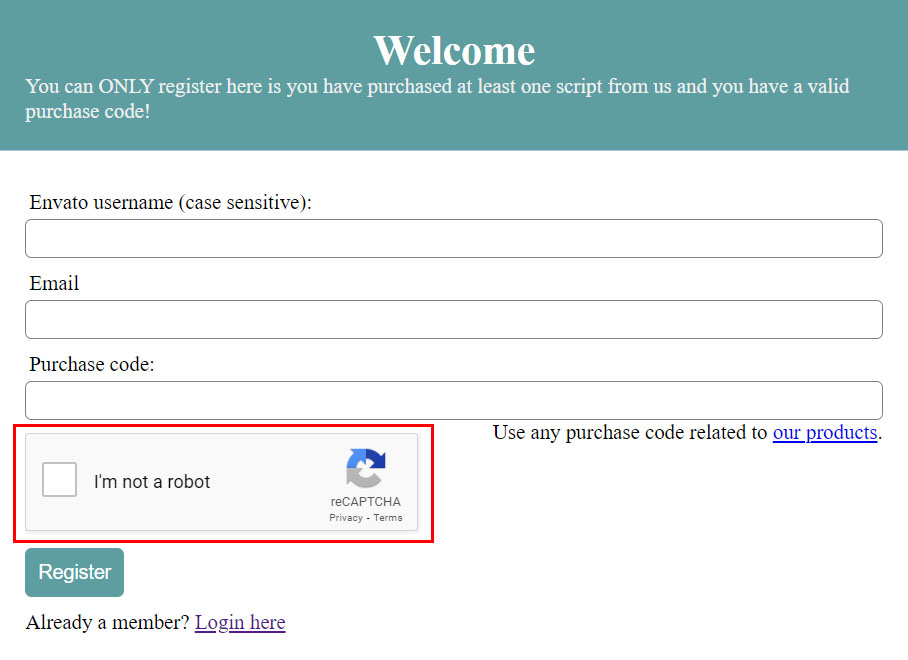
Note: Google reCAPTCHA needs to be visible in the form! If its not visible for you, it means something is blocking reCAPTCHA from working. Its not possible to continue if reCAPTCHA is not working!
Here are potential reasons why reCAPTCHA is not working for you
-
Chrome is not updated to the latest version
One of the most common reasons why this error occurs is that of an outdated Chrome version. reCAPTCHA will actively look at the browser version before allowing you access. This is applicable to all browser versions, not just Chrome. In this case, the solution is to update Google Chrome to the latest version.
-
VPN or Proxy service is not playing well with reCAPTCHA
Try turning off any active VPNs and Proxies and try again.
-
Network issue
Rebooting your modem/router should help to resolve it. Please also clear the browser data and cache when rebooting your modem/router.
-
Clear cache and cookies and try using an incognito browser tab
-
Try disabling some browser extensions
After login you can manage all your licenses here. Go to Add license to add your purchase code.

When adding purchase code, you need to provide EITHER production or staging url (only one is required to be able to start using the plugin).
Localhost setups are also supported, you just need to enter any registered token (production or staging). This means if you want to set it up on localhost and later use it in production, you can register production url and activate it on localhost now. Then when you move to production, use production token to activate plugin on production website.
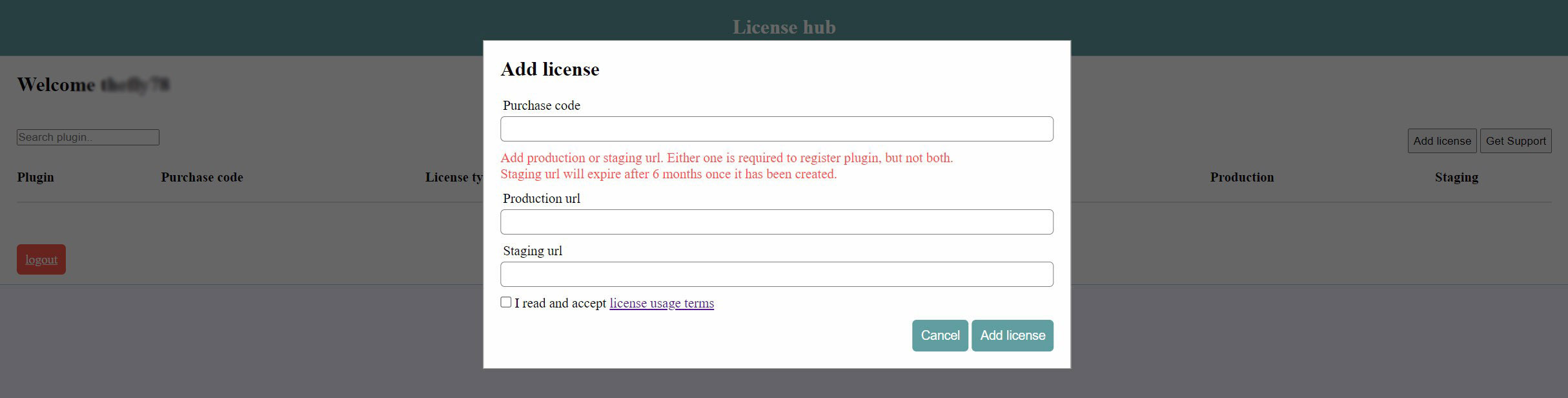
How to add domain?
Do not enter subdomains!
Example 1
If you use https://your-domain.com/something
Enter https://your-domain.com
Example 2
If you use sub-domains like the following:
https://your-domain.com/something
https://your-domain.com/something-else
https://something.your-domain.com
Enter https://your-domain.com
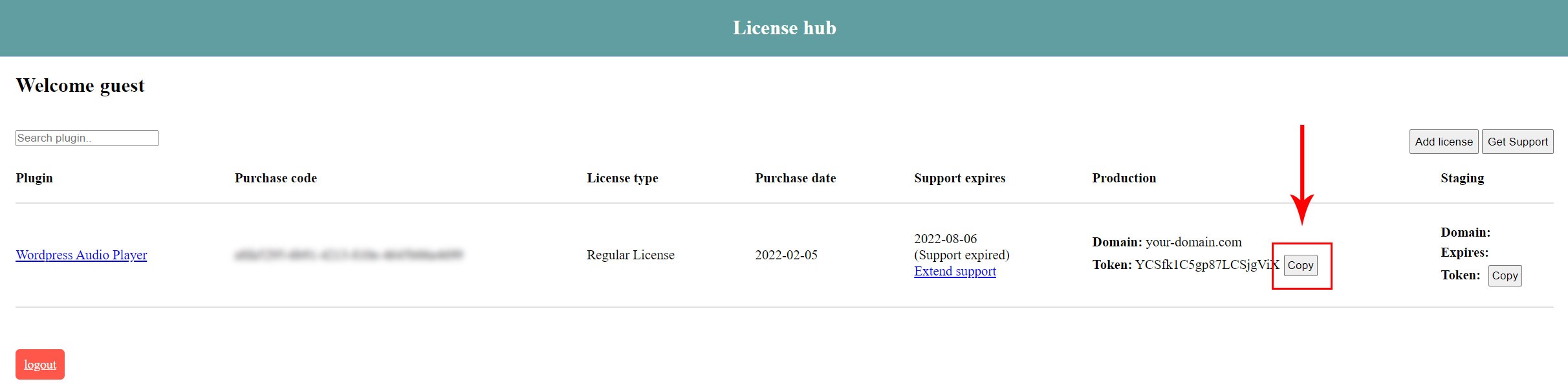
Once the purchase code is added, you can copy token.
If the process is successful, you will get confirmation.
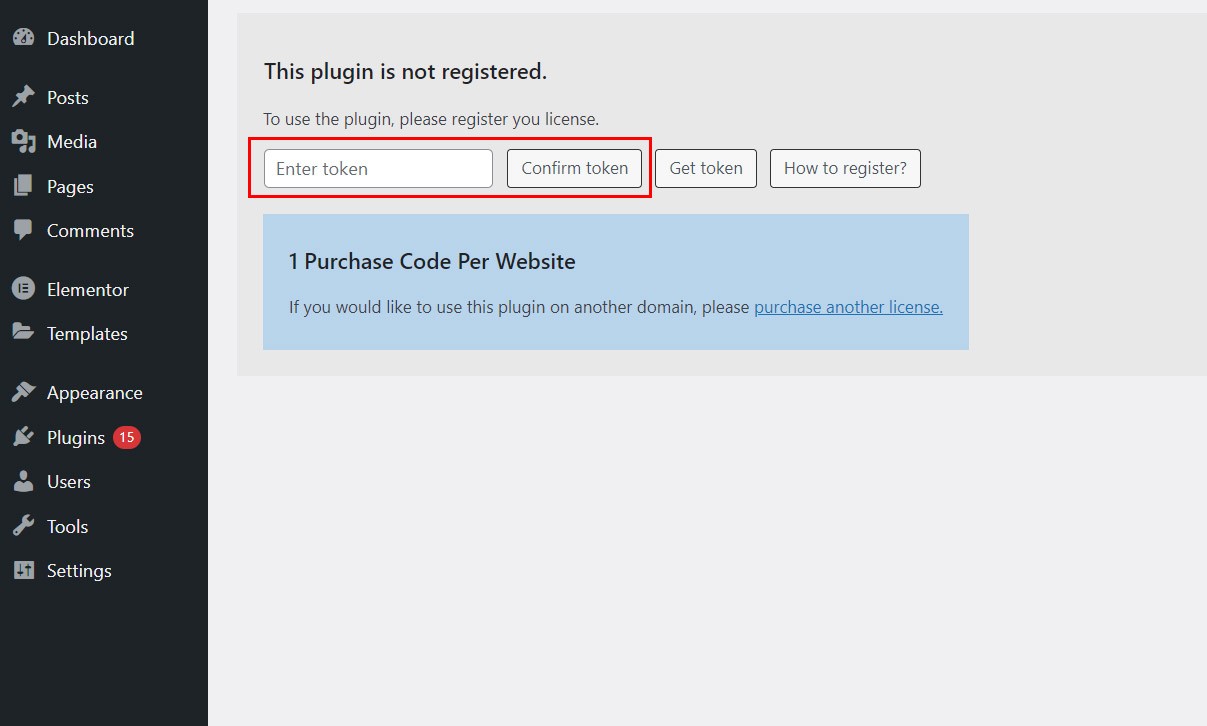
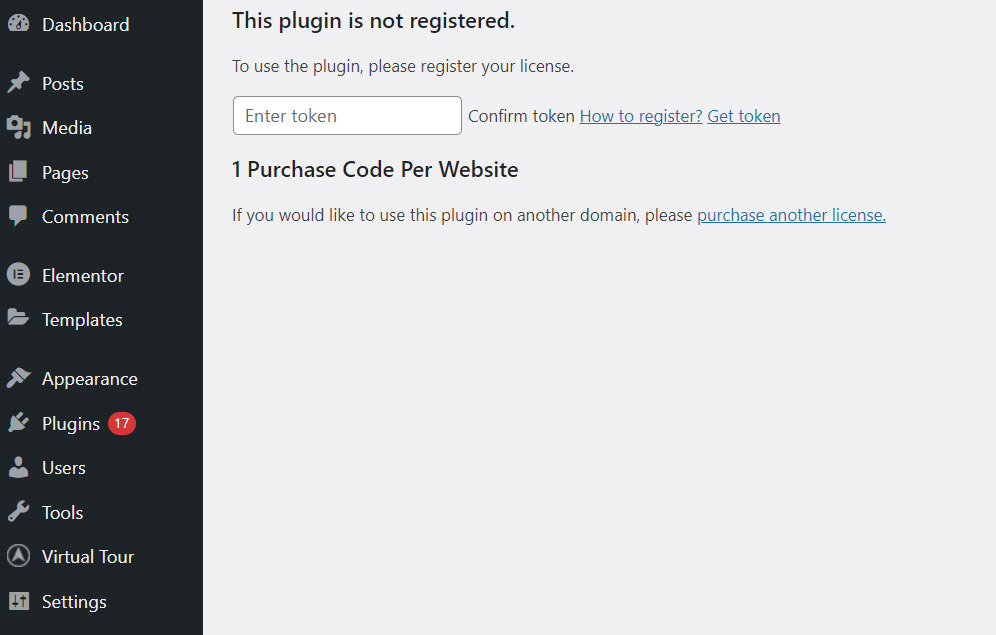
Note: If you see this kind of image below instead, this means your website is caching old css and javascript and you need to clear cache first before trying to activate! (it needs to look like in the image above)
Activating on multi domain?
If you are using plugin on multi domain website which uses DIFFERENT domain urls (and you have purchased several licenses for each domain) and you can ONLY activate the plugin on ONE domain, you can enter multiple tokens (for each domain you have) separated by comma (,) inside the field before Confirming token.
If you registered the plugin on localhost or a staging domain for example, and you move it to production website later, you will have to register it again on production website with the PRODUCTION token.
Using plugins on Codecanyon requires following license terms. Single plugin can be used on one domain or project. If you would like to use a plugin on additional domains, please purchase another license.
License usage termsTo manage more licenses you can always login into your control panel Access control panel
In same cases, license validation may fail even if you have entered the correct token. To resolve the issue, check the following:
Our server needs to contact your site
If your site is blocking external HTTP requests we will be unable to validate your license.
- ensure your site can reach this domain: https://interactivepixel.net
Check wp-config.php
Check your wp-config.php file and see if this line is present. If so, it is blocking the license validation.
define( 'WP_HTTP_BLOCK_EXTERNAL', true );
So you can delete the above constant, or set it to FALSE, and use the WP_ACCESSIBLE_HOSTS to allowlist our website (interactivepixel.net), and any other necessary domains via a comma separated list. For example:
define( 'WP_ACCESSIBLE_HOSTS', 'interactivepixel.net, example.com' );
Deactivate security plugins
Some security plugins or server firewalls, depending on their settings, may also block the validation process. Please temporarily disable them while attempting to validate your license.
Check browser developer console
Open browser developer console and check if any messages appear on start and when you try to enter token.
How to Open browser developer console

Localhost activation
Even if you use the plugin on localhost, you will need to register TOKEN. You can add ANY registered token you created (for staging or production) for validating plugin on localhost. This means if you want to set it up on localhost and later use it in production for example, you can register production url and activate it on localhost with production TOKEN. Then when you move to production, use production token to activate plugin on production website.
Still having issues registering?
Contact us on the link below, include your PURCHASE CODE with details what issues are you having and include relevant SCREENSHOTS of your issue.
codecanyon.net/user/Tean
How do I login into this license portal (what data do I need)?
To login in license portal after you have already registered, you need your codecanyon username and password we have sent you on the email you have provided for registering on our license portal.
Alternatively, you can use reset password link on the login page to retrieve a new password.
Can I move license to another domain?
As per Envato licensing rules (each license can be used on a single project or domain).
This means even if the plugin has already been used on some domain for a while, using it on another domain would still require a new license.
If you want to use plugin an another domain or a different project, another license is required.
Registering javascript plugin?
If you are registering a javascript plugin you ONLY need to follow steps 1-3 in this quide.