Product Video for WooCommerce
Thank you for purchase. If you have any questions that are beyond the scope of this help file, please feel free to send a message on the link.
Installation
How to install
Make sure you extract downloaded file from codecanyon, inside you will find file named: 'apwpv.zip'. This is the plugin file you upload in wordpress panel!
Activate plugin
After you install plugin you will have to activate your license to start using the plugin.
To activate license you need to create account on the following link, where you will provide your PURCHASE CODE, and get TOKEN in return which you will then enter in plugin section to activate the plugin.
This is made to make sure customers use the license on a single project (as per Envato rules) and to help customers owning many licenses to easily track on which server licenses are being used.
How to update
How to update when new plugin version has been released?
Using FTP client, delete old plugin files and upload new ones. Clear browser cache.Adding videos to products
How to add product videos to your products?
In Product edit screen under WooCommerce product edit tab, go to Product gallery:
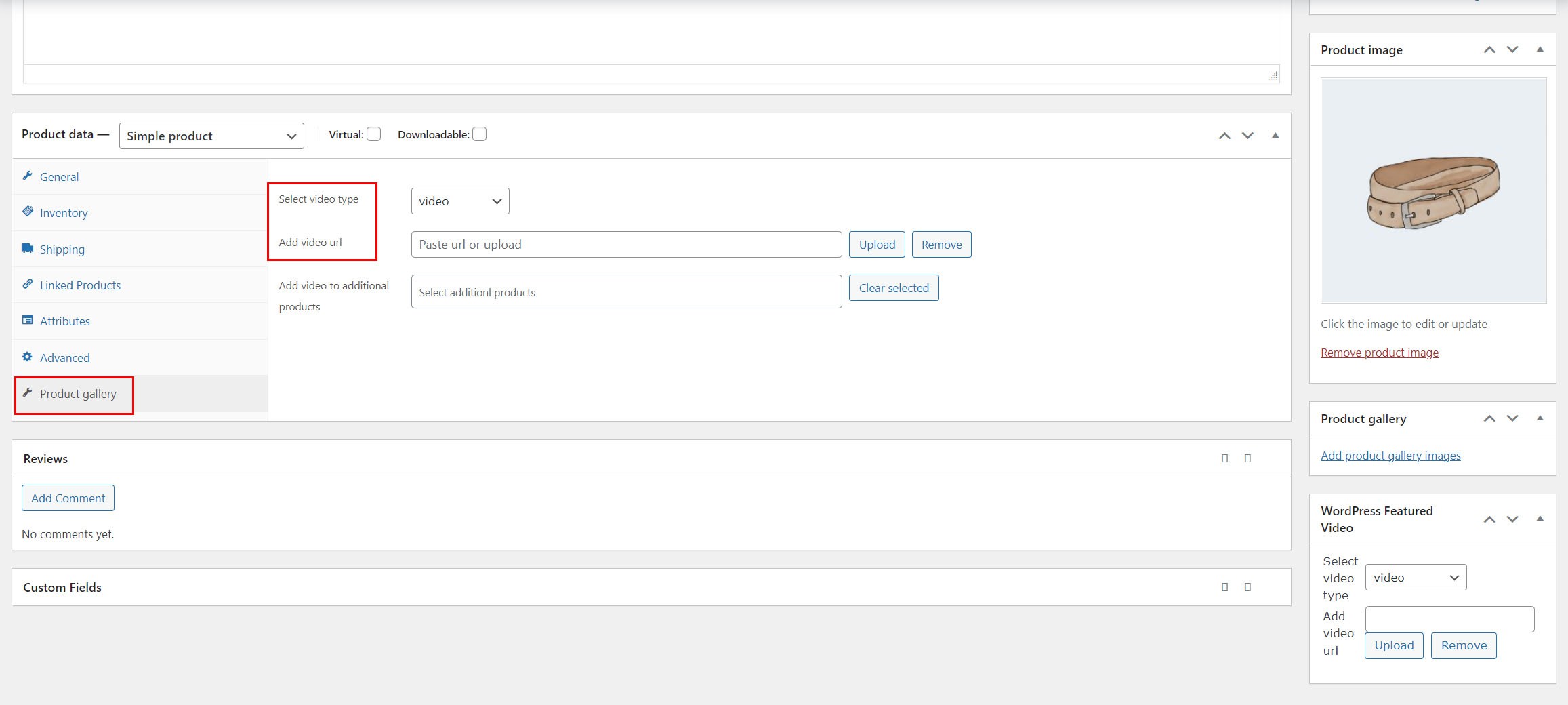
Having additional product videos?
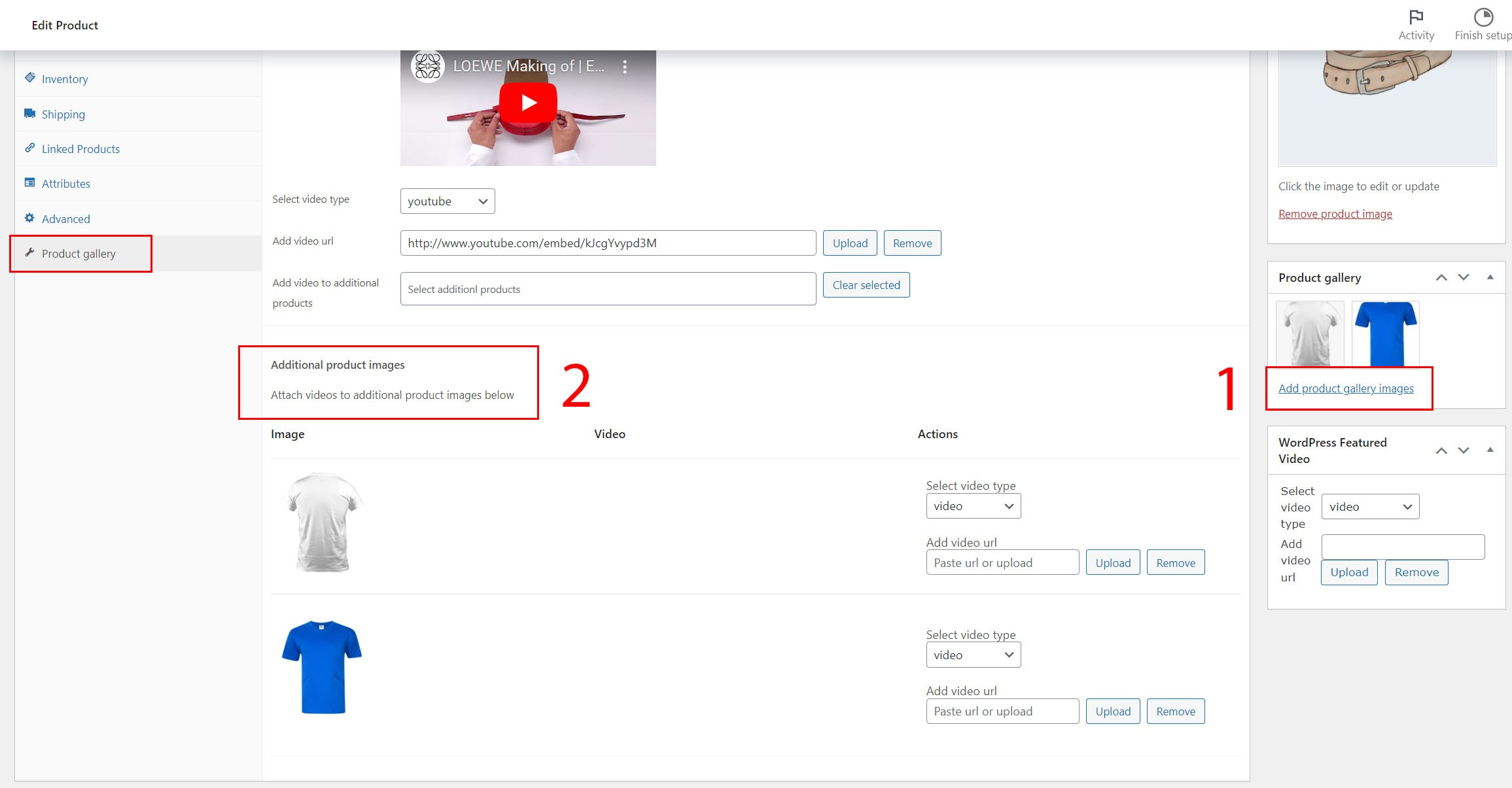
If you have additional product images, you can add then using these steps:
1. Choose Add product gallery images 2. Click Update post 3. After page refresh, you will see additional product images below main product image in the same Product gallery tab, then you can add video to these images:
WooCommerce Shop video
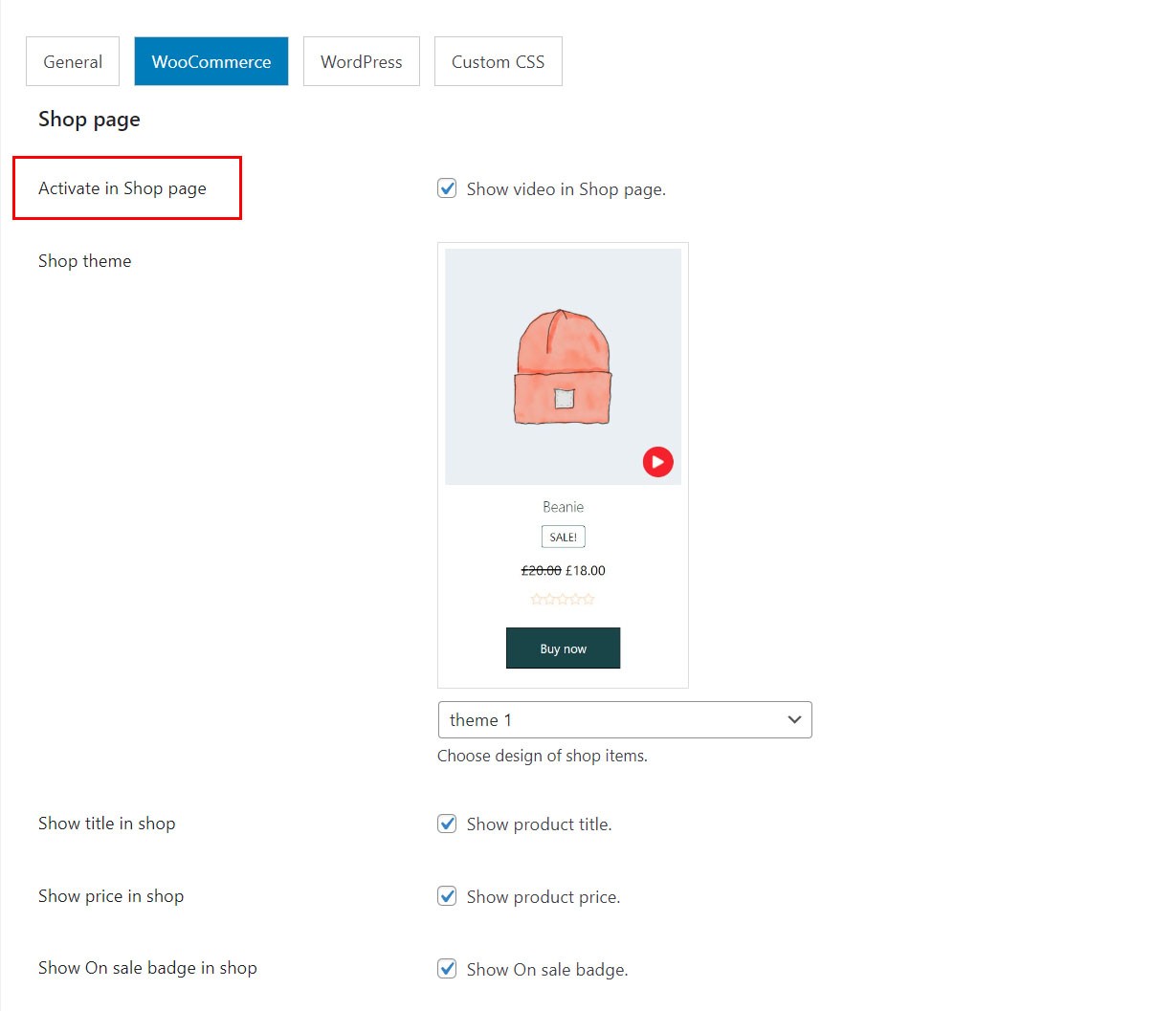
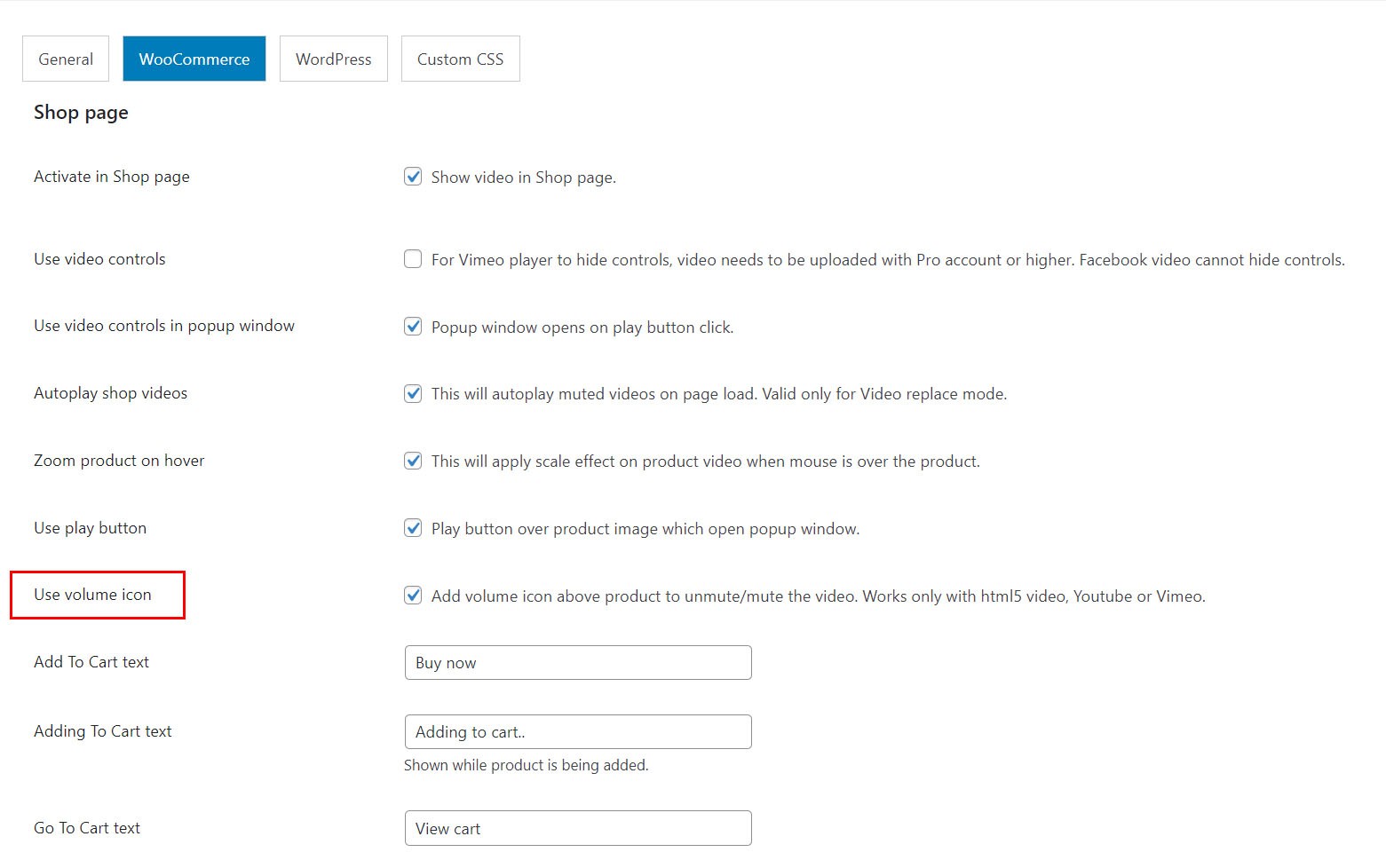
To enable video in Shop page choose Activate in Shop page:
To enable popup window which open when red play button is clicked choose Use play button for popup window
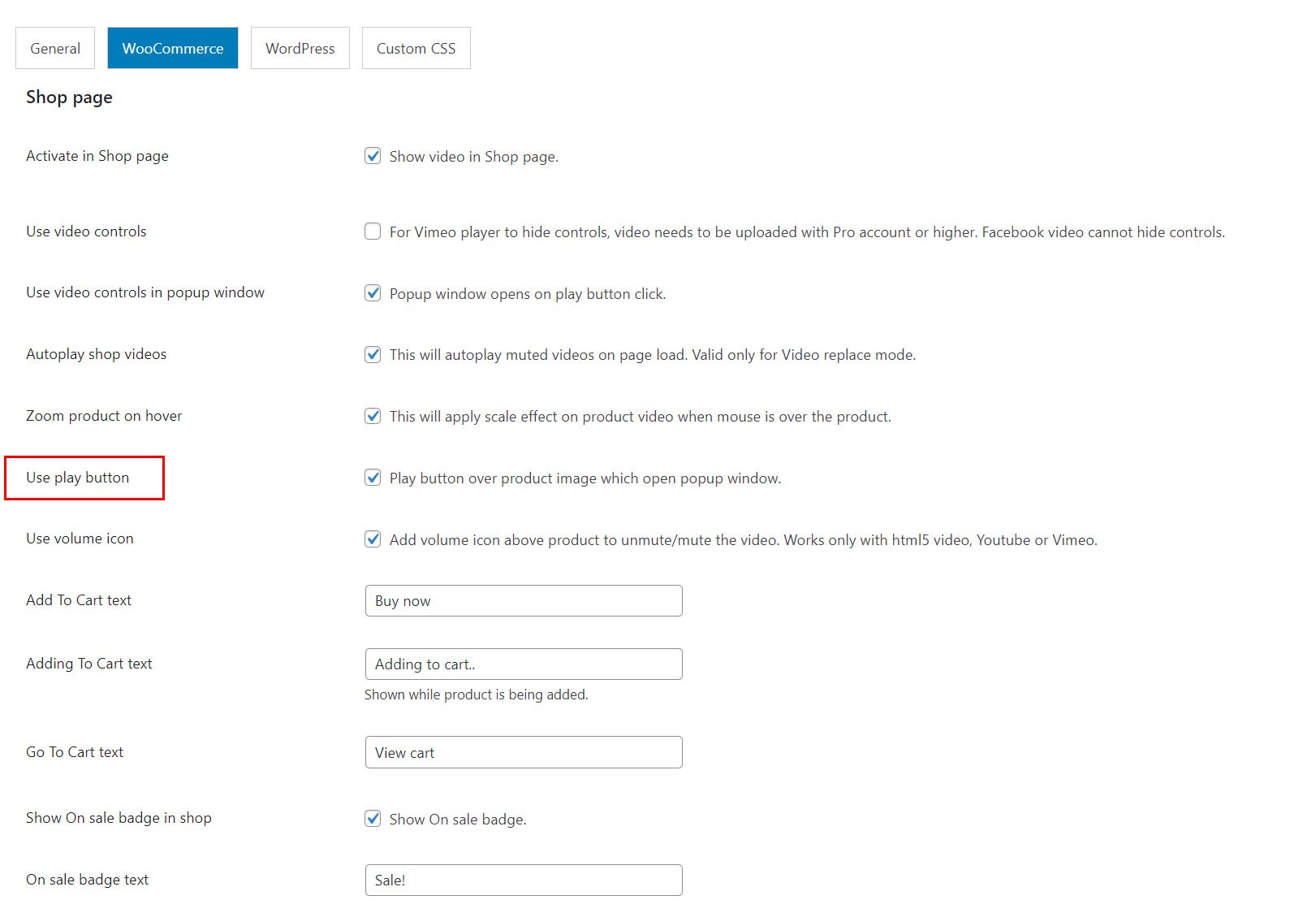
To enable volume button above the image (to unmute the video) choose Use volume icon:
WooCommerce single product page video
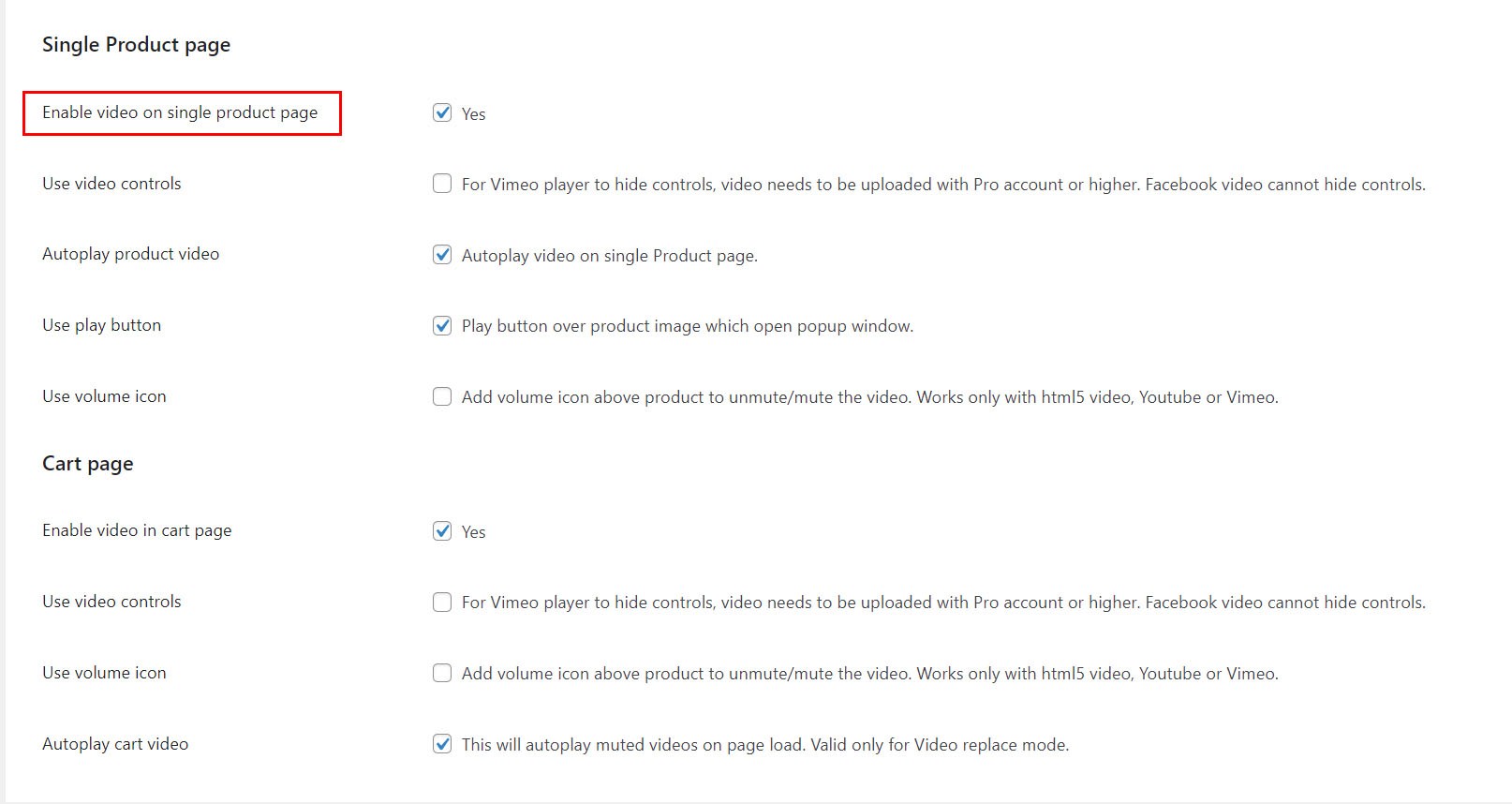
How to add product video in single product page?
To enable video in single product page choose Enable video on single product page:
Product gallery with Elementor
How to create product gallery with Elementor?
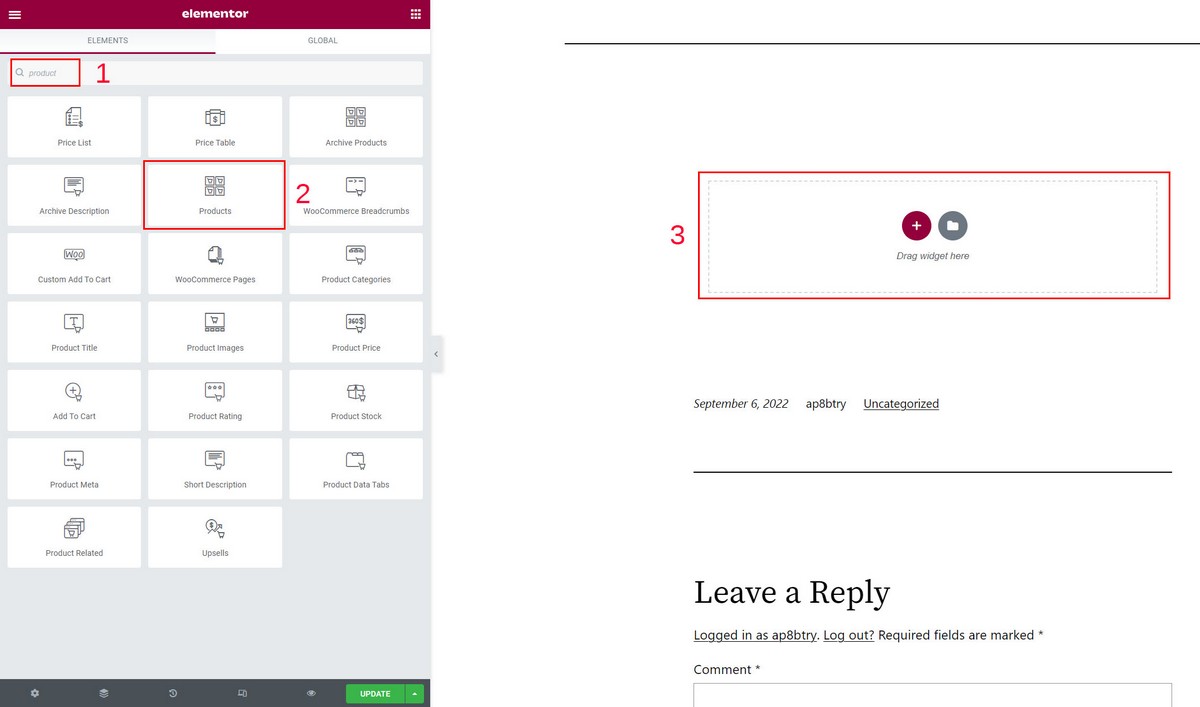
Using Elementor Pro, search for Products widget and drag it to the post. When you publish the page, your product videos that you have configured previously will be active like in WooCommerce Shop page.
WordPress featured video
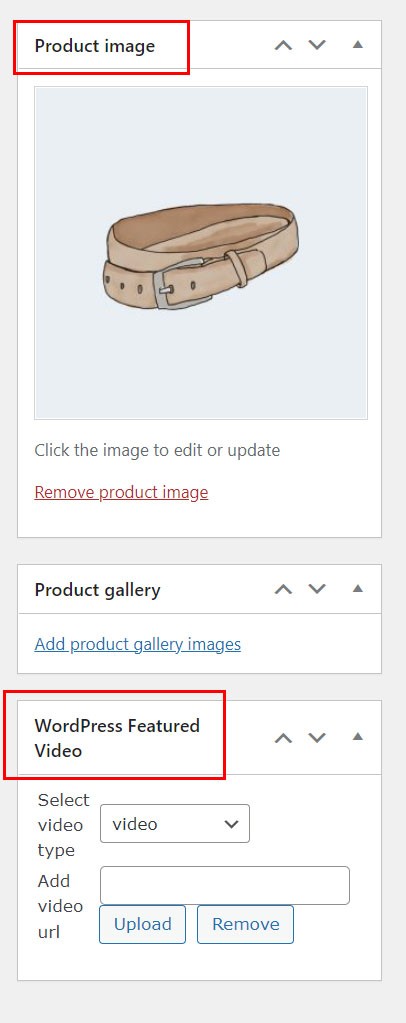
Howe add add video to featured image in WordPress?
1. In Plugin WordPress tab choose Enable featured video:

2. In Edit page, after you have added featured image, in the WordPress featured video metabox, choose video type and upload video:
Custom CSS
Custom css for the gallery can be entered in Custom CSS tab.
Example of how to apply some css changes:
Change play button background color:
.wpv-product-play-button{
    background: #ccc!important;
}
Import product videos
You can import product video in CSV using WooCommerce 3.0+ built-in importer (the same method described below might work using some 3rd party importer.
To add custom meta in CSV file, add following headers in CSV file. Use the word meta: followed by featured video meta keys:
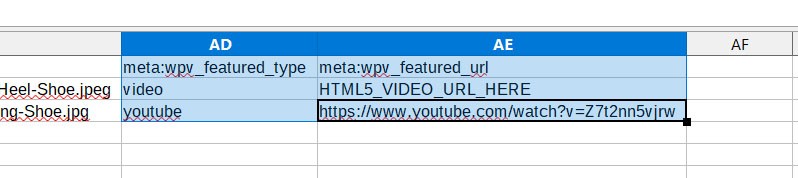
Parameters:
| Header | Required | Value |
|---|---|---|
| wpv_featured_type | yes | video, youtube, vimeo, dm, wistia, facebook, audio |
| wpv_featured_url | yes | video / audio url, examples: mp4 video Youtube video: https://www.youtube.com/watch?v=VIDEO_ID_GOES_HERE Vimeo video: https://vimeo.com/VIDEO_ID_GOES_HERE Wistia: https://fast.wistia.net/embed/iframe/VIDEO_ID_GOES_HERE Facebook: https://www.facebook.com/plugins/video.php?href=https://www.facebook.com/watch/?v=VIDEO_ID&autoplay=1&allowfullscreen=true Dailymotion: https://www.dailymotion.com/video/x6z9an9 audio url |
Example of CSV is included in plugin package / documentation / csv directory.
Troubleshooting
Autoplay with volume?
For video to start playing automatically on page load (without user click), video needs to be muted. This is because browsers block video autoplay with sound.
https://developer.chrome.com/blog/autoplay/Not compatible with your theme?
Plugin will work with any default WordPress theme. Custom themes sometimes modify and even remove default WooCommerce hooks (which are required for this plugin to work) and use their own , so we cannot guarantee that the plugin will work 100% with your theme (or that all the features will be fully compatible). If you see duplicate images in shop page (for example), this is because your theme adds custom code which our plugin cannot know about. Solution is to remove this code from the theme which causes that or use CSS to hide redundant features from custom theme. If you have issue with your theme compatibility, contact us and we will try to assist to make it compatible.
Contact usContact
How to contact us?
If you have any questions after purchase, send a message at http://codecanyon.net/user/Tean#contact, and provide your PURCHASE CODE.
Make sure you provide detailed description of how you use the plugin with settings, and what theme do you use.